8.3.4 Setting up input cues for Doremi, Dolby and NEC IMS servers
with xml lib.
Using the XML library method it is possible to the PAA20+ inputs to send
automation messages to the IMS servers. You need the “PAA20V2.xml” file
loaded properly in the server to use this feature, in the 1,2 and 3 steps of the
8.2.8 section of this manual you may see the procedure to load the file and
create the PAA20+ Library.
With this file loaded you can create trigger cues following these steps:
8. Open the “Macro Editor”, by accessing it through the ADMINISTRA-
TION -> MACRO EDITOR TRIGGER → CUE. This window is used to
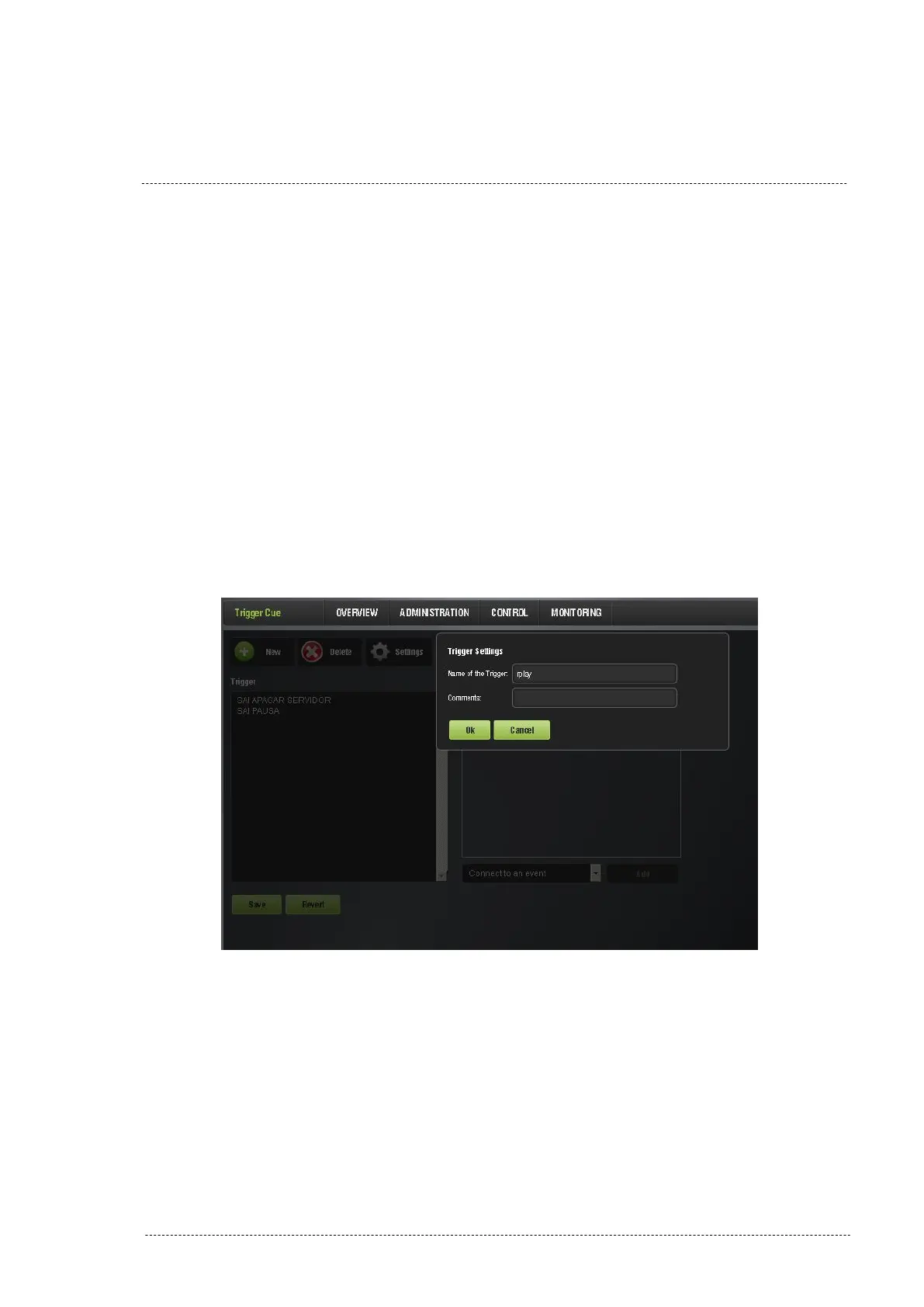
manage the trigger cues. To create a new cue click on “+ New” button
and in the pop-up window, name it and click on accept. Example is
given in Figure 8.3.4A.
Figure 8.3.4A
9. When the “Connect to an event” drop-down, Figure 8.3.4B, select the
“Signal” option.
INSTALLATION MANUAL: PAA20+ V 2.0 (10/2021) 74



 To Next Page