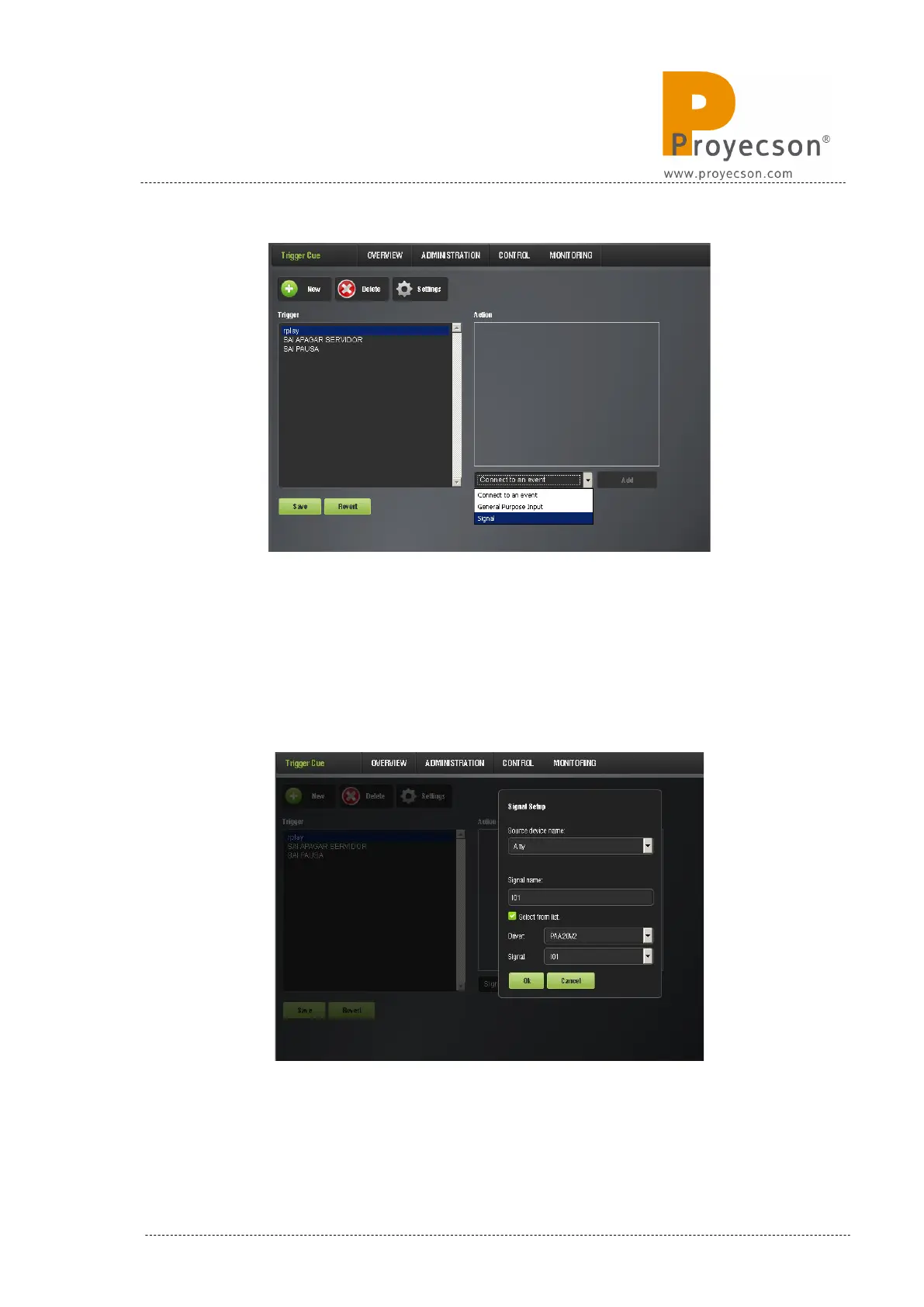
Figure 8.3.4B
10. In the “Signal Setup” pop-up window, select PAA20V2 in the
“Driver” selection tab and select the desired input of the PAA20+ in the
“Signal” drop-down menu. Every signal matches the physical input
with the same number in the device. You may see an example for the
Input 1 in Figure 8.3.4C.
Figure 8.3.4C
INSTALLATION MANUAL: PAA20+ V 2.0 (10/2021) 75



 To Next Page