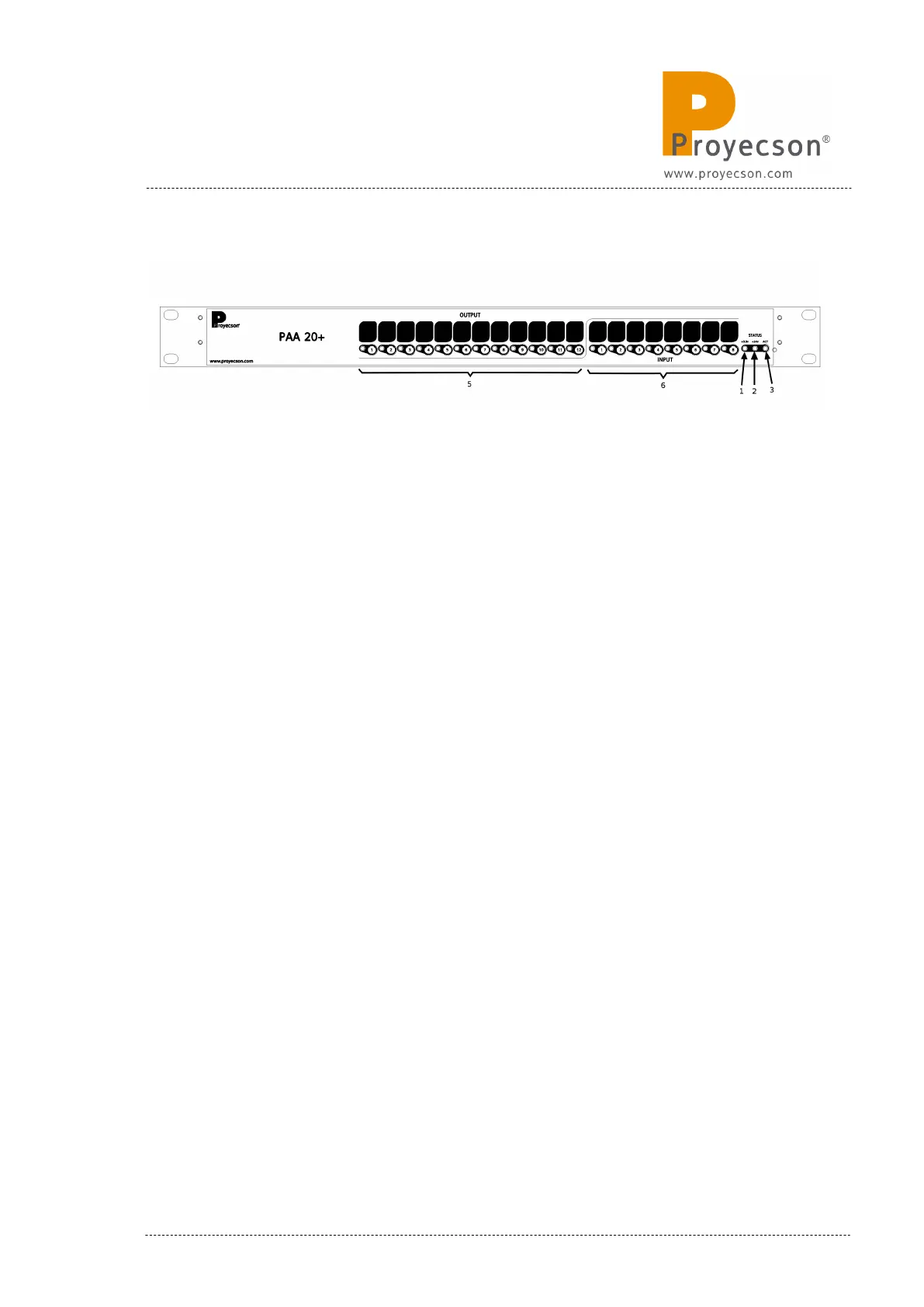
4. FRONTAL PANEL
Figure 4.A
1. 24vdc indicator
2. 3.3vdc indicator
3. Activity indicator
4. Manual activation buttons and output active status leds.
• The led indicates that the output is active.
• Activate the outputs directly with the pushbuttons without using
the server. Outputs will only remain active while keeping the
button pressed.
5. Manual activation push button and input active status leds.
• The led indicate that input is active.
• Pushbuttons allow forcing inputs manual activation.
6. Reset button, accessible through the pinhole in the front plate.
INSTALLATION MANUAL: PAA20+ V 2.0 (10/2021) 11



 To Next Page