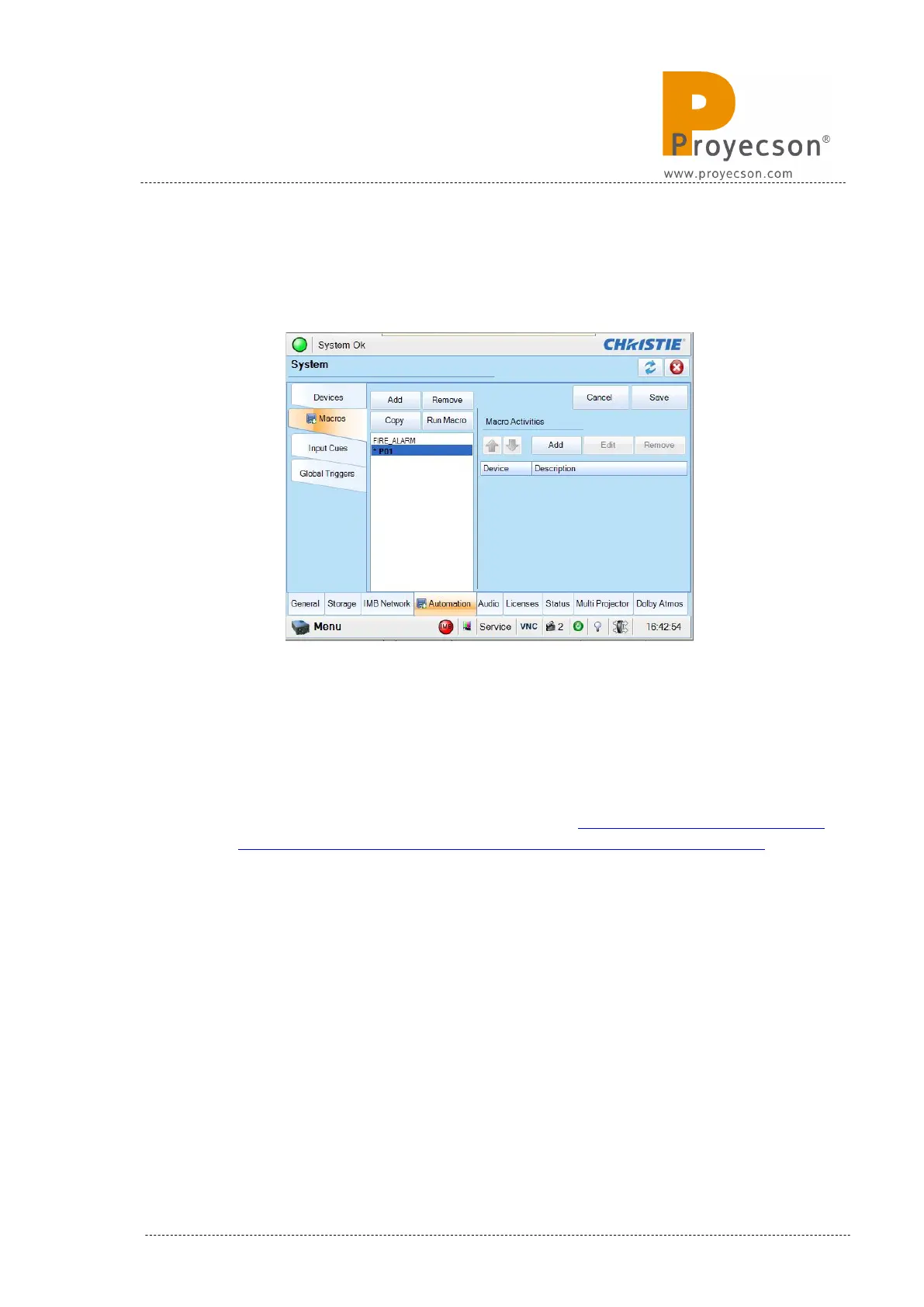
• Once the macro is created, click on the “Add” button of the “Macro
Activities” menu to associate an action to the new macro. Figure
8.8.1D.
Figure 8.8.1D
• Fill up the appearing “Activity Properties” pop-up window:
◦ Automation Device: IMB Automation.
◦ Activity type: Serial String Output.
◦ Serial String: ASCII string to send to the PAA20+. It is possible to
use the factory string described on the APPENDIX H: COMMANDS
FOR BARCO ALCHEMY (ICMP) AND CHRISTIE IMB S2. or to
configure your own string following the procedure described in this
manual.
◦ IP Address: TCP/IP IP address of the PAA20+ to send the serial
string commands. Factory default is 10.0.0.180/24 but it is possible
to change it using the PAA20+ web GUI.
◦ Port: TCP/IP port to sent the serial string commands. Factory
default is 10001 but it is possible to change it using the PAA20+
web GUI.
• After that click on the “Accept” button to confirm. Figure 8.8.1E.
INSTALLATION MANUAL: PAA20+ V 2.0 (10/2021) 107



 To Next Page