7.2.4 TCP/IP CONFIGURATION PAGE.
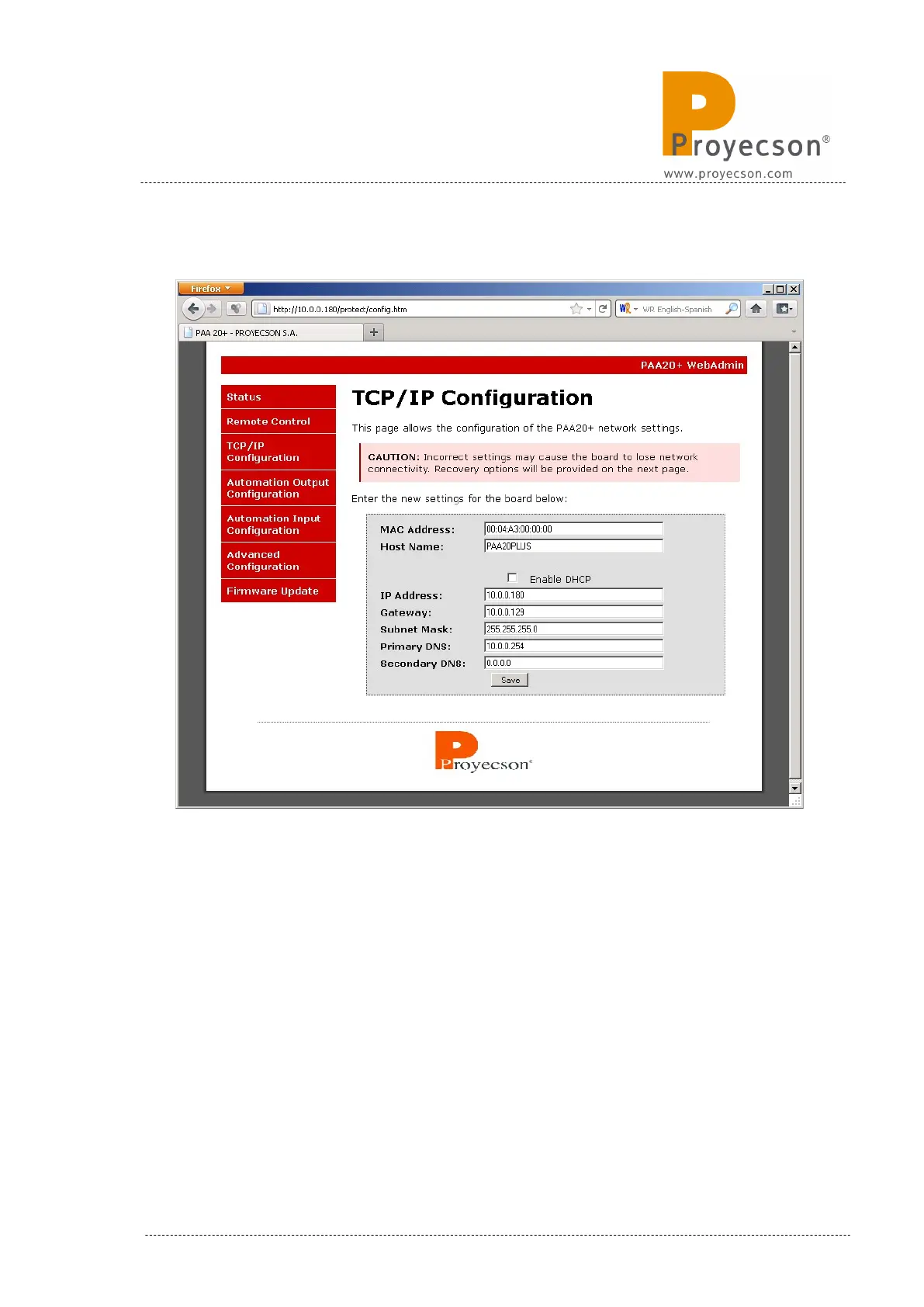
Figure 7.2.4AI
In this page you can configure the TCP/IP interface of the PAA20+. The
configuration shown in the Figure 7.2.4A is the factory one, thus this is the
configuration you will find in a brand new unit.
To change the configuration simply write a new value in the corresponding
field and store it using the “save” button.
Do remember or annotate TCP parameters to ensure future connections with
the device and to be able to properly configure the Digital Cinema server. In
APPENDIX C you may find a table to annotate every TCP/IP parameters
changes for future use.
INSTALLATION MANUAL: PAA20+ V 2.0 (10/2021) 27



 To Next Page