20
ESP-LXME Controller
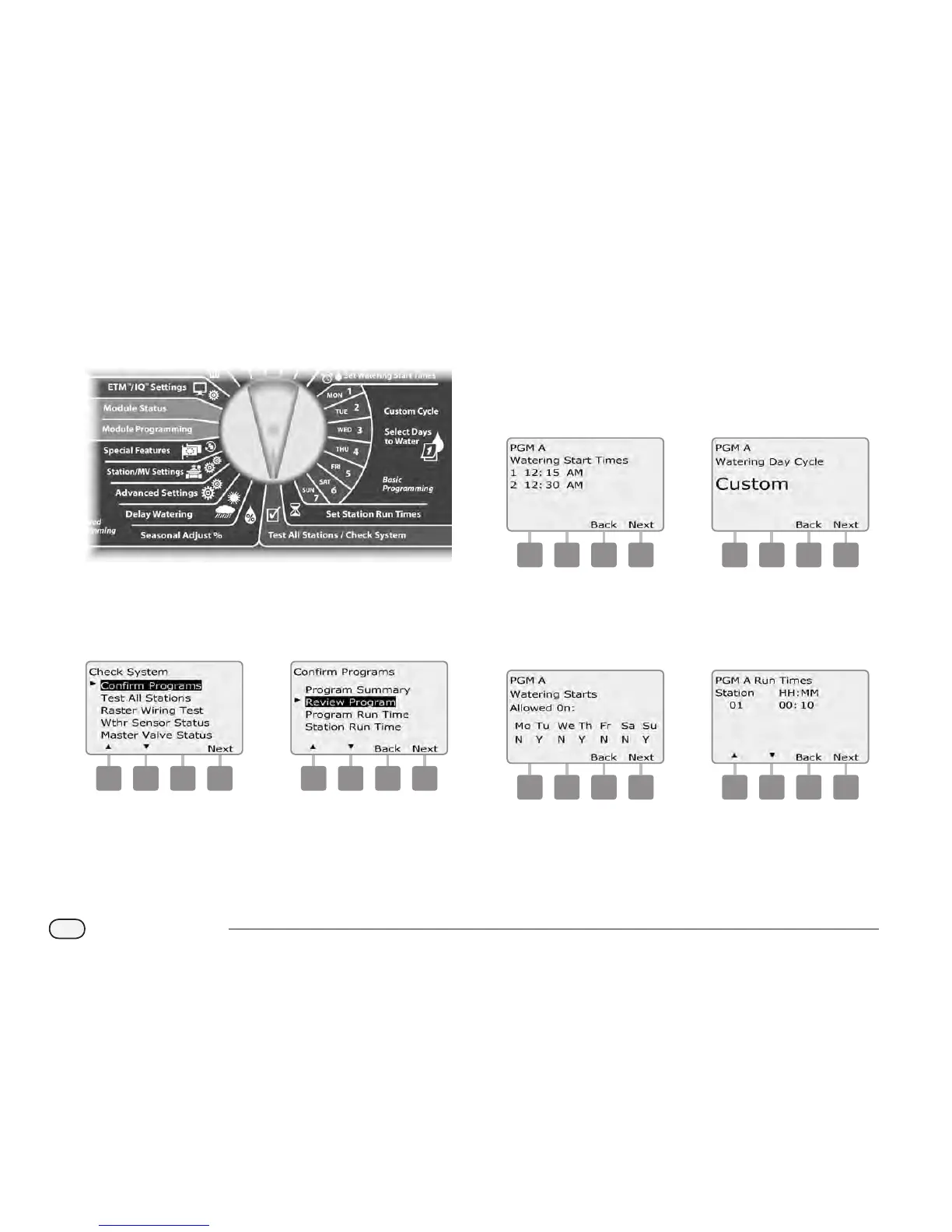
Review Program
Review program information for a station:
Turn the controller dial to Test All Stations/Check System.
A
The Check System screen appears with Conrm Programs
selected; press Next.
B
The Conrm Programs screen appears. Press the Down Arrow
button to select Review Program; then press Next.
a b
C
The Watering Start Times review screen appears with start times
displayed for the currently selected program. Press Next.
NOTE: If the desired program is not selected, use the Program
Select switch to change it. See Section B, Program Select Switch
for more details.
D
The Watering Day Cycle review screen appears with the current
watering day cycle displayed. Press Next.
c d
E
The Watering Days review screen appears with allowed watering
days displayed. Press Next.
F
The Run Times review screen appears with run times for each
station displayed. Press Next.
e f


 To Next Page
 Loading...











