71
ESP-LXME Controller
View Mainline Flow Alarms
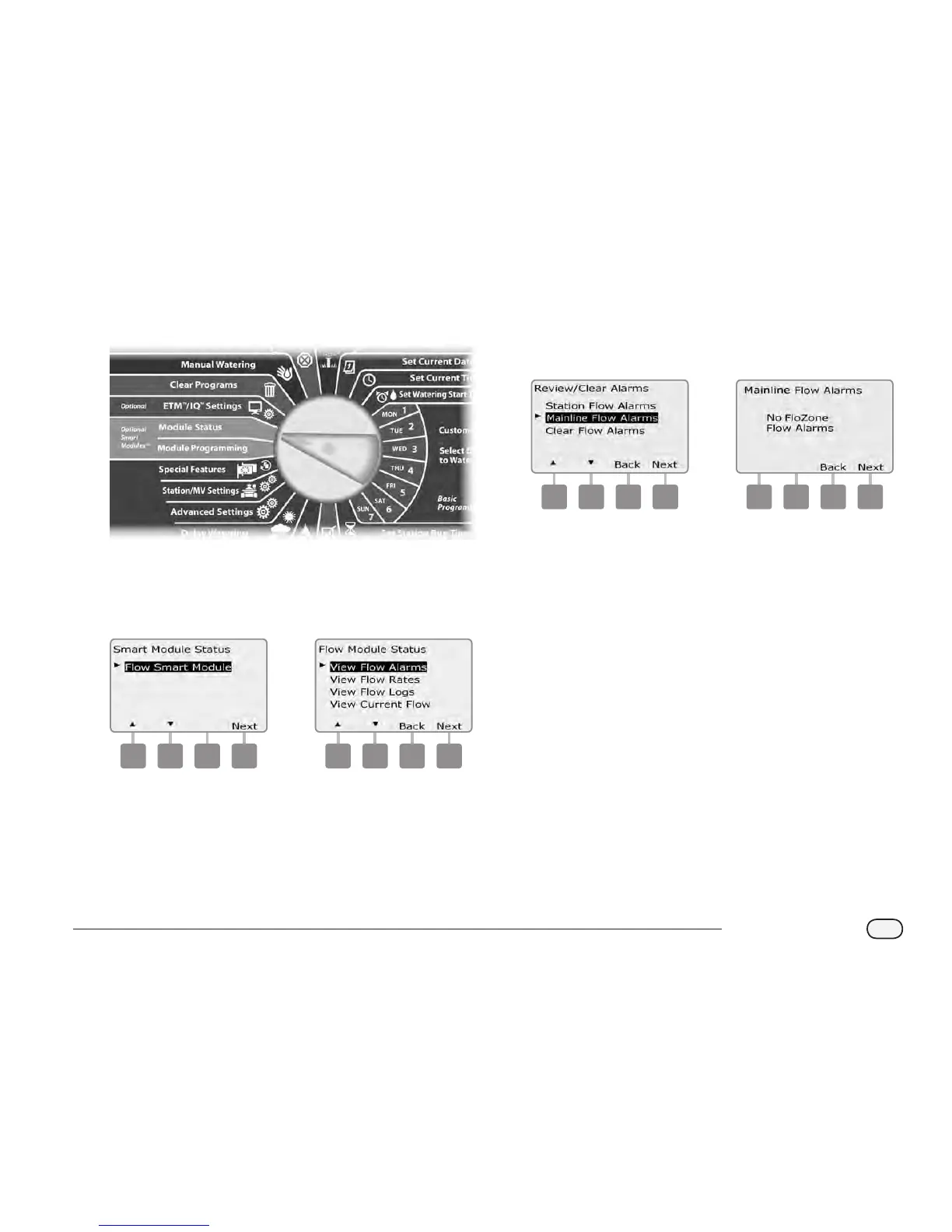
Turn the controller dial to Module Status.
A
The Smart Module Status screen appears with Flow Smart Module
selected; press Next.
B
The Flow Module Status screen appears with View Flow Alarms
selected; press Next.
1 2
C
The Review/Clear Alarms screen appears. Press the Down Arrow
button to select Mainline Flow Alarms; then press Next.
D
The Mainline Flow Alarms screen appears. If no Mainline Flow
Alarms have been posted you will see the screen below.
3 4
Note each station which has an alarm, then See Clear Flow Alarms in
this section for more details on how to clear ow alarms.
NOTE: Mainline alarms indicate alarms for mainline ow
conditions, not stations.



 To Next Page
 Loading...











