72
ESP-LXME Controller
Clear Flow Alarms
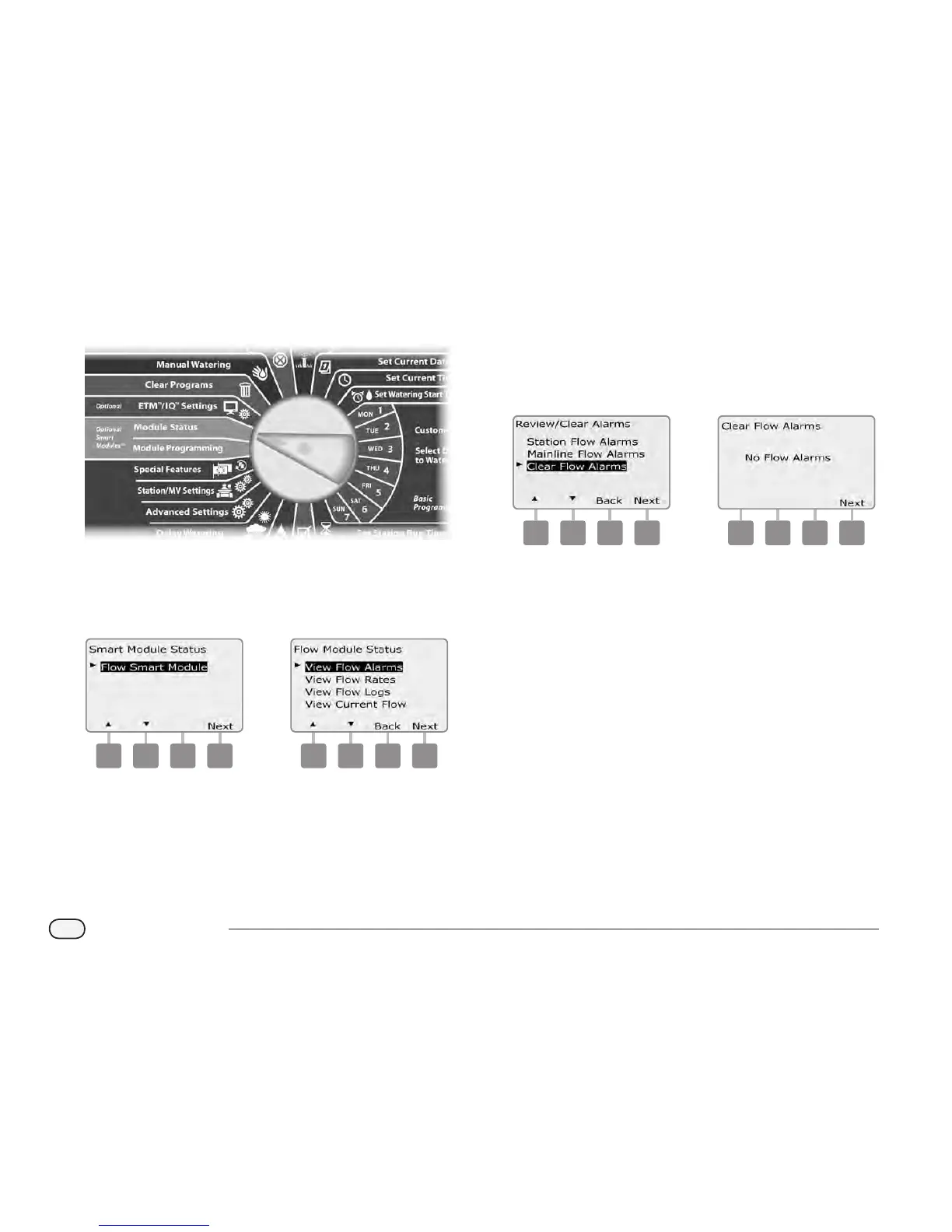
Turn the controller dial to Module Status.
A
The Smart Module Status screen appears with Flow Smart Module
selected; press Next.
B
The Flow Module Status screen appears with View Flow Alarms
selected; press Next.
1 2
C
The Review/Clear Alarms screen appears. Press the Down Arrow
button to select Clear Flow Alarms; then press Next.
D
The Clear Flow Alarms screen appears with all current Flow Alarms
displayed and you will have the opportunity to clear each. It may
be helpful to record which stations have Flow Alarm conditions
prior to clearing them.
3 4
NOTE: Mainline alarms indicate alarms for mainline ow
conditions, not stations.


 To Next Page
 Loading...











