80
ESP-LXME Controller
Delayed Recall
Use the Delayed Recall feature to automatically replace the currently
loaded programs with a previously stored program at a future date.
CAUTION: Once current programs have been replaced with the
Delayed Recall feature, they can not be restored.
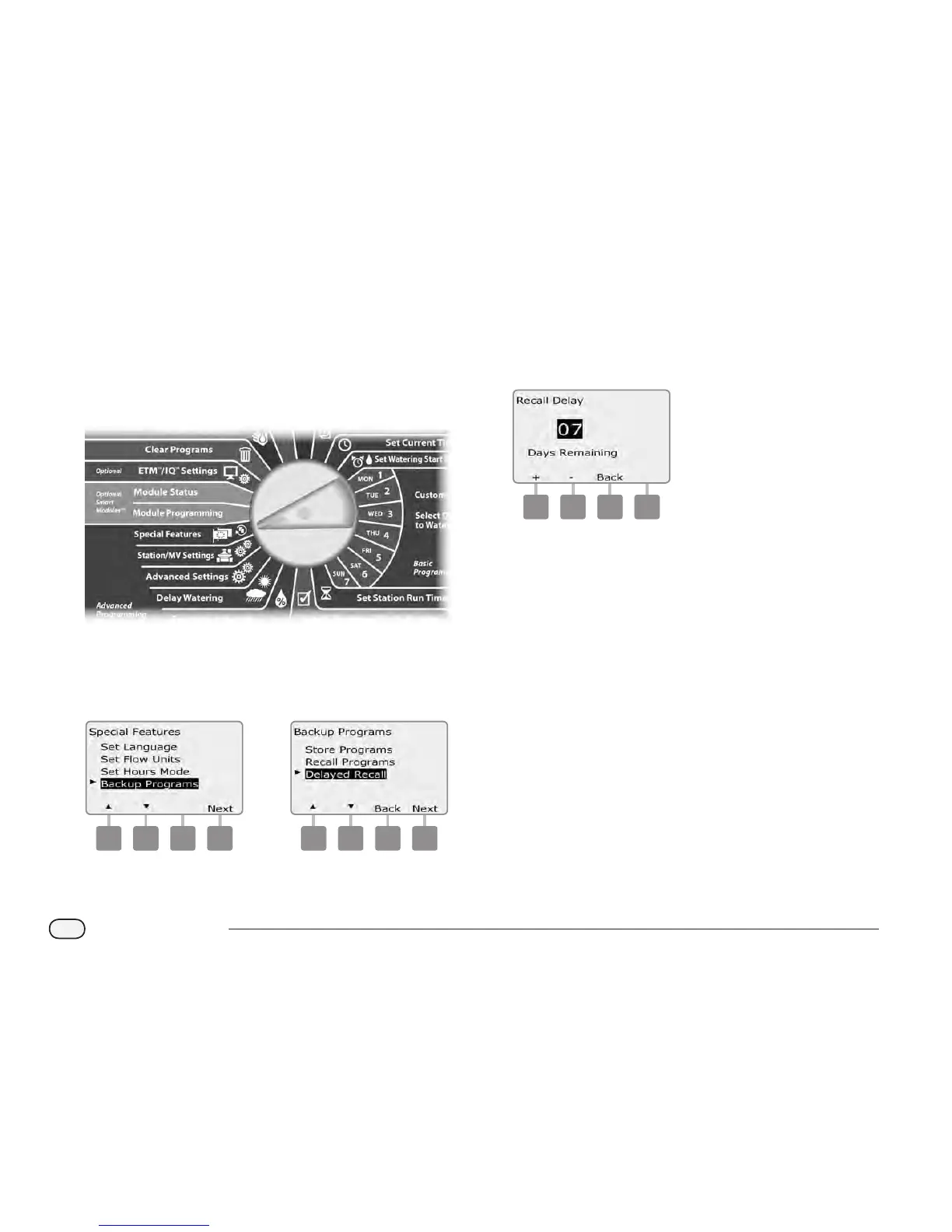
Turn the controller dial to Special Features.
A
The Special Features screen appears. Press the Down Arrow
button to select Backup Programs; then press Next.
B
The Backup Programs screen appears. Press the Down Arrow
button to select Delayed Recall; then press Next.
1 2
C
The Recall Delay screen appears. Press the + and – buttons to
enter the number of days (from 0 to 90 days) before Contractor
Defaults are restored. For example, set it to 7 days if you want your
original programs to be restored in one week. If you want to clear
a previously Delayed Recall, set the number of days to 0.
3



 To Next Page
 Loading...











