Configuration
R&S
®
TS7124M
85User Manual 1525.5394.02 ─ 05
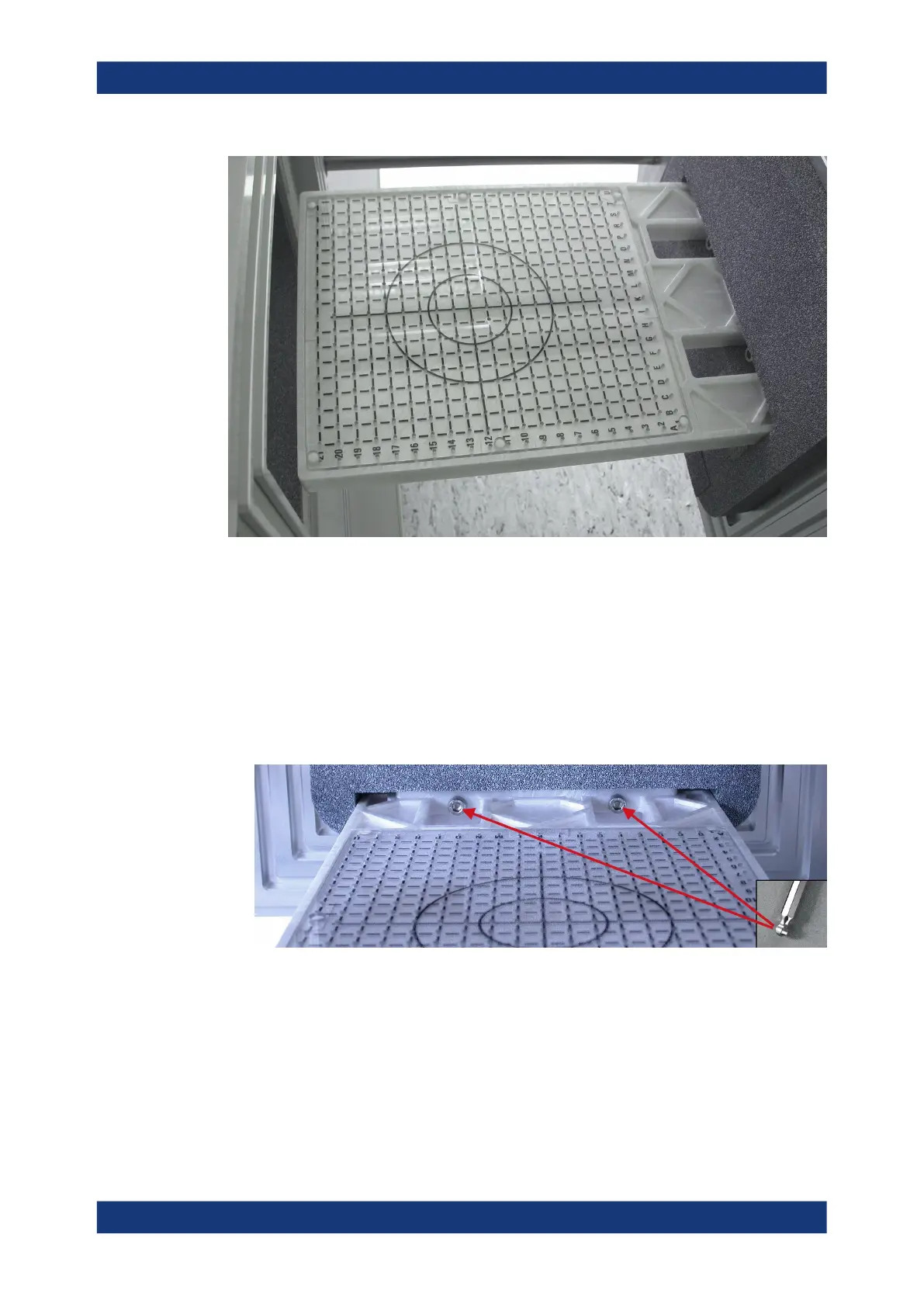
Figure 7-11: DUT holder tray, here mounted in the higher position
The following mounting instruction uses the DUT holder tray R&S TS-F24P1 as an
example. Other DUT holder trays are mounted in a similar way.
To change the tray position (low to high, or high to low)
1. Open the front door of the RF shielded box.
2. Unscrew the two hexagon socket screws, using a 5 mm hex key with ball end as
shown in Figure 7-12.
Figure 7-12: DUT holder tray, here mounted in the lower position
3. Remove the DUT holder tray from the door. As the tray can sit firmly in the door's
notch, slightly wobble the tray back and forth to loosen it.
4.
NOTICE! Risk of tray collision with the full antenna ring. If the full antenna ring is
placed in the chamber, the DUT holder tray must not be mounted in the lower
position, to avoid a collision. In this combination, closing the drawer can damage
the antenna ring, any mounted antennas and the tray.
Mounting a DUT holder tray



 To Next Page