Chapter 3
30 Viper Pro Installation & Operation Manual
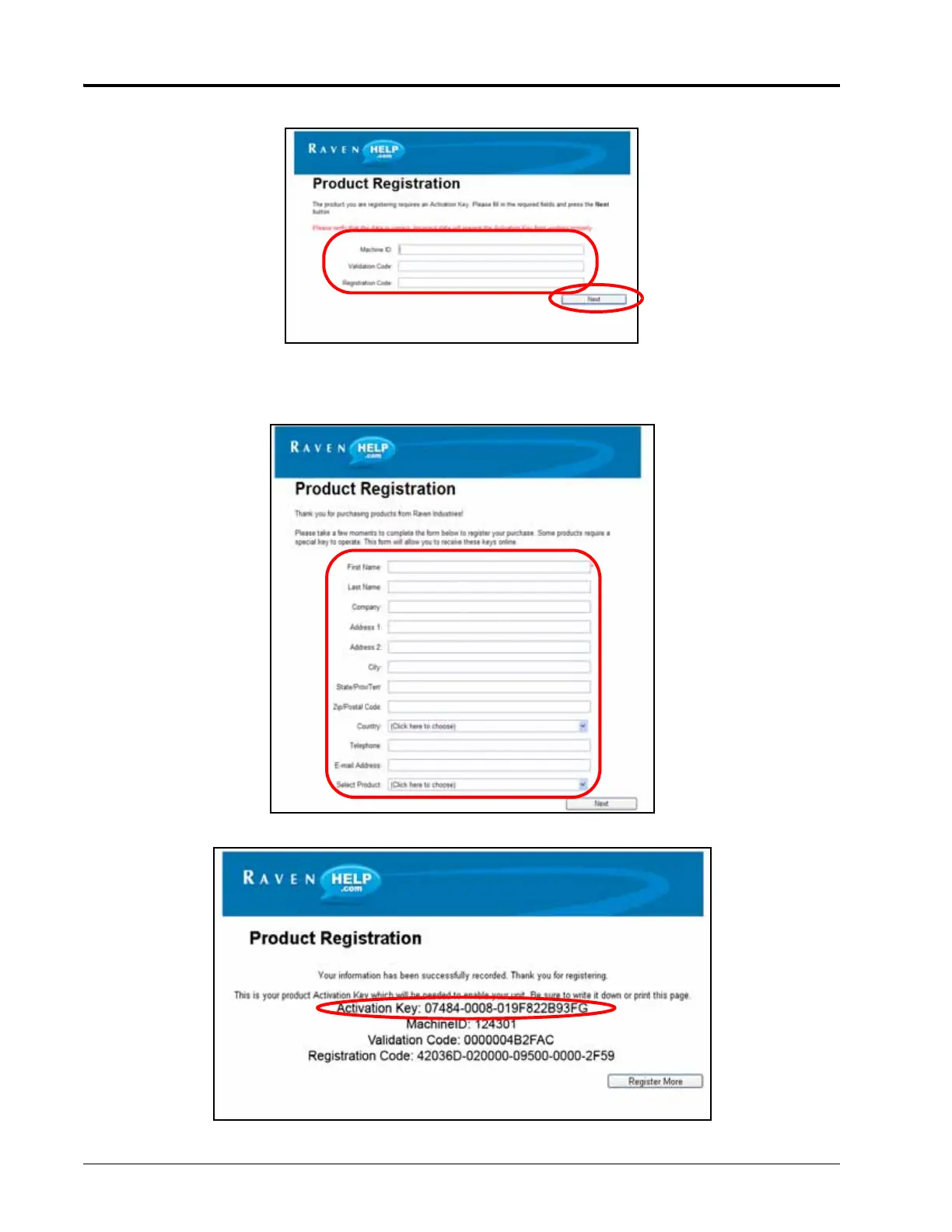
5. The Registration Code screen displays.
6. Fill in the machine ID, validation code, and registration code from the registration code sheet. Click the Next
button.
7. Fill in the requested information and then click Next.
8. If the registration was processed successfully, prompt similar to the following will be displayed.



 To Next Page