MULTI-PURPOSE PROBE
87
Coax (In-Line)
Two of the MPP functions utilize the coaxial connectors: Coax (In-Line) and Coax (Single-Ended). The
Coax (In-Line) Setting allows you to make in-line measurements using one of the coax ports as an input
and the other as an output. The MPP contains a directional coupler between port A and port B.
Therefore, if a signal is originating from the Port A coax input, then the signal should appear stronger
when the MPP is switched to port A versus port B. This technique can be used to determine if a signal is
originating from either the port A or port B side of the coax without having to physically switch the
cables on the inputs.
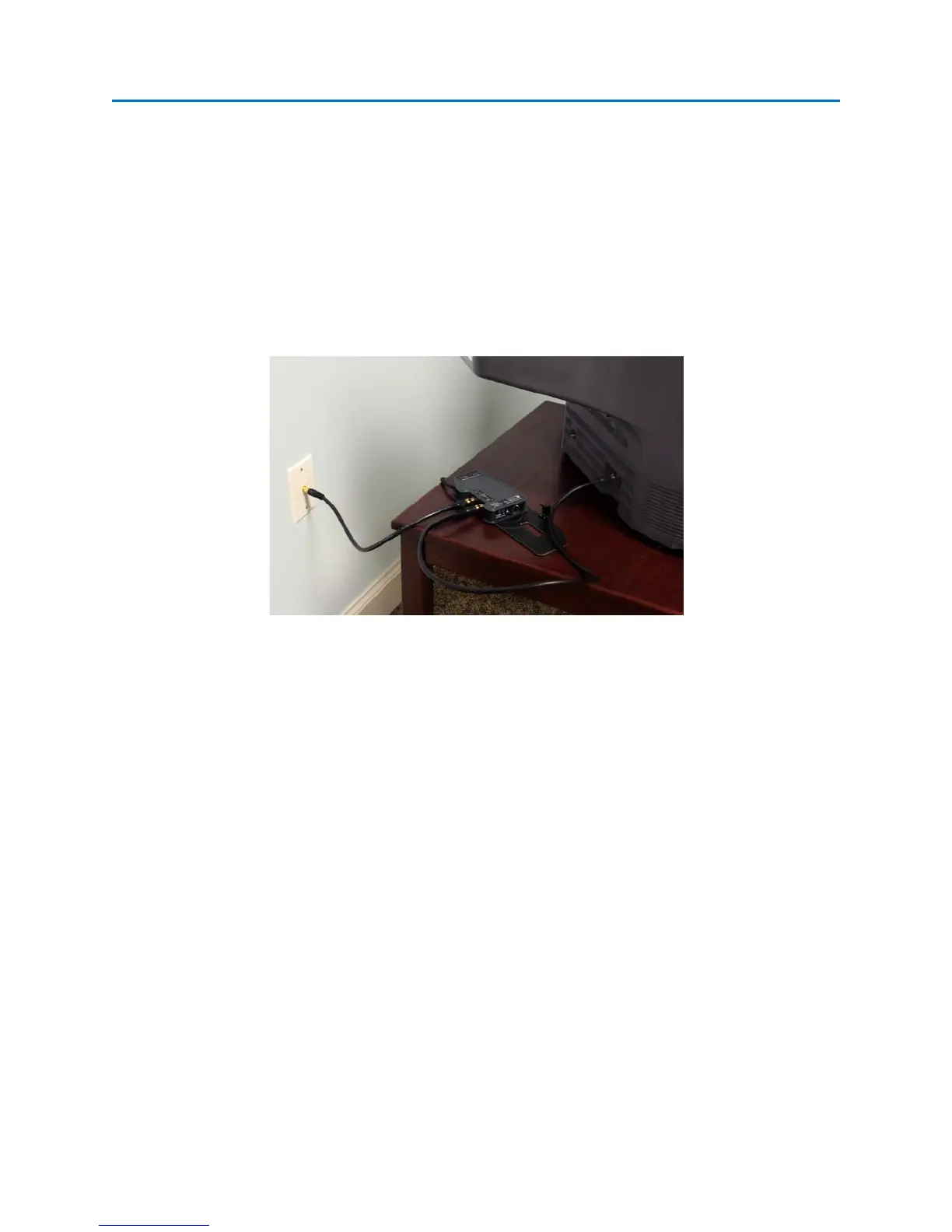
To use the Coax (In-Line) Input:
1. If making an in-line measurement on the coax cable from a wall outlet to a television, disconnect
the coax cable from the back of the television. Connect this cable to Coax Port A on the MPP.
2. Take the extra length of coax cable included with your OSCOR unit and connect Coax Port B on
the MPP to the television. Signal will be restored to the television.
3. On the OSCOR, make sure that the “Coax (In-Line)” input is selected on the MPP tab. On the
right side of the tab, the options for the selected input will appear.
4. On the options panel, select Port A as the input port. Observe any signals present on Port A.



 To Next Page
 Loading...


