Secon 5
Integra 3™ Basic Operaon
Research Instruments Ltd
5
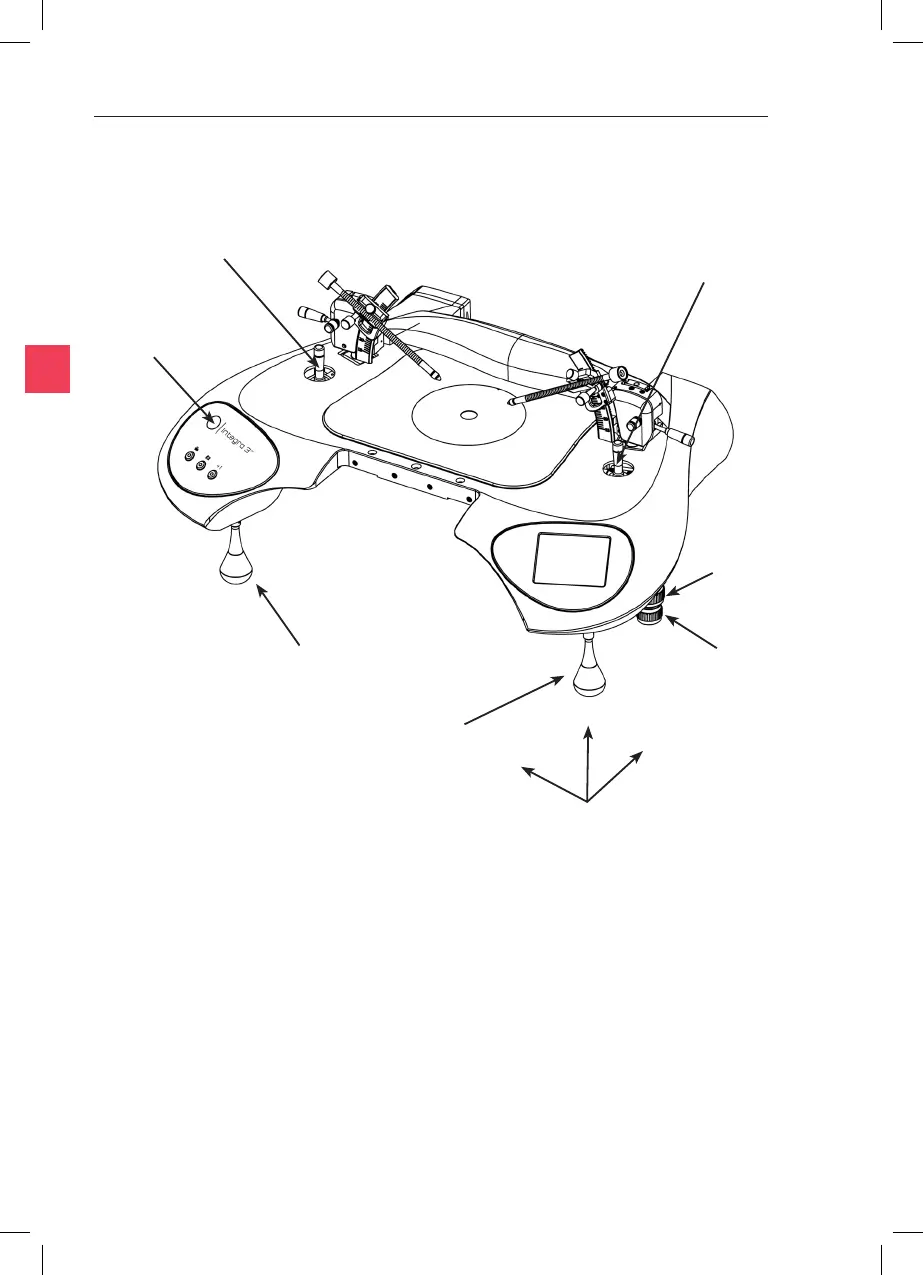
Fine X Y Z Control
Lever Right
Fine X Y Z Control
Lever Le
Stage Y
Control
Stage X
Control
Coarse Control Lever Le
Coarse Control
Lever Right
Figure 5-1
Status Indicator
Light
Switch on the power at the rear right hand side. The display will light up
and the indicated temperature of the heang systems will start to rise.
The system should not be used unl the Status Indicator Light shows a
connuously illuminated green light. This indicates that the temperature
has seled. Refer to the ‘Alarms and System Status’ secon for a full
denion of each Status Indicator Light colour.
The operator should be posioned in such a place to easily access the
microscope and also view the image on the PC monitor (where used).
Y
Z
X



 To Next Page