About the Wireless Connection Screen
This section describes the screens related to wireless connection.
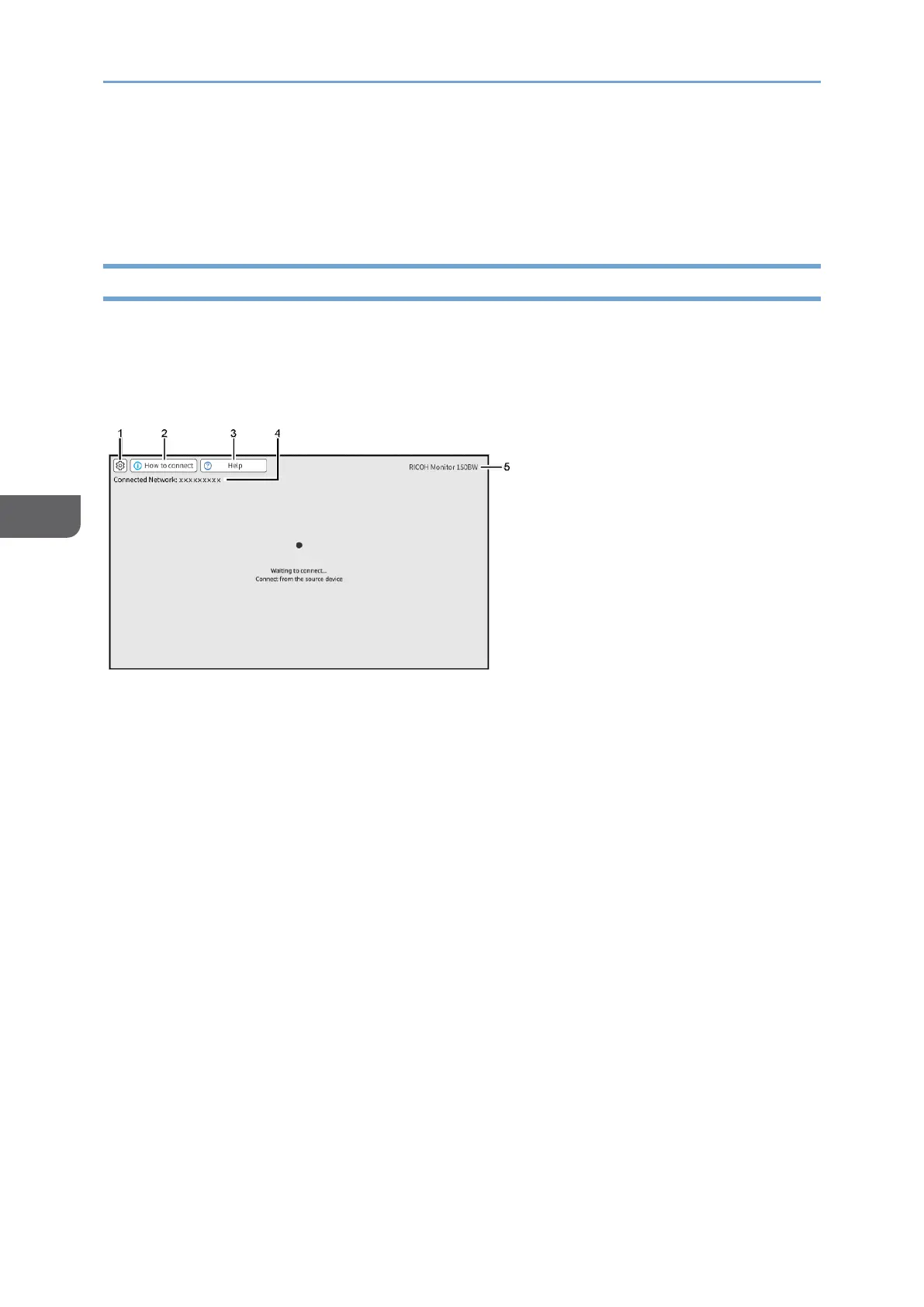
Waiting to Connect Screen
This screen is first displayed when this machine is started up while [Wireless Connection]
is selected in the Switching Input screen.
In the Waiting to Connect screen, various settings for the wireless connection can be
made.
1. Settings
Displays the [Settings] screen
For details, see page 97 "Changing Wireless Connection Settings".
2. How to connect
Displays the [How to connect] screen
You can check the connection method for each OS on the [How to connect] screen.
3. Help
Displays the [Help] screen
When the wireless connection cannot be established correctly, the [Help] screen
displays the status of connection, what to check then, and what to do for each
operating system of the connected source device.
4. Connected Network
Displays the networks to which this machine is connected
5. Device name
The device name of this machine is displayed.
For details, see page 97 "Dev.Info/Setting".










 To Next Page