When You Cannot Use the Machine As You Want
159
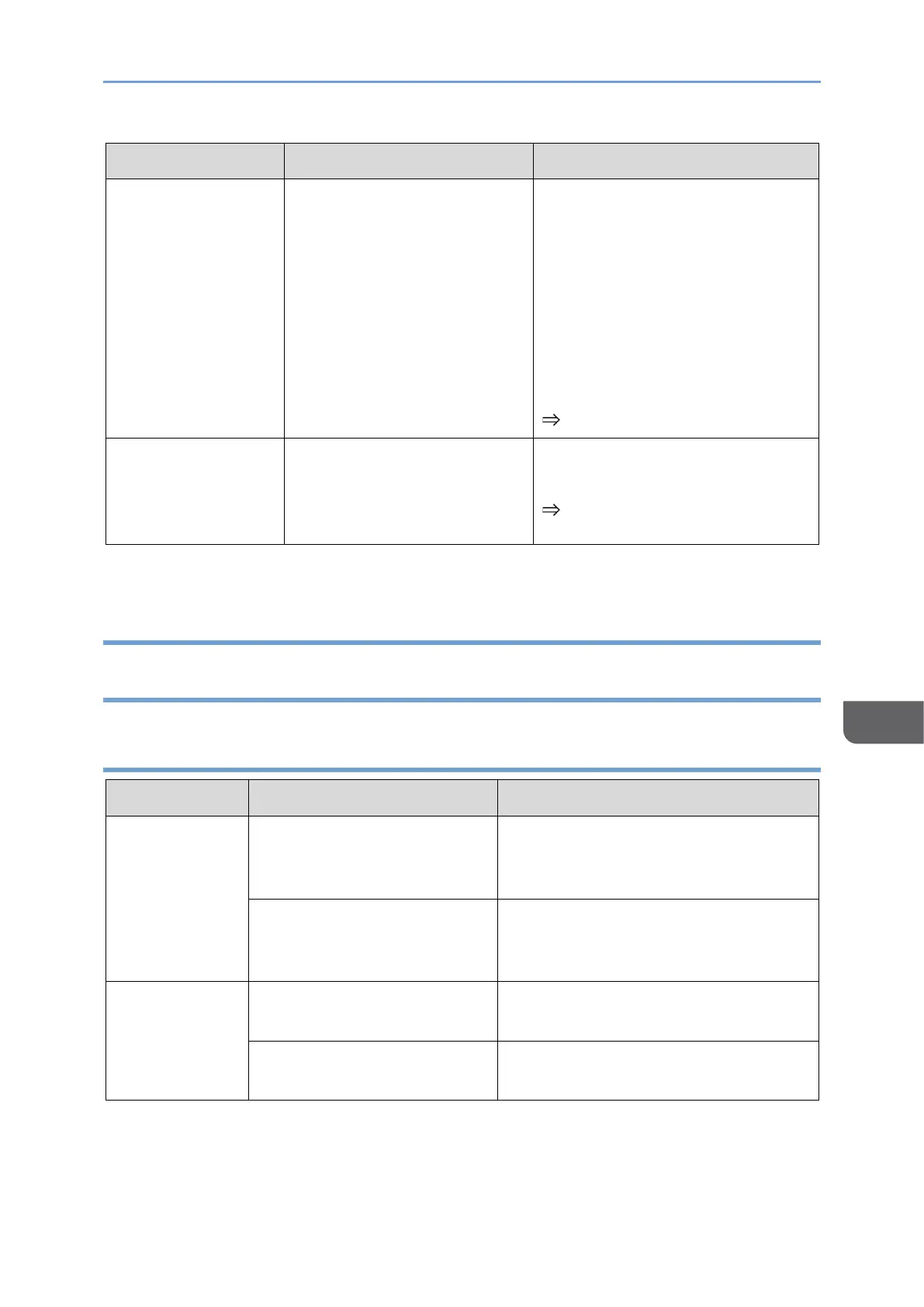
Device disappeared
from the
"Connection list"
A new device is registered
with eight devices already
registered.
• Connect to the device again
and register the device as
the first device in the
Connection list.
• Delete unnecessary devices
from the Connection list to
reduce the number of
devices registered to less
than eight.
page 101 "Connection List"
Accidentally
deleted a device
from the
Connection list
Reconnect to the device with the
"Register to cxn list" turned ON.
page 101 "Connection List"
Problems Related to RICOH Monitor Mirroring for macOS/RICOH
Monitor Mirroring for iOS
150 BW model
Cannot install
application
There is an attempt to install
the application on an
unsupported OS.
Install on a compatible OS. For
details, see Supported OS, a
separately provided manual.
There is insufficient capacity
in the device.
Increase the free space by deleting
unnecessary files, etc., and then
reinstall the application.
The application
does not start.
The application file is
corrupt.
Reinstall the application.
An unexpected error has
occurred in the OS.










 To Next Page