When the On-screen Display menu is displayed, it returns to the previous screen.
For details about the On-screen Display menu, see page 111 "Operating the On-
screen Display Menu".
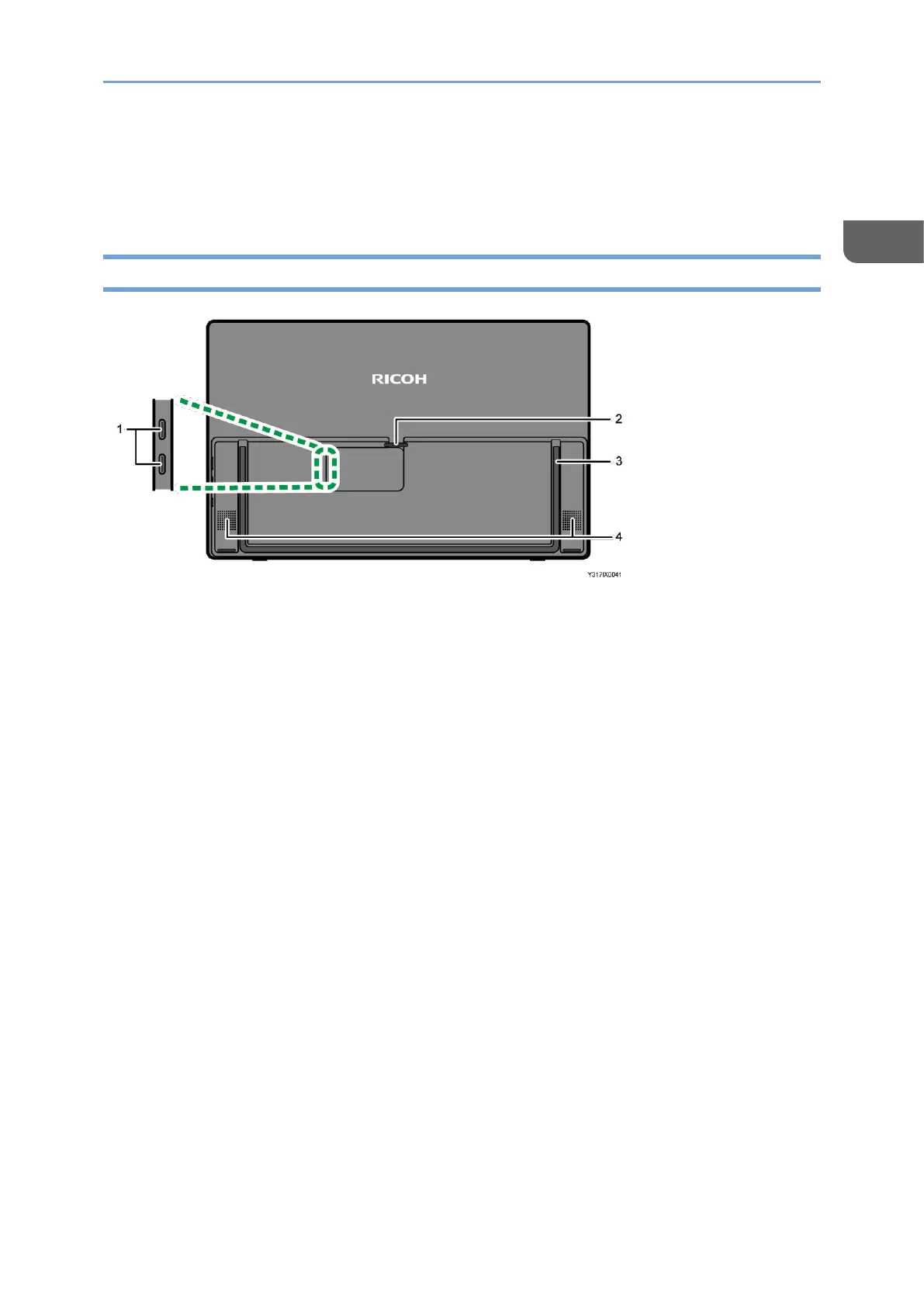
Back Side
1. Top: USB port 1 (Type-C)/Bottom: USB port 2 (Type-C)
Connect this machine to a computer, smartphone, or another device for video and
audio input.
It can also be connected to a commercially available USB PD charger so as to charge
this machine (150BW model only).
The input assignment for USB ports 1 and 2 can be changed on the Switching Input
screen. For details, see page 31 "Switching Inputs".
2. Cable holder
For details about how to use the cable holder, see page 19 "Connecting Cable".
3. Stand
For details about how to use the stand, see page 27 "Using the Stand".
4. Speaker
This outputs audio input from devices connected to this machine.










 To Next Page