Changing Wireless Connection Settings
Displaying the Settings Screen
• When the [Settings] screen is displayed from the [Connecting...] screen, you can
change only the settings of [Dev.Info/Setting] and [Connection list]. However,
you cannot change the device name.
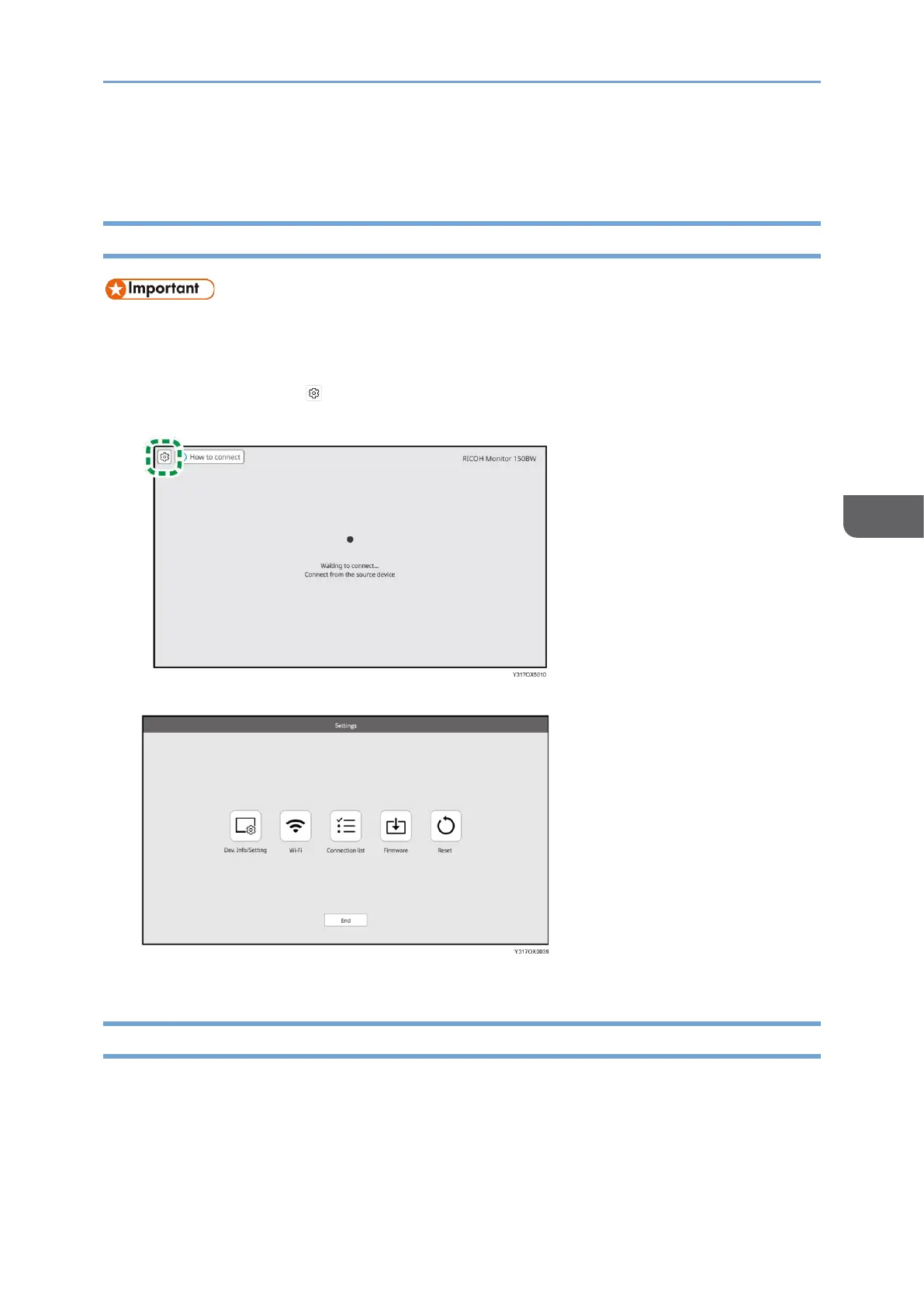
1. Touch the Settings ( ) on the Waiting to Connect screen or the Connecting
screen.
The Settings screen is displayed.
2. Touch the icon of the item that you want to change, and then change the settings.
Dev.Info/Setting
You can check the information pertaining to this machine, and you can change the
detailed settings of the wireless connection.










 To Next Page