2.11 ADF
2.11.1 Replacing the transport belt
PM cycle: Replace every 600K
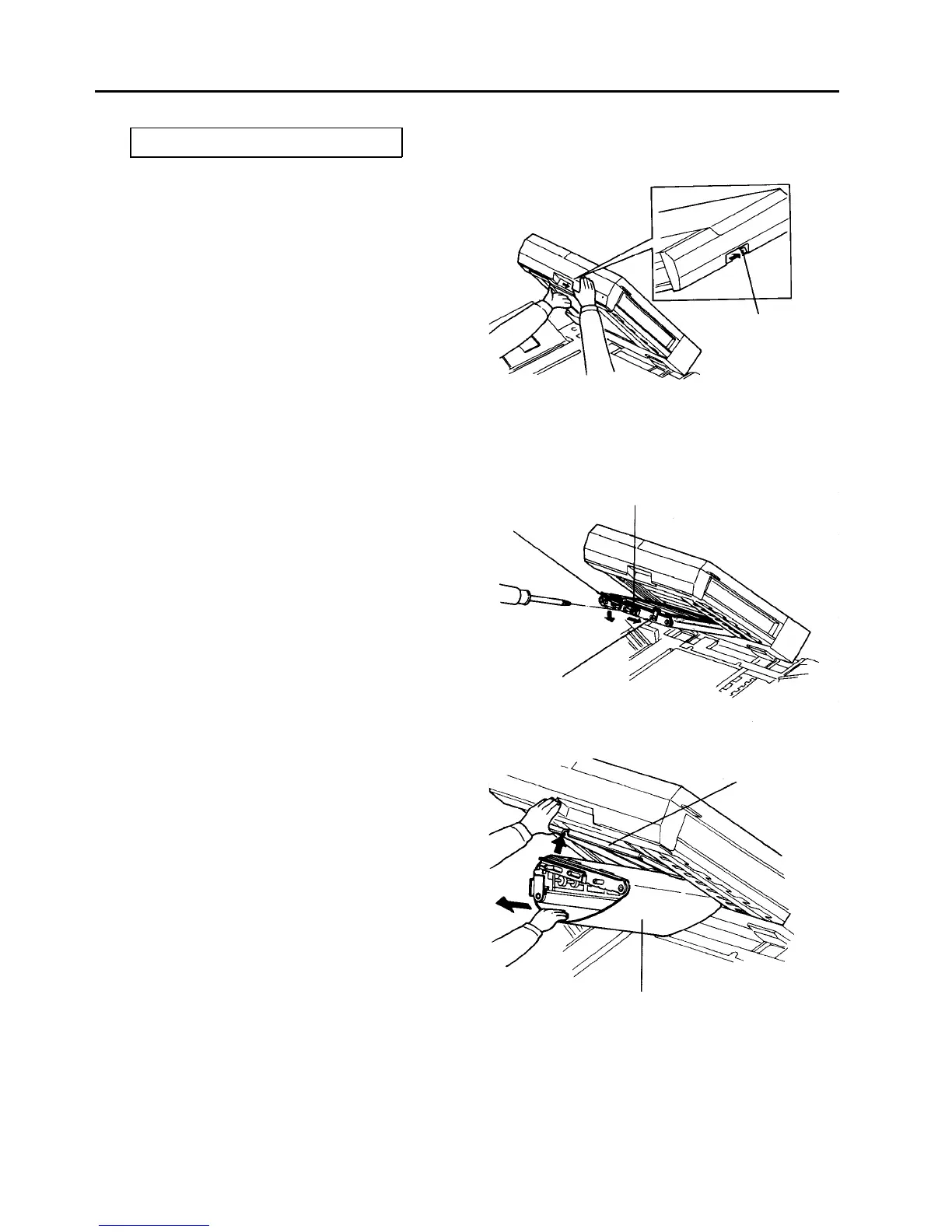
1. Turn off the main switch.
2. Raise the ADF.
3. Push the release button to the right to lower the
intermediate transport unit.
CAUTION
When pushing the release button, support the
intermediate transport unit with the left hand.
4. Remove the connecting holder (2 flat head screws).
5. Take off a plated screw and slide the tension arm
support plate to the right.
6. Bend the transport belt tension arm down.
7. Raise the upper guide plate of the intermediate
transport unit, and pull out the transport belt.
Release button
Tension arm support
plate fixing screw
Connecting holder
Tension arm
Upper guide
plate
Transport belt




 To Next Page