2.12 Operation unit
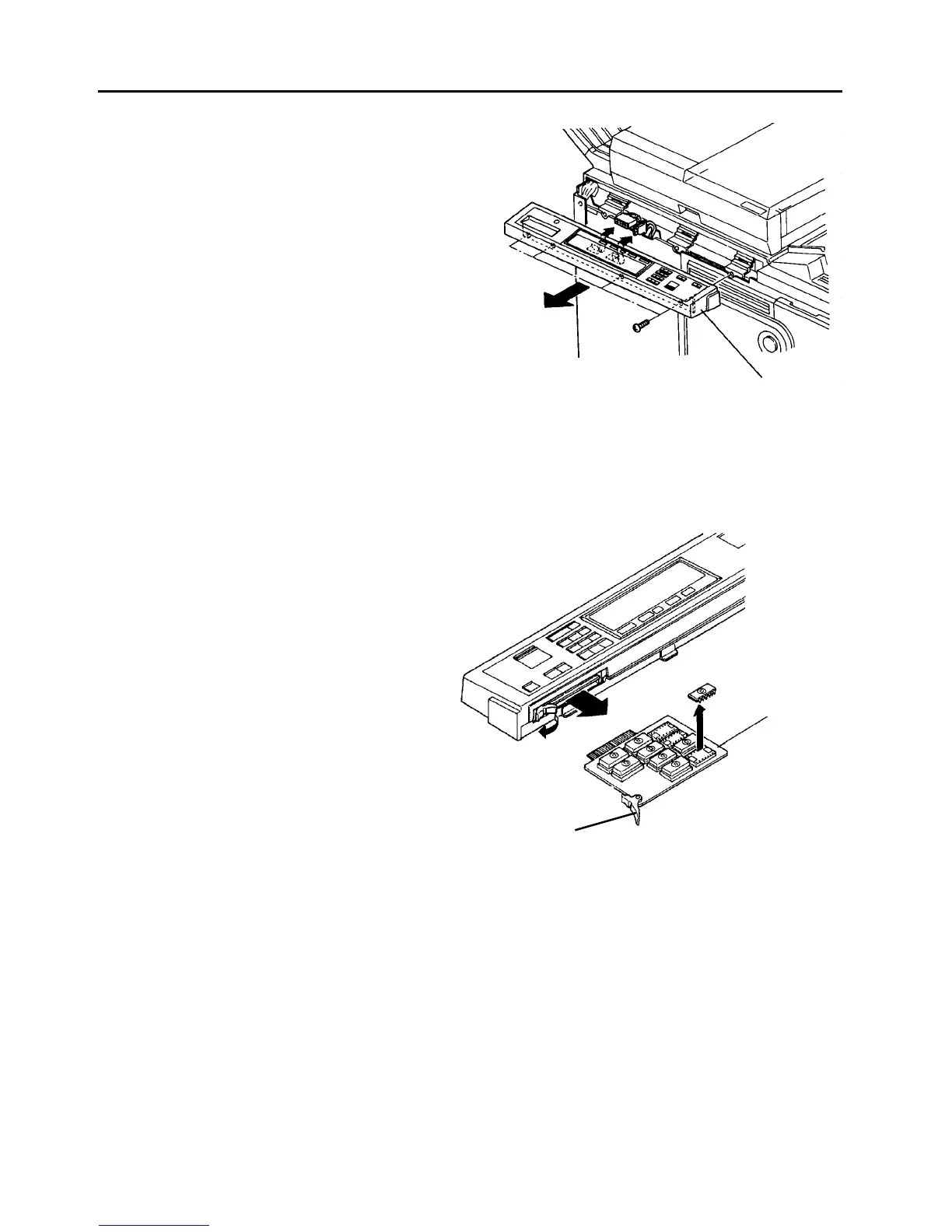
2.12.1 Removing the operation unit
1. Turn off the main switch.
2. Remove the four operation unit fixing screws.
3. Disconnect the two connectors and remove the
unit.
NOTE
If the connectors are difficult to disconnect, open
the front door and remove the two screws to allow
it to open further. Then, remove the inner cover
under the operation unit and disconnect the
connectors from the underside.
2.12.2 Removing the operation ROM board
1. Remove the operation unit.
2. Pull the dismount pawl.
3. Pull out the board.
4. Replace the ROM’s if required.
5. Reassemble in the reverse order.
CAUTION
Remember the original locations for each ROM
when you remove the ROM’s.
Operation unit
ROM board
Dismount pawl













 To Next Page