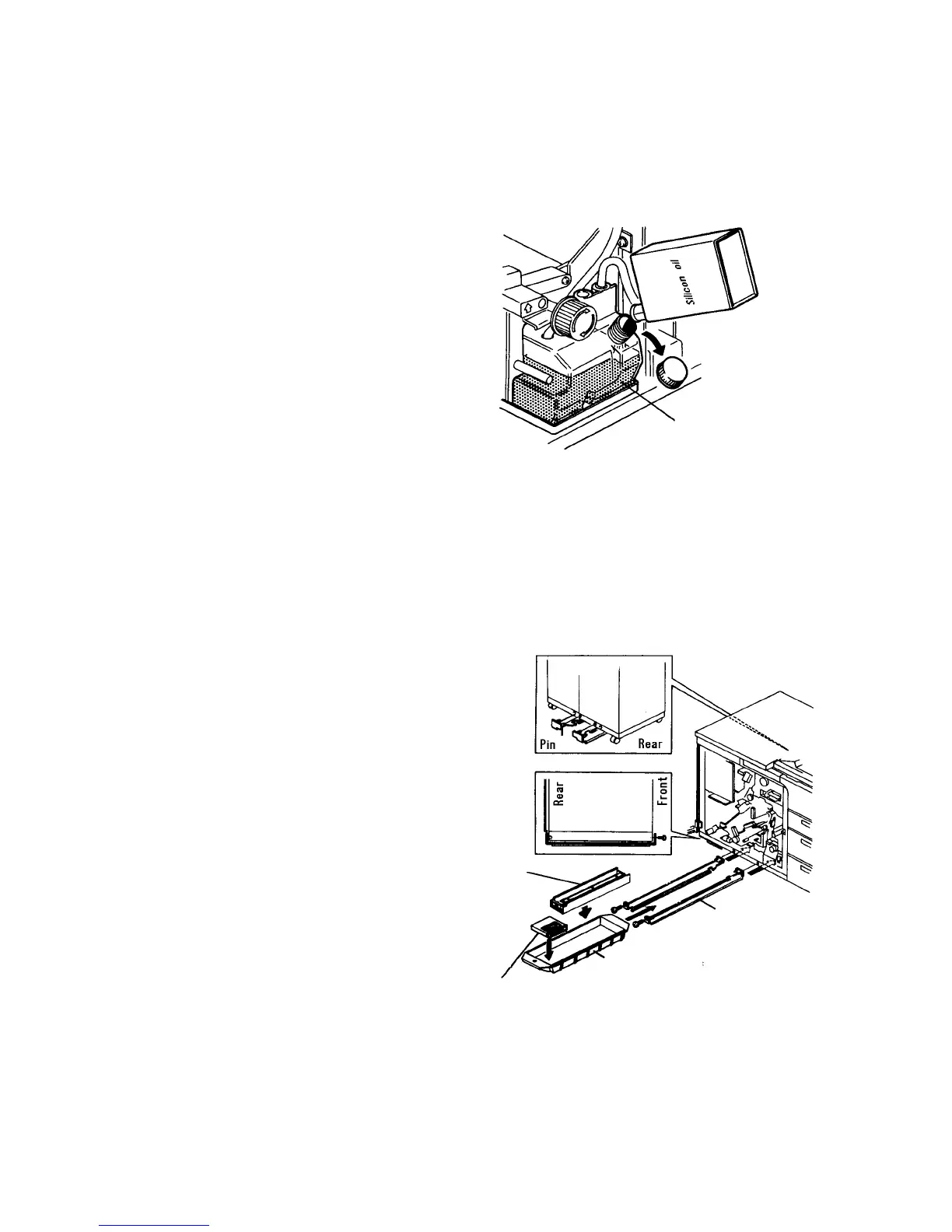
17.
Pull out the fusing unit and remove the front fusing
cover.
18.
Put silicon oil in the oil sump. About 80 g of oil is
sufficient.
19.
Install the front cover and set the unit in the main
body.
20.
Put two cans of silicon oil in the oil tank. (2/3 of
capacity makes about 200,000 copies.)
CAUTION
Never remove the oil supply unit from the fusing
unit to prevent oil marks on copies. It can be
removed only when the oil blade, metering
blade, and oil supply felt are replaced with new
ones.
21.
Tighten the screw (M4 x 8 plated screw:
accessory) on the rear of the vessel rails
(accessories). Put the screws in the hole at the
bottom rear of the machine frame.
22.
Fit the vessel rails on the bottom of the machine,
and secure each of them with the screw (M4 x 8
plated screw) from the front of the machine. Set
the developer vessel (accessory) on the rail. Put
the cleaning carrier vessel and magnet (both
accessories) in the developer vessel.
Oil tank
Cleaning
carrier vessel
Cleaning
carrier magnet
Developer vessel
Vessel rail
1 July 1994 Copier Installation
1-11













 To Next Page