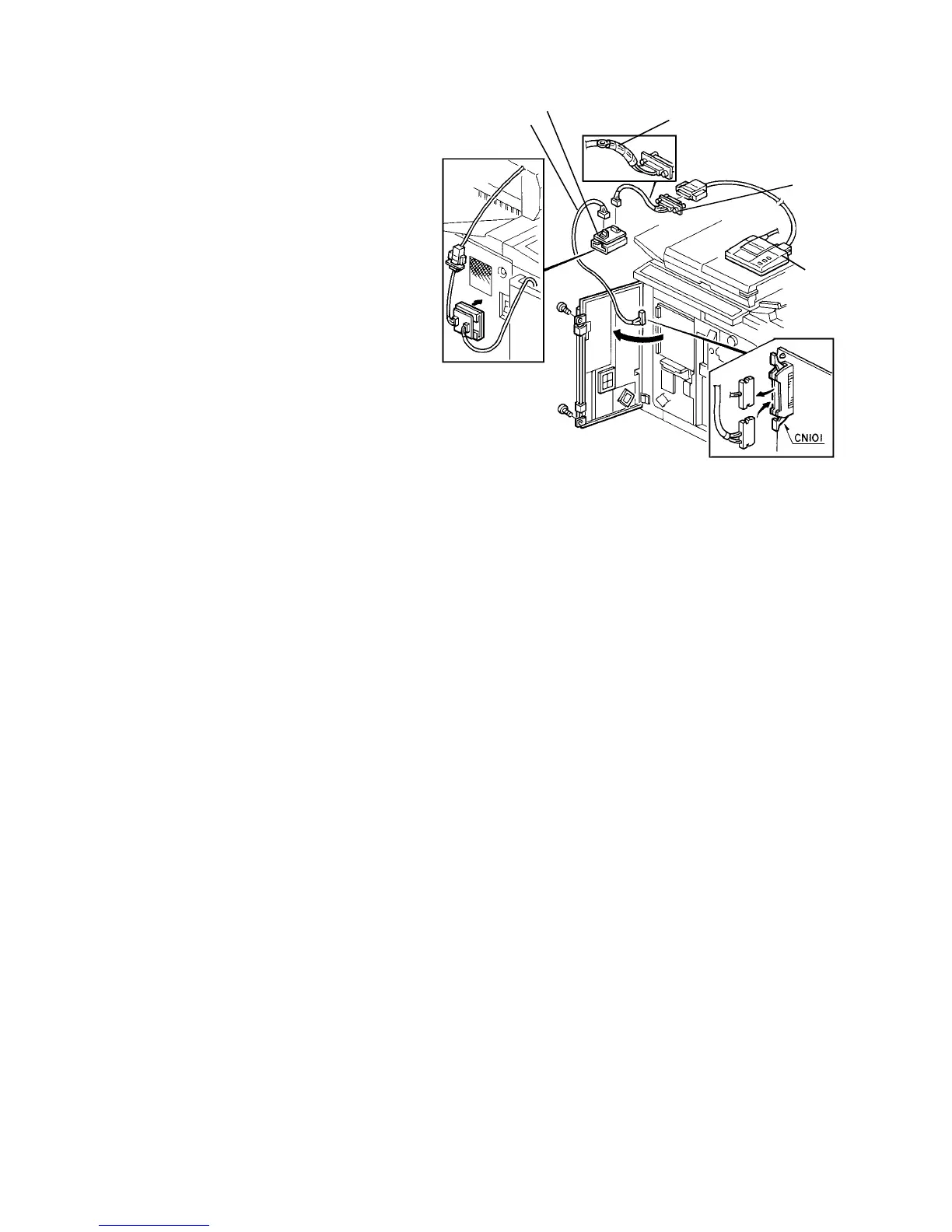
7.7.1 Setting the printer
NOTE
The printer interface board with the 4 nylon studs
and holder, and the short and long printer
harnesses are copier accessories.
1. Fully open the front door to access the main
control board.
2. Disconnect CN101 on the main control board.
Then, connect the two harnesses and printer
interface board as shown in the illustration.
CAUTION
• Never disconnect CN101 before turning off
the main switch.
• Bind the grounding wire with vinyl tape to
avoid possible damage to PCB’s. The
grounding wire is necessary when the
harness is used with the optional printer
connector.
• The bottom of the PCB holder is a
permanent magnet. Stick it on the copier
left cover before turning on the main switch
to avoid possible damage to PCB’s.
3. Connect the printer.
4. Turn on the main switch and access service tool
[6] "Print Out". Then, press the appropriate key.
NOTE
The printer interface board, short printer harness,
and 4 nylon studs are used when the optional
printer connector unit is installed. Keep them for
each machine for future use.
Short printer
harness
Vinyl tape
Printer
interface board
Printer
Long printer
harness
1 July 1994 Print Out
7-21













 To Next Page