7.5 Process Control
Item Description Setting Method
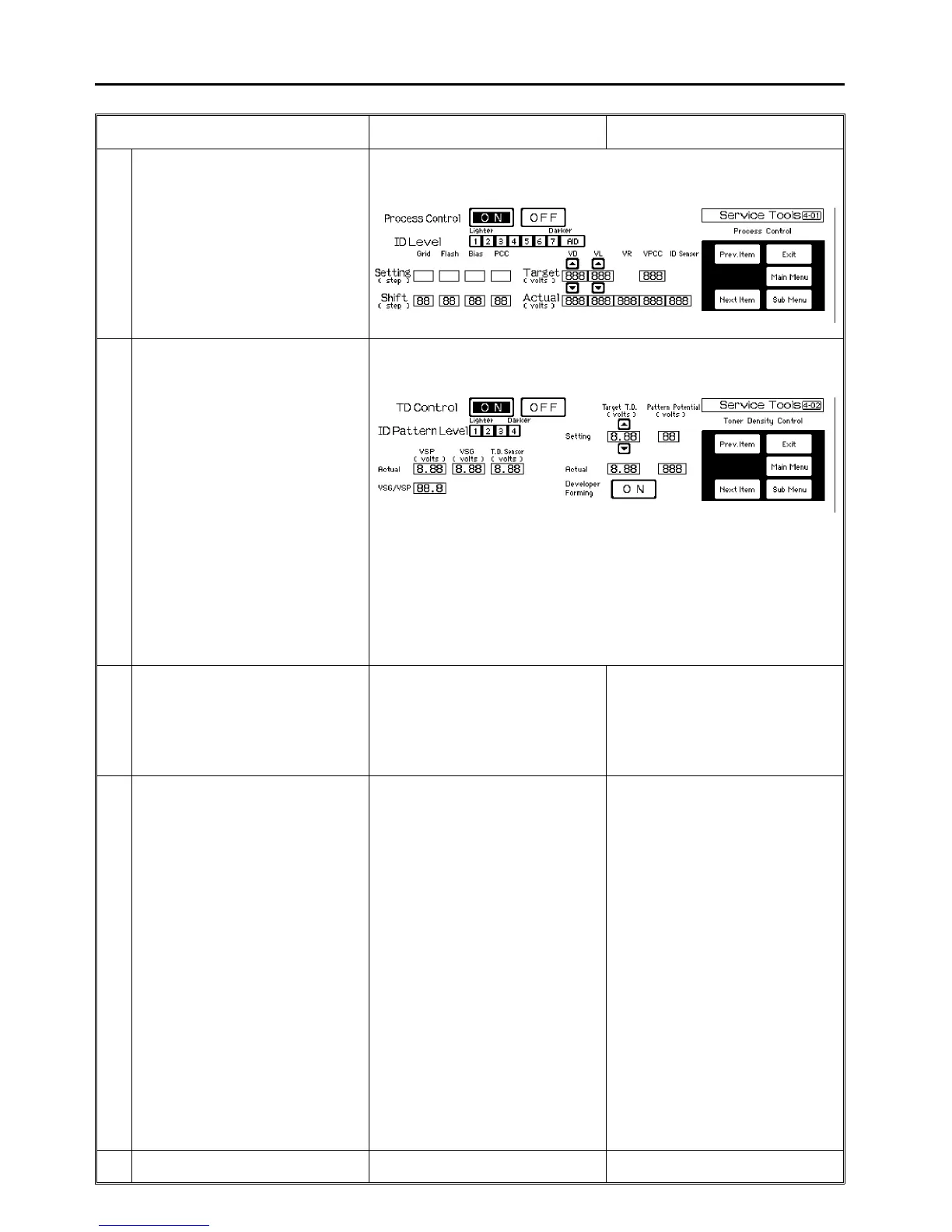
4-01 Process control The data for the process control can be
seen and adjusted. For details, see 4.1
Display with Service Tools.
4-02 Toner density control The data for the toner density control can
be seen and adjusted. For details,
see 4.1 Display with Service Tools.
CAUTION:
Unlike the developer forming key in
service tool 3-04, the developer forming
"ON" key in this screen changes the data
for the "Target T.D.". Use this key only
when setting C is carried out. For usual
developer forming, use the key in service
tool 3-04.
* Changing the ID sensor pattern level (1
to 4) will change the toner density of the
developer.
4-03 AID reference voltage By pressing the Start key, the potential
sensor measures the image density of
the original placed on the exposure glass
10 times. (The data is used for the AID
level selection.) The voltage is shown 10
times with the development bias steps
that is raised by the determined AID level.
Press [4-03] of the process control menu.
⇓
Place the PC-1 chart on the exposure
glass and press the Start key.
4-04 OPC cleaning operation (1) The OPC cleaning operation interval
can be selected.
* if the copy volume is extremely high or
low and dirty background copies appear,
set the interval to 5K.
Initial setting: 10K
(2) The manual ON key is used to do
OPC cleaning.
* It takes about 5 minutes to clean one
round of the OPC belt.
(3) The OPC belt forming ON key is the
same function as that of the screen
[3-04].
* In this mode, OPC belt turns 10
rotations with the OPC cleaning ON.
CAUTION:
Do not stop the OPC cleaning operation
midway. The OPC belt will have an
insufficiently cleaned part, and this may
appear on the copy image.
Press [4-04] of the process control menu.
⇓
Select "OFF/5K/10K/20K".
4-05 Utility Extra functions can be selected. Refer to
Utility modes section for details.
1 July 1994 Process Control
7-13













 To Next Page