Item Description Setting Method
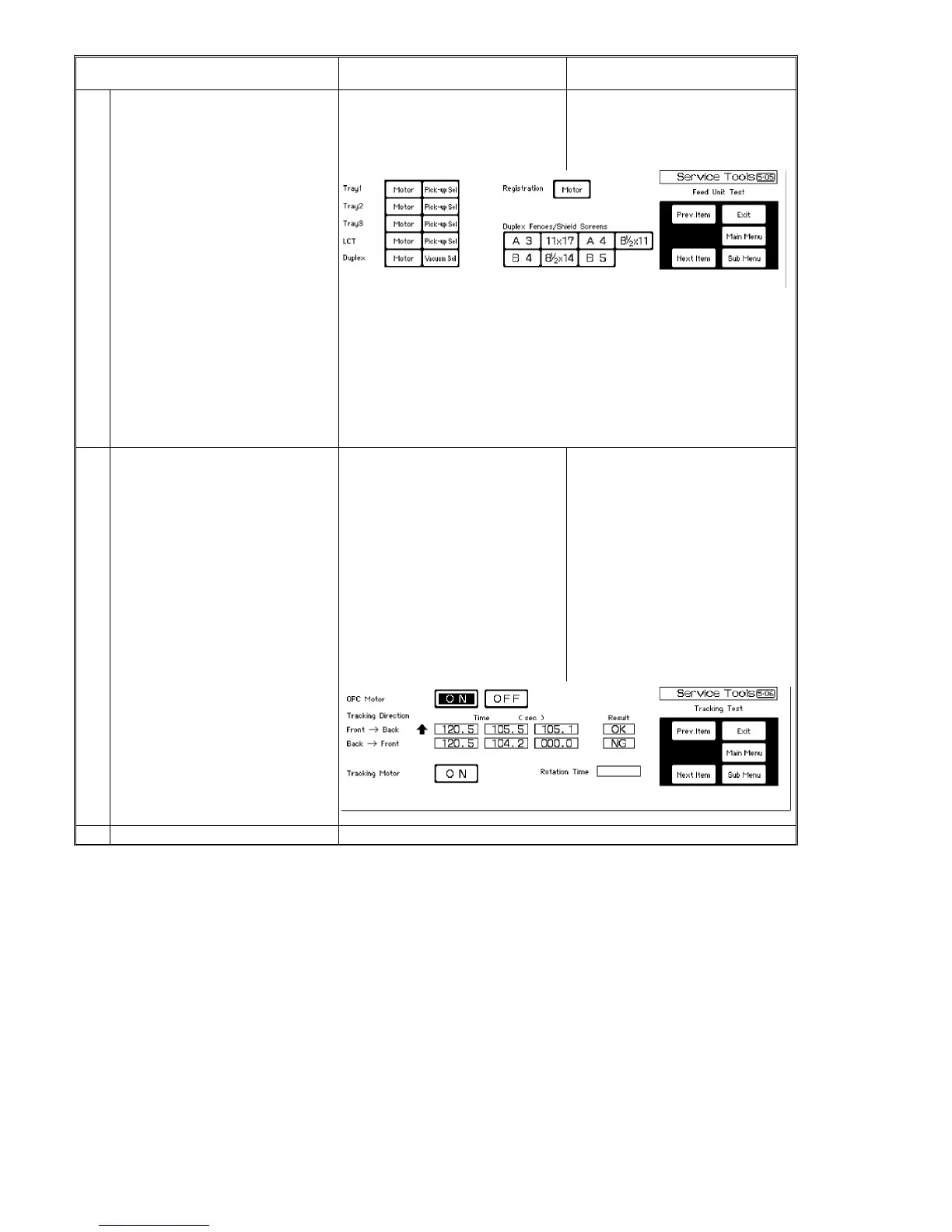
5-05 Feed unit test The operation test of each part for the
paper feed can be done.
Press [5-05] of the system test menu.
⇓
Select [Motor]/[Pick-up Sol.]/[Vacuum
Sol.]/[A3]/[11 x 17]/[A4]/[8 1/2 x 11]/[B4]
/[8 1/2 x 14]/[B5].
Motor (Tray 1, Tray 2, Tray 3, LCT, Duplex, and Registration)
Paper feed motor of Tray 1, Tray 2, Tray 3, or LCT, duplex paper feed
motor, or registration motor
Pick-up Sol. (Tray 1, Tray 2, Tray 3, and LCT)
Pick-up solenoid of Tray 1, Tray 2, Tray 3, or LCT
Vacuum Sol. (Duplex)
Duplex vacuum solenoid
A3, 11 x 17, A4, 8 1/2 x 11, B4, 8 1/2 x 14, B5
Duplex jogger and back fences, and right and left shield screens move
according to the paper size selected by the key.
5-06 Tracking test (1) The operation test of the OPC belt
tracking can be done.
* The OPC belt traveling (tracking) time
from the front and rear edge sensors ON
(or OFF) to sensors OFF (or ON) is
displayed. (The tracking motion is
continued until the [OFF] key is pressed.)
* OK is displayed if the traveling time is
60 seconds or less, and NG is displayed
if it is more than 60 seconds or the
difference in the timing from one side to
the other is more than 20 seconds.
(2) The tracking motor rotation time in
seconds (half turn of the sector disk until
the sector sensor activation) can be
displayed.
Press [5-06] of the system test menu.
⇓
Press the OPC motor [ON] key to do the
tracking test. Press [Stop] to stop it.
Press the Tracking motor [ON] key to
display the tracking motor rotation time.
5-07 Set staple position This function is set with user tool [11].
1 July 1994 System Test
7-19













 To Next Page