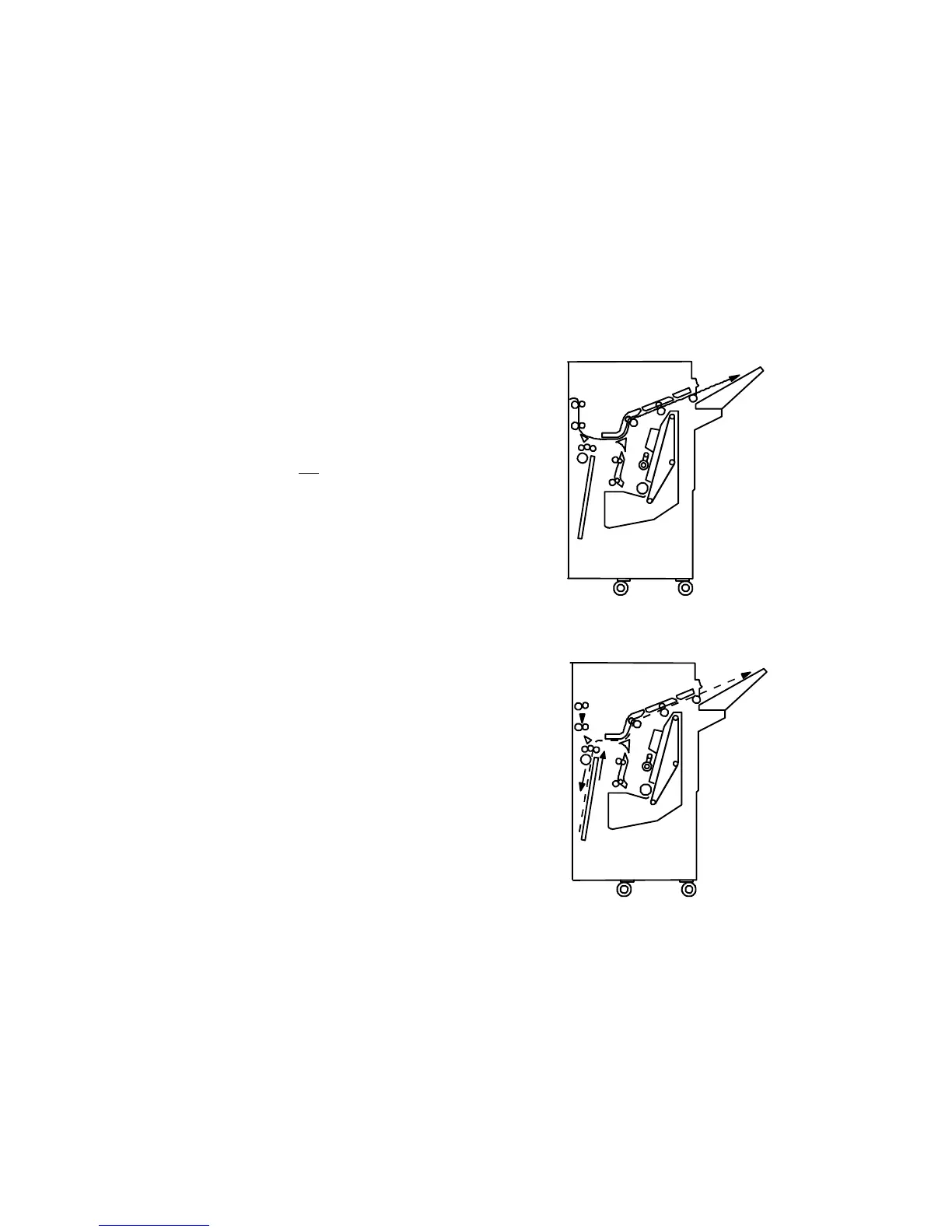
1.5.5 Cover sheet and chaptering modes
Even in the duplex copy mode, the copy for the original
which is designated as the cover and slip sheets does
not enter the duplex tray. This is to enable the use of
copy paper up to 163 g/m
2
of paper weight. It is usually
up to 120 g/m
2
for duplex copies. Therefore, the cover
and slip sheets have images only on one side. Refer to
the following explanation for understanding how this is
done. (In the chaptering mode with the simplex originals
to duplex copies mode, if the copy for the designated
original to normal paper is selected, the copy will enter
the duplex tray and have images on both sides as usual.)
How the copies are collated into sets in the duplex
copy mode with the cover or chaptering mode
In the simplex originals to duplex copy mode, the original
next to the designated one is copied on the front of the
copy next to the cover or slip sheet, resulting in having
the reverse side of the cover and slip sheets blank. In
the duplex original to duplex copy mode, the reverse
side of the designated original is
not copied, resulting in
having the reverse side of the cover and slip sheets
blank. (Therefore, the reverse side of the designated
original should be blank.)
In the simplex or duplex original to duplex copy mode,
the duplex copies are automatically delivered to the
finisher shift tray, not to the copier copy tray. The copies
are stacked in page order on the shift tray without being
inverted. (See the upper illustration.) However, as the
copy image on the cover and slip sheets is made while
the reverse side copies are made, in order not to enter
the cover and slip sheets into the duplex tray, only the
cover and slip sheets are inverted in the finisher to stack
all copies in page order. (See the lower illustration.)
Cover or slip sheet motion in duplex copy mode
Normal copy paper motion in duplex copy mode
Outline of Mechanism 1 July 1994
1-16













 To Next Page