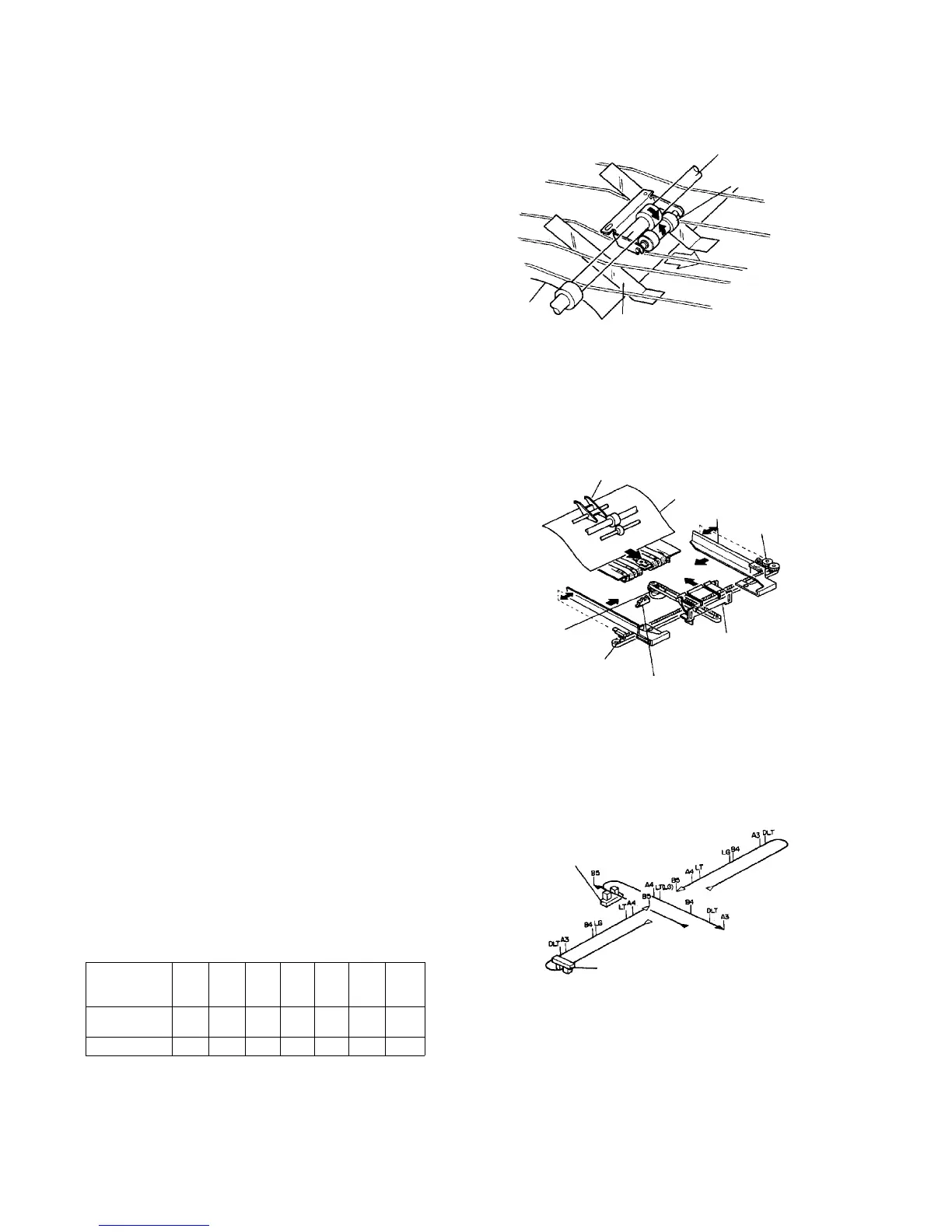
2.13.4 Duplex stacking mechanism
Duplex paper delivery
When curling increases due to sudden dehumidification
during fusing, the leading edge of the paper sticks to the
top of the paper stack in the duplex tray, preventing
transport or causing a stacking failure. To prevent such
problems, the duplex paper delivery roller and upper
duplex delivery roller aid in transporting the paper.
Stacking mechanism
Paper guided by the duplex entrance junction gate sticks
to the back fence, and the right and left edges of the
paper are aligned by the jogger fences.
The back fence is fixed to the timing belt, and the
stepper motor is started and controlled according to the
size reading from the paper size sensor.
The back fence and jogger fences move from where
their home sensors are activated to the position for the
specified paper size. The fences then stop. The sensors
are activated by feelers mounted on the fences when the
fences are their home positions.
Back and jogger fences stop positions
The back fence and jogger fences move to the position
for the specified size and remain at rest at this position
during duplexing. The jogger fences, however,
repeatedly open and close 5 mm from the specified size
position during duplex tray stacking. After stacking and
during duplex paper feed, the jogger fences stop at the
closed position for the size specified.
Amount of movement from HP sensor (mm)
Size ⇒
Kind ⇓
B5 A4 LT LG B4 A3 DLT
Back fence -7.2 20.1 25.9 25.9 67.6 108.0
89.2
Jogger fences 90 70 79 40.5 36.5 8.5 2.5
Upper duplex delivery roller
Duplex paper
delivery roller
Duplex guide mylar
Paper
Duplex junction gate
Paper
Jogger fence
Jogger motor
Back fence
Back fence HP sensor
Jogger HP sensor
Back fence motor
Back fence HP sensor
Jogger HP sensor













 To Next Page