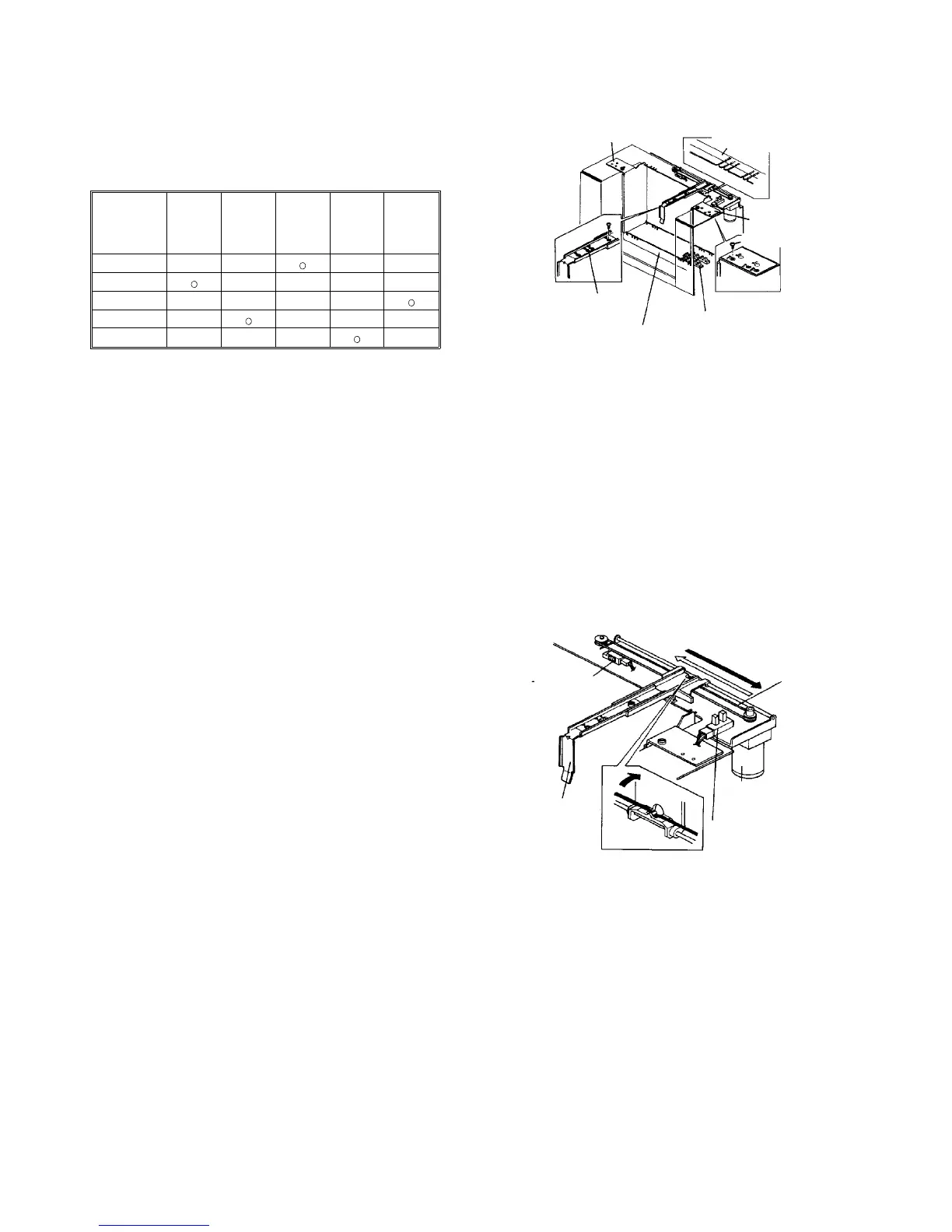
2.16.4 Size detection
Paper size is detected depending on which sensors of
five size sensors are interrupted by the rear of the side
fence. Sensor activation by size is as shown in the table
below.
Sensor ⇒
⇓ Size
A B C D E
B4
• • • •
A4
• • • •
B5
• • • •
LT
• • • •
LG
• • • •
o: interrupted
• non-interrupted
Two types of the rear side fence are provided:1 for A4,
B4, and B5, and 1 for LT and LG. Replacement is done
with a fixing screw, and the fence is fixed to the specified
size. The positions of the back fence and front side
fence can also be changed according to the paper size
to be used.
2.16.5 Back fence drive
The back fence moves according to the raising and
lowering of the tray to facilitate paper setting. When the
tray is raising, the back fence moves to the tray center.
Conversely, when the tray is lowering, the back fence
moves to its home position (rear side of the tray).
The back fence is driven by the back fence motor (a dc
motor) and moved through the drive belt.
The range of movement of the back fence is between
the back fence HP sensor and the back fence set sensor.
The set sensor also detects paper improperly set. When
paper is not set properly, the back fence will rides on the
paper. In this case, the back fence set sensor cannot
detect the back fence, so the guidance for the missetting
of paper is displayed on the guidance display.
Rear side fence
Paper size decal
Front side fence
Paper size sensors (5)
Side fence holder
Back fence
Back fence set sensor
Drive belt
Back fence motor
Back fence HP sensor
Back fence













 To Next Page