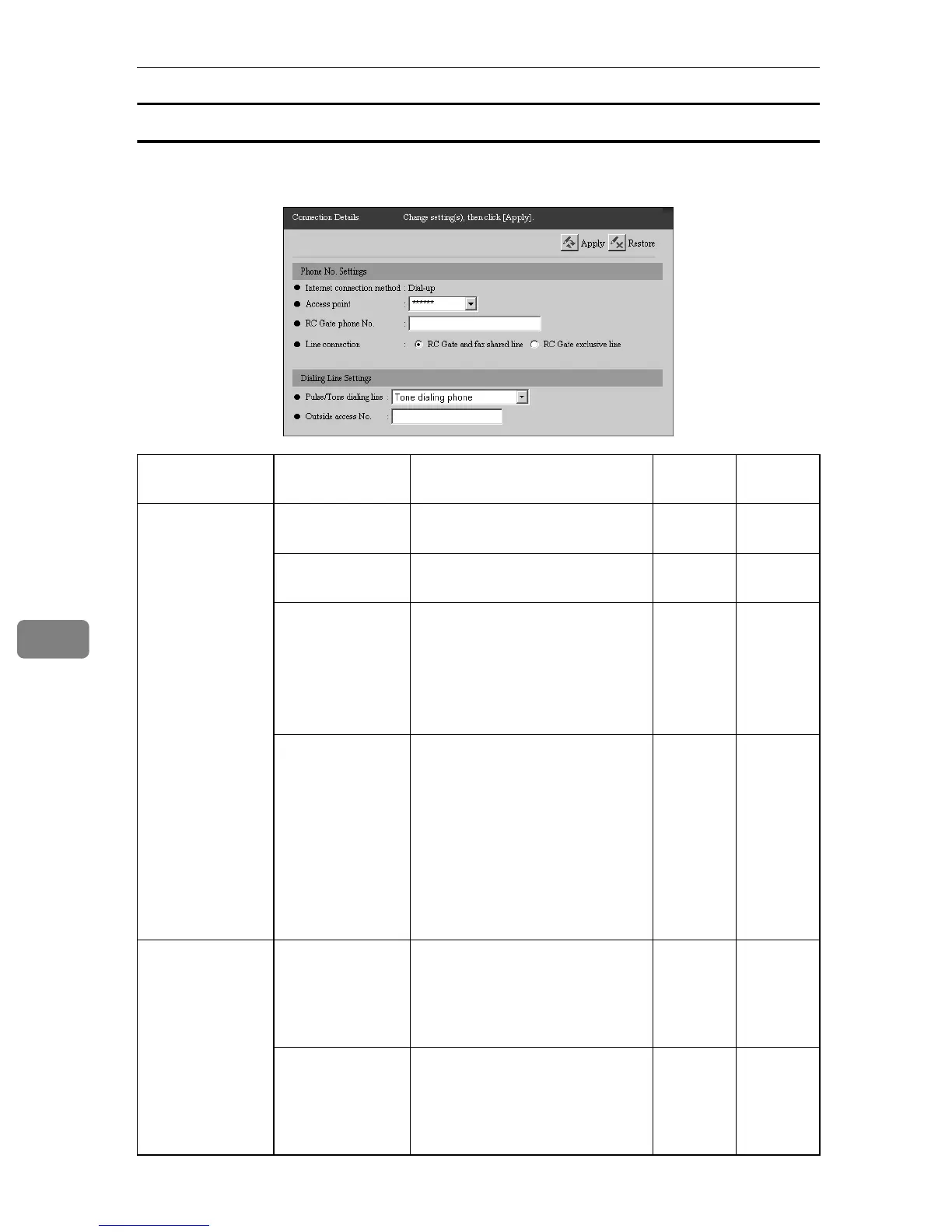
Configuring the Details of the Registered Information
84
7
When with Type BM1 (Dial-up)
This screen appears with Type BM1, the equipment with the modem. You can
confirm and change the settings for Dial-up.
†: Confirmation Only ❍: Able to Change
Groups Items Descriptions Admin
Regis-
trant
Phone No. Set-
tings
Internet connec-
tion method
This shows that “Dial-up” is se-
lected.
††
Access point Select the access point from the
list.
† ❍
RC Gate phone
No.
This is the telephone number for
the equipment. Enter the tele-
phone number from the country
code with numerals, -, # and *.
Do not use ().
For example: 810312345678
† ❍
Line connection Select the line type for the equip-
ment, whether it is “RC Gate ex-
clusive line” (the telephone line
only for the equipment) or “RC
Gate and fax shared line” (the
telephone line shared with an
existing facsimile). If you select
“RC Gate and fax shared line”,
“FAX” port on Type BM1 will be
enabled.
† ❍
Dialing Line Set-
tings
Pulse/Tone dial-
ing line
Select the dial type of the tele-
phone line. Select from ”Tone
dialing phone”, “Pulse dialing
phone (10PPS)” and “Pulse dial-
ing phone (20PPS).”
† ❍
Outside access
No.
The numbers or characters (#, *
or comma) to connect outside. If
a pause is needed after the out-
side access number, add comma.
A comma gives a 2 second pause.
† ❍



 To Next Page