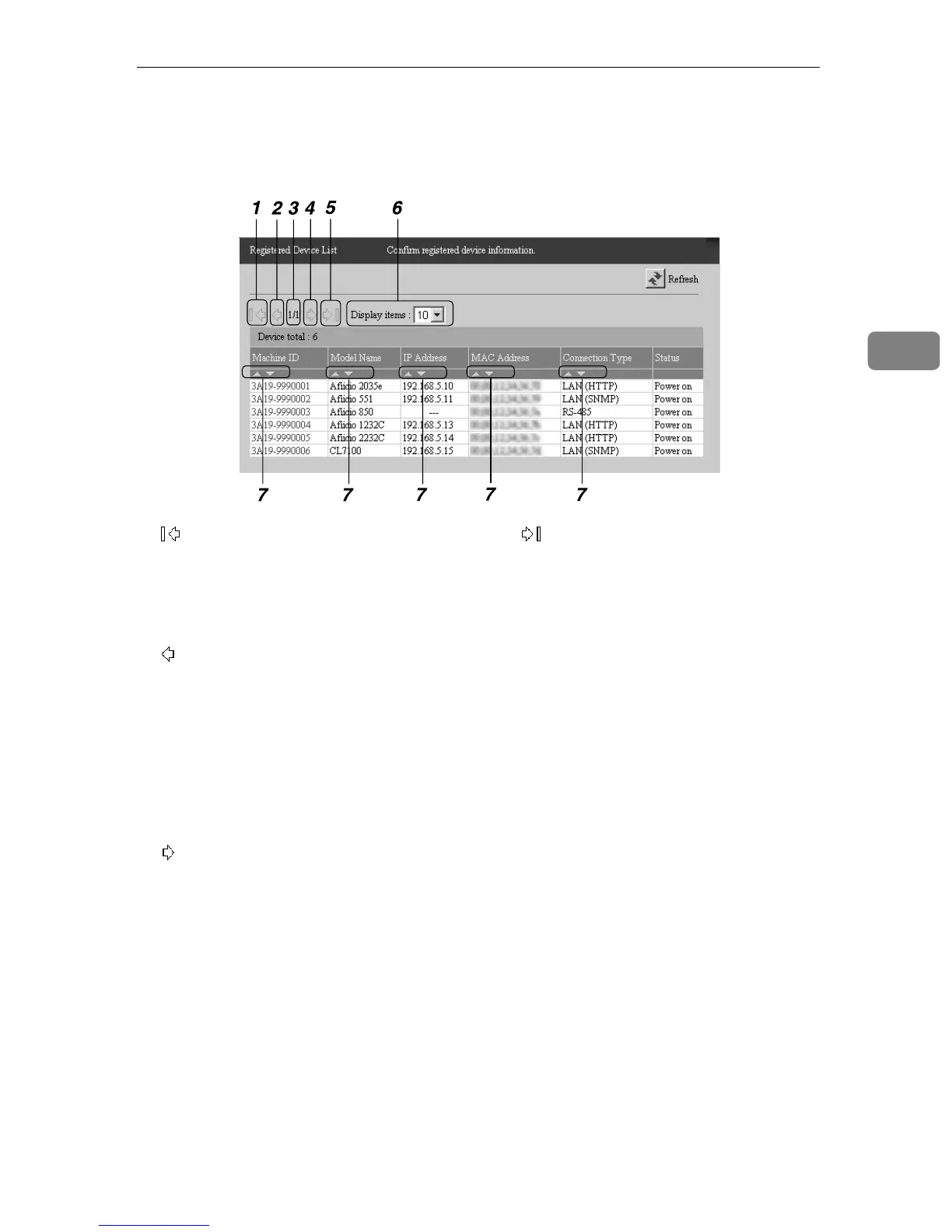
About the Chart Screen
39
3
About the Chart Screen
1.
Click to move to the top page. The button
appears pale and it will enable one to
click if there is only one page or if the cur-
rent page is the top page.
2.
Click to move to the previous page. The
button appears pale and it will enable
one to click if there is only one page or if
the current page is the top page.
3. Current Page/Total Page
Shows the current page number and the
total page number.
4.
Click to move to the next page. The but-
ton appears pale and it will enable one to
click if there is only one page or if the cur-
rent page is the last page.
5.
Click to move to the last page. The button
appears pale and it will enable one to
click if there is only one page or if the cur-
rent page is the last page.
6. Display items
This sets the number of the shown items
in one page.
7. |{
Click [|] to arrange the records in as-
cending order. Click [{] to arrange the
records in descending order.
AAA326S



 To Next Page