Connecting Telephone Line to Type BM1
15
2
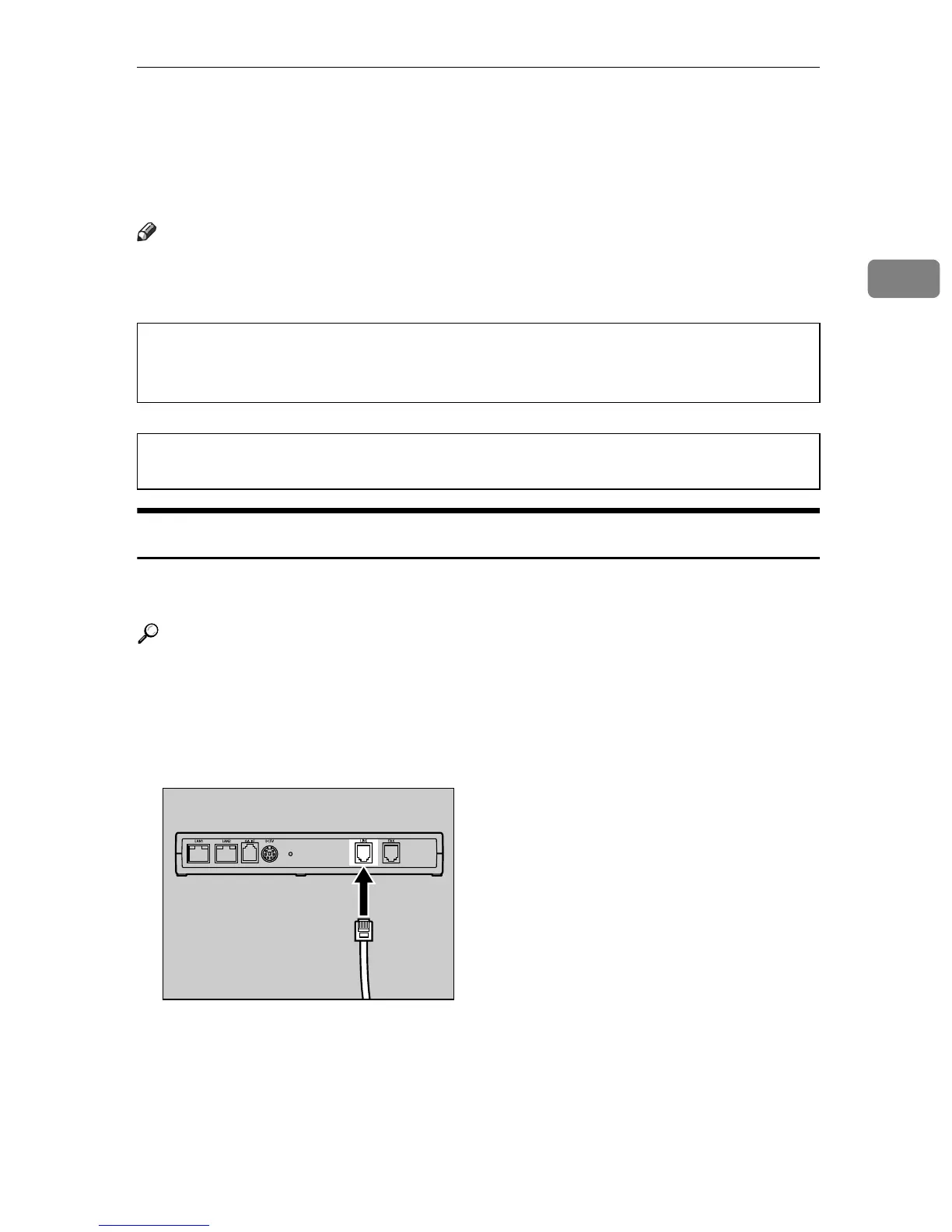
Connecting Telephone Line to Type BM1
The procedures here show how to connect a telephone line to the Remote Com-
munication Gate Type BM1.
Note
❒ Skip this procedure when you are setting up the Remote Communication
Type BN1.
WARNING:
WARNING:
Common Line for Telephone and Facsimile
Follow the telephone line connection procedure below, when you use your fac-
simile line to communicate with the Communication Server.
Reference
See p.5 “Dial-up Method” for details.
A Disconnect the telephone line cable from the LINE port of the facsimile.
B Connect the telephone line cable thus disconnected, to the LINE port of this
equipment.
• For the Type BM1, please connect the telephone line after the power is
on, and disconnect the telephone line before the power is off. If you do
not follow the procedures, you might get an electric shock.
• While thundering nearby, do not touch this equipment to avoid a pos-
sible electric shock.
AAA007S



 To Next Page