Configuring the Details of the Registered Information
88
7
Add Auto Discovery Range
Common to the “E-mail (SMTP)” and “Internet encryption
communication (HTTPS)” Method
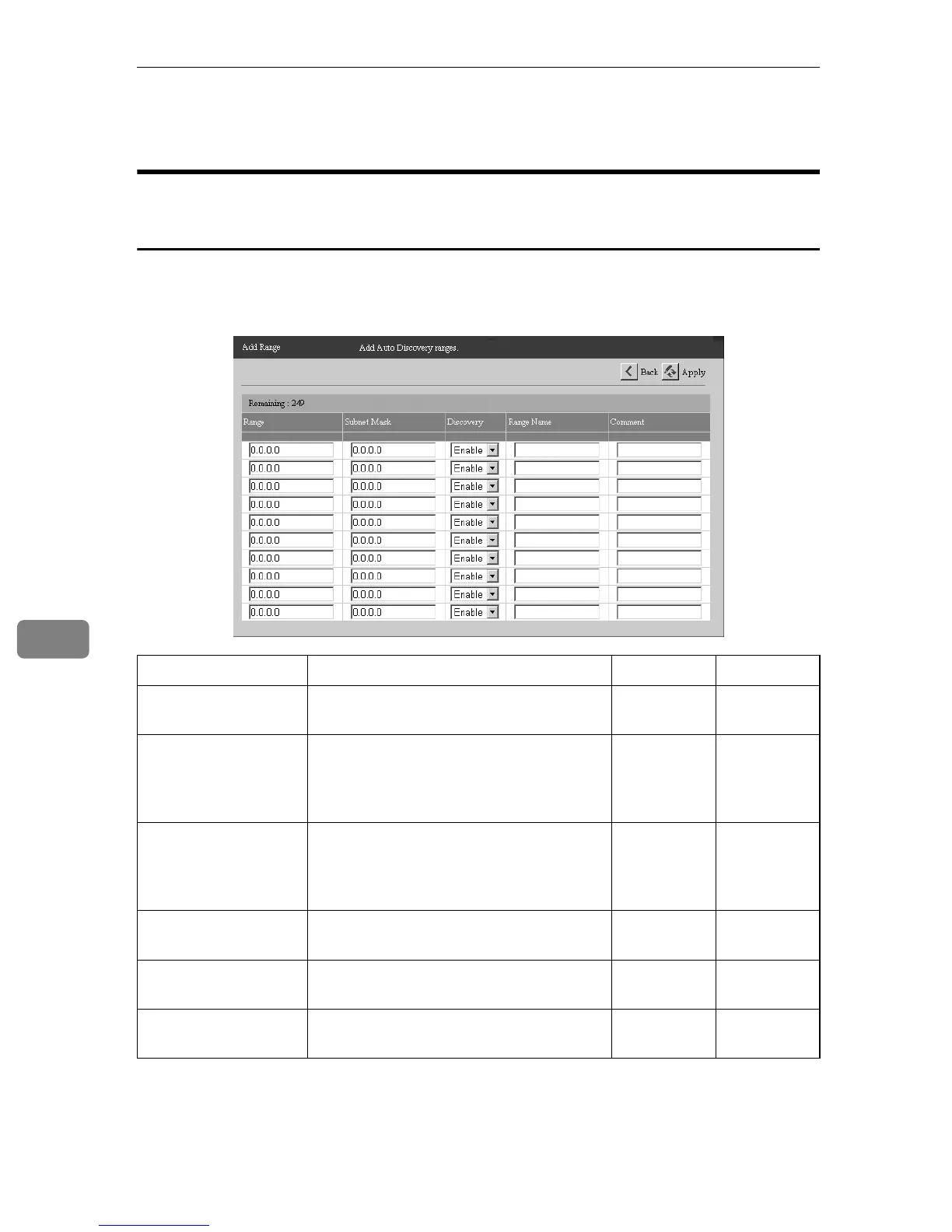
Add the range of devices on the network to use Auto Discovery. Click [Add] in
the [Auto Discovery] - [Edit Auto Discovery Range] to show the screen. Entered Range
will be added when you click [Apply].
†: Confirmation Only ❍: Able to Change
Items Description Admin Registrant
Remaining Shows the remaining amount of Range
which you can register.
††
Range The network address to use Auto Discov-
ery. Enter the IP address in “x.x.x.x” for-
mat (“x” stands for a number from 0 to
255).
❍❍
Subnet Mask The subnet mask to determine the enable
range for Range. Enter the subnet mask
in “x.x.x.x” format (“x” stands for a num-
ber from 0 to 255).
❍❍
Discovery Select to set Auto Discovery enable for
the device or not.
❍❍
Range Name The network address name entered for
the IP address in [Range].
❍❍
Comment You can enter comments within 61 char-
acters.
❍❍



 To Next Page