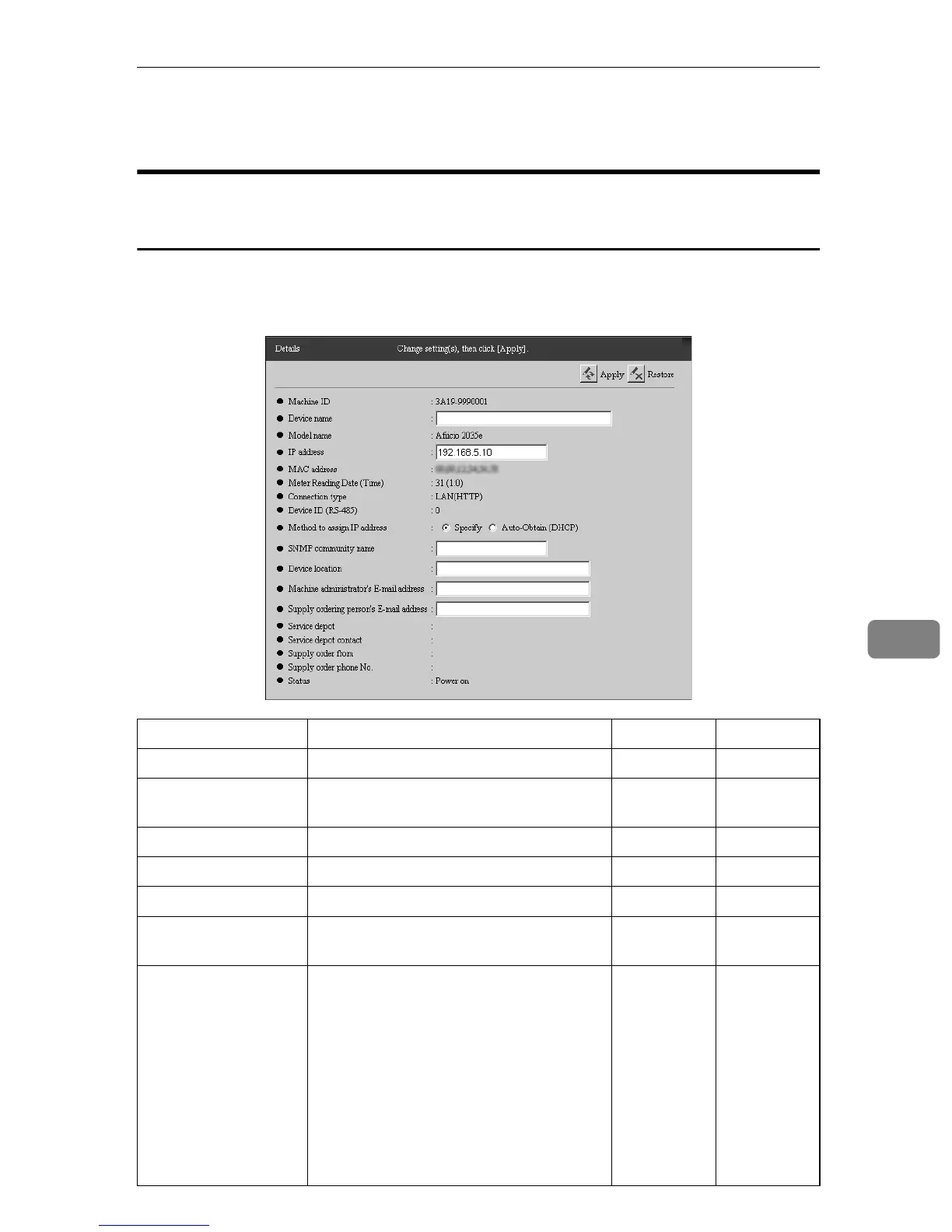
Details
93
7
Details
When using the “Internet encryption communication (HTTPS)”
Method
You can confirm and change the information details of image I/O devices man-
aged by the equipment. Click [Device Management] - [Registered Device List] to
show the screen. Click [Machine ID] of the device you want to confirm and change.
Items Descriptions Admin Registrant
Machine ID This is the machine ID of the device. † †
Device name This is the name for the device. Enter the
name within 30 charactors.
† ❍
Model Name This is the model name of the device. † †
IP Address This is the IP address of the equipment. ❍❍
MAC address
This is the MAC address of the equipment.
††
Meter Reading Date
(Time)
This is the date and time when the equip-
ment reads the counter of the device.
††
Connection Type This shows the connection type of the de-
vice.
• LAN (HTTP): Devices connected on
the network from which information
is collected by the HTTP protocol.
• LAN (SNMP): Devices connected on
the network from which information
is collected by the SNMP protocol.
• RS-485: Devices connected to OA I/F
by RS-485 cable.
††



 To Next Page