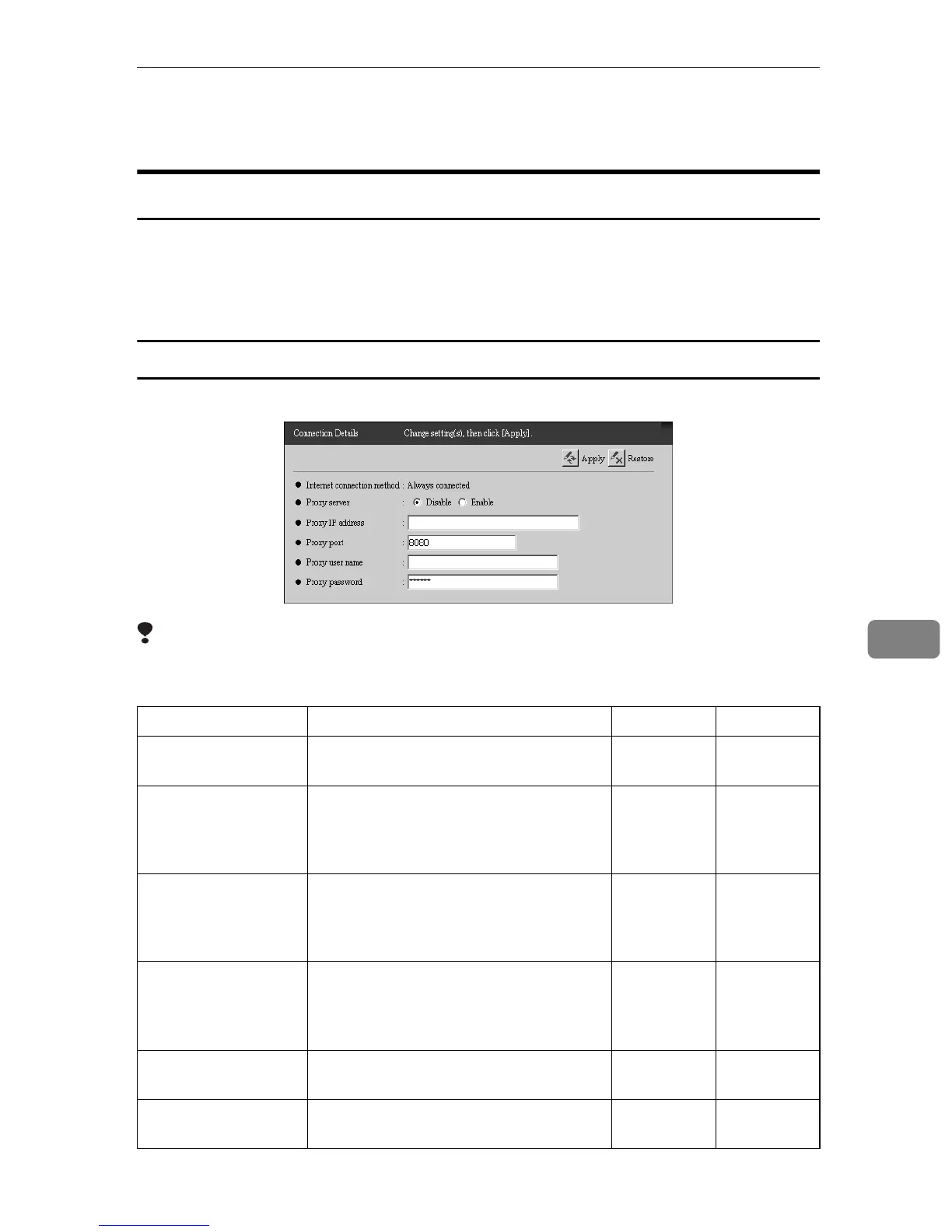
Connection Details
83
7
Connection Details
When using the “Internet encryption communication (HTTPS)” Method
You can confirm and change the details of the internet connection. Click [RC Gate
Settings] - [Net Connection Settings] - [Connection Details] to show the screen. The
screen will be different according to the method of the internet connection,
whether it is “Always connected” or “Dial-up.”
When with Type BN1 (Always connected)
You can confirm and change the HTTP settings with Type BN1.
Limitation
❒ If your environment changes the HTTP proxy password periodically, the
equipment cannot communicate with Communication Server correctly.
†: Confirmation Only ❍: Able to Change
Items Descriptions Admin Registrant
Internet connection
method
This shows that “Always connected” is
selected.
††
Proxy server This can be set to enable the HTTP proxy
or not. Set the items below when “En-
able” is selected. If “Disable” is selected,
there is no need to set the items below.
❍❍
Proxy IP address Enter the HTTP proxy server name. If the
domain name is specified by HTTP
proxy server, make DNS server settings
as described on p.75 “Network”.
❍❍
Proxy port Enter the HTTP proxy server name. If the
domain name is specified by HTTP
proxy server, make DNS server settings
as described on p.75 “Network”.
❍❍
Proxy user name Enter the user name for HTTP proxy au-
thentication, within 30 characters.
❍❍
Proxy password Enter the password for HTTP proxy au-
thentication, within the 30 characters.
❍❍



 To Next Page