Connecting the Power Cable
13
2
Connecting the Power Cable
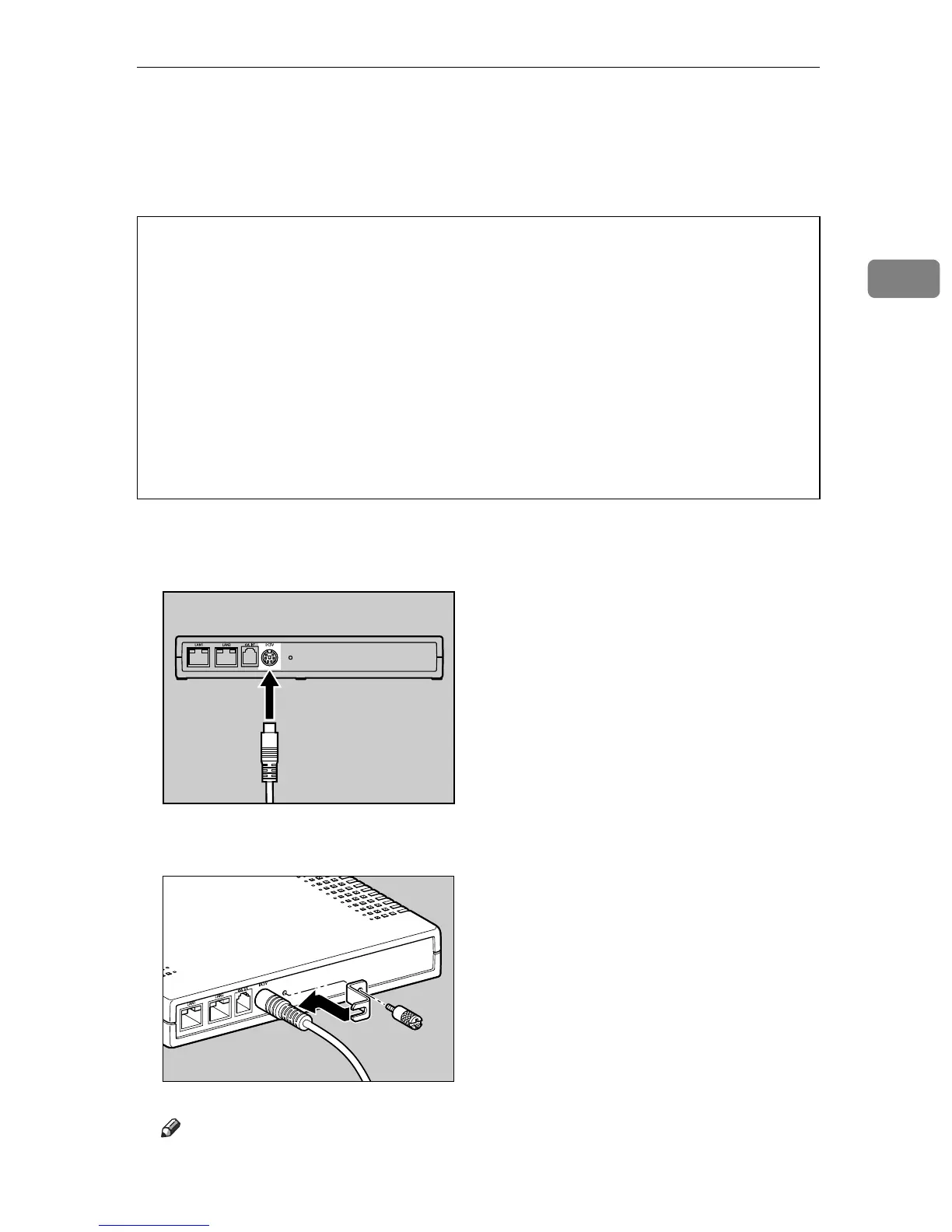
This procedure shows you how to connect the power cable to the equipment.
WARNING:
A Connect the AC adapter to the power cable.
B Connect the AC adapter securely to the power socket of the equipment.
C Secure the Power Cable with the Bracket and fix it with the screw.
Note
❒ Use a coin when you fix the screw.
• The supplied power cord is for use with this equipment only. Do not
use with other appliances. Doing so may result in fire, electric shock,
or injury.
• Use the AC adapter supplied with the equipment. Otherwise, a fire, an
electric shock, a equipment failure might occur.
• Connect the equipment only to the power source described on this
manual. Connect the power cord directly into a wall outlet and do not
use an extension cord.
• Do not damage, break or make any modifications to the power cord.
Do not place heavy objects on it. Do not pull it hard nor bend it more
than necessary. These actions could cause an electric shock or fire.
AAA001S
AAA002S



 To Next Page