Setup and Connection
12
2
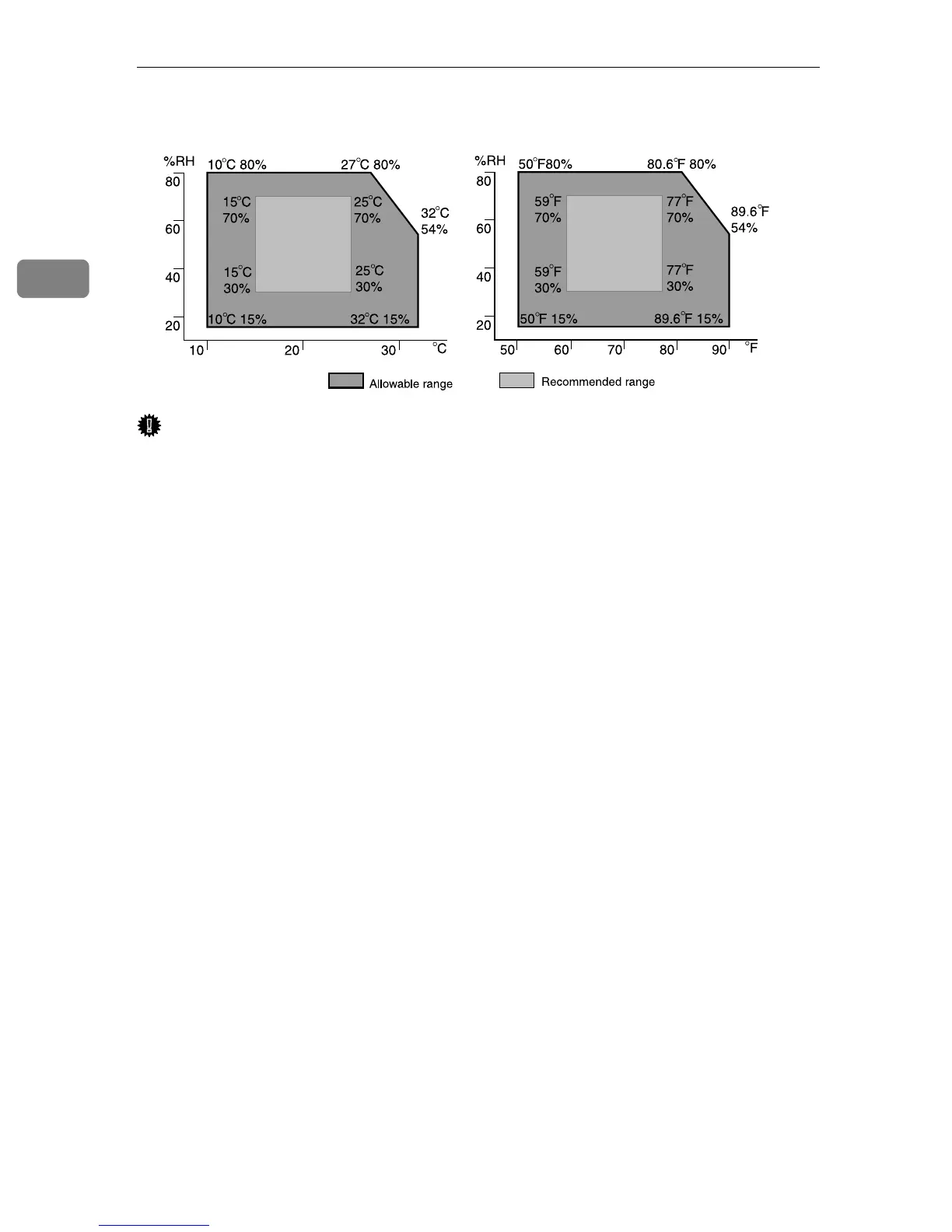
Place the equipment in the recommended temperature and humidity shown be-
low:
Important
❒ When the equipment is moved from a cold to a warm location, or vice versa,
internal dew condensation can occur. In this case, allow the equipment to ac-
climate to the new environment for at least one hour.
❒ Keep the equipment's power on during normal operation.
AAA323S



 To Next Page