Registering the Equipment
52
4
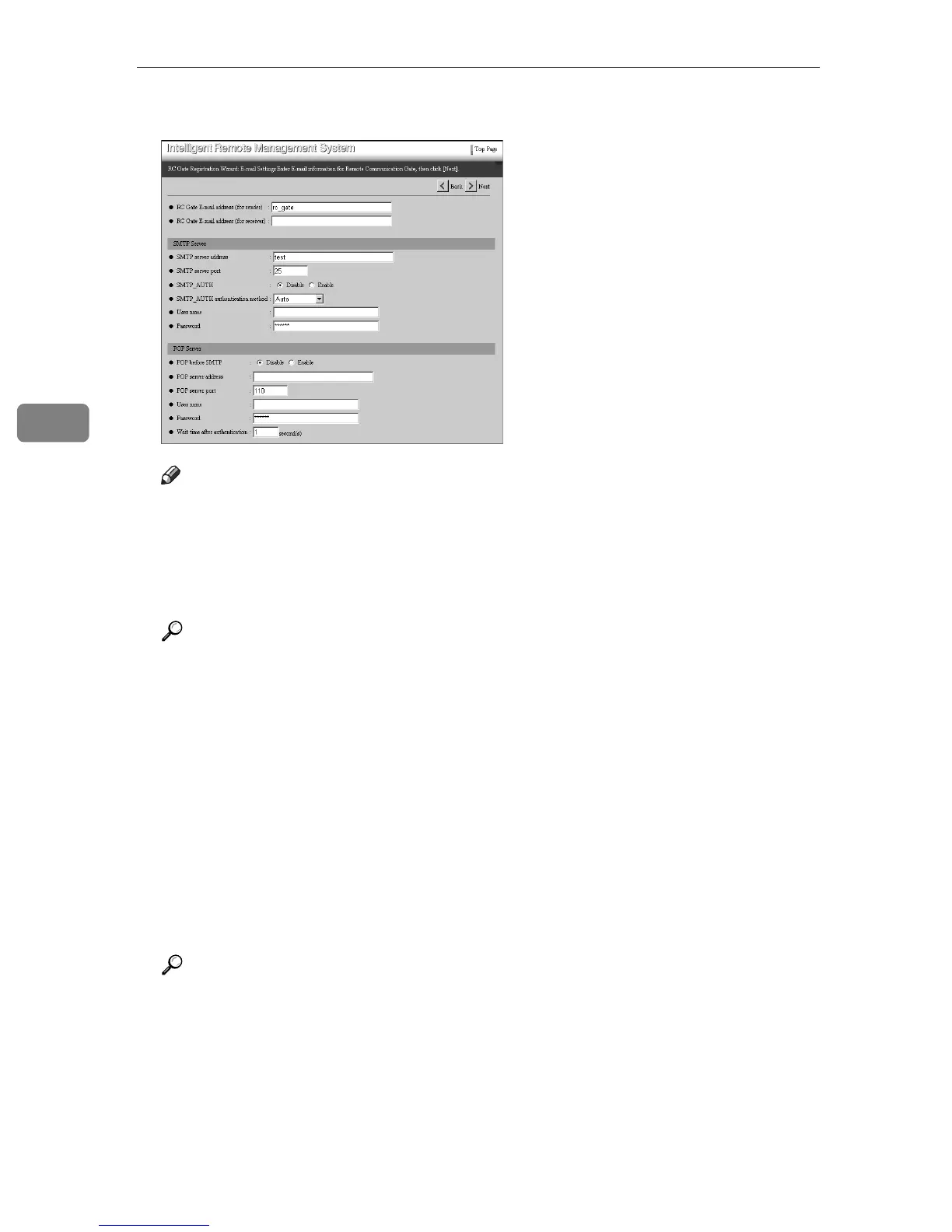
H Enter items from [RC Gate E-mail address (for sender)] to [SMTP server port].
Note
❒ When you use the Internet encryption communication (HTTPS) method,
entering of each item in the [RC Gate Registration Wizard: E-mail Settings]
screen is optional.
❒ The [RC Gate E-mail address (for receiver)] specifies the destination address of
mail sent from the [RC Gate E-mail address (for sender)].
Reference
See p.78 “E-mail” for the details of each item.
I Set the security authentication of your SMTP server.
❖ For “SMTP_AUTH” Authentication
Set [SMTP_AUTH] to “Enable.” Enter items from [SMTP_AUTH authentication
method] to [Password].
❖ For “POP before SMTP” Authentication
Set [POP before SMTP] to “Enable.” Enter items from [POP server address] to
[Wait time after authentication].
❖ No Authentication
Set [SMTP_AUTH] and [POP before SMTP] to “Disable.”
Reference
See p.78 “E-mail” for details of each item.



 To Next Page