Chapter 6
INFORMATION ON USE
- 32 -
English
C624153200.fmIDM
To view the production informa-
tion
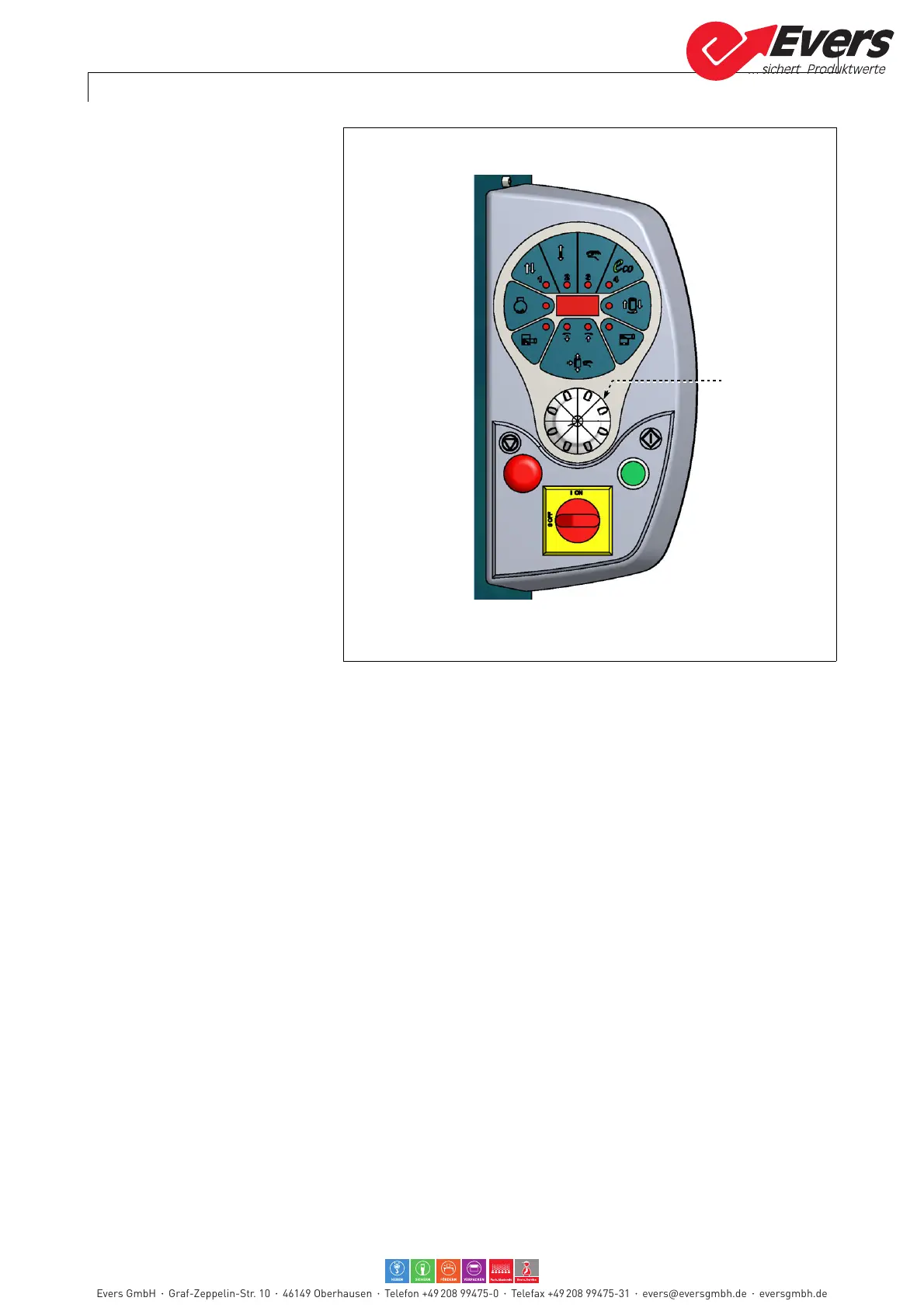
1 -Activate main electric discon-
nector and press selector (D) at
the same time.
Message appears on the dis-
play.
–"d1" cycle partial counter
To reset, press selector for a
short period (about 3 seconds).
–"d2" cycle partial counter
(1000÷999000)
–"d3" cycle partial counter (0÷999)
–"d4" bootloader programme ver-
sion
–"d5" Voltage
–"d6" Sheet temperature
To programme the "Eco" wrap-
ping cycle
The "Eco" wrapping cycle can be
custom-made in order to optimise
and reduce any waste of time and
of packing material.
1 -Press selector and button "Cycle stop" at the same time.
Message "rEC" appears on the display.
The "Self-learning" mode is activated.
The system records all the operations to be performed in order to customise a
wrapping cycle (max 20 steps).
2- Press button "Start cycle".
The rotation of the rotary table and the movement of the reel holding carriage in
manual mode start at the same time.
3- Use selector in order to move the reel holding carriage.
4- When the reel holding carriage is brought to a "low" end of stroke position, press
button "Cycle stop" in order to complete the recording.
Rotary table stops in phase.
5- Press selector (D) and button "Cycle stop" at the same time in order to leave the
recording mode.
Press button "Cycle stop" in order to stop the cycle without bringing the reel
holding carriage to a "low" end of stroke position.
With this procedure, rotary table exceeds the point of phase, performs another
wrap and stops in phase.
Evers GmbH Graf-Zeppelin-Str. 10 46149 Oberhausen Telefon +49 208 99475-0 Telefax +49 208 99475-31 evers@eversgmbh.de eversgmbh.de








 To Next Page