EasyManua.ls Logo

Robopac S6 - User Manual

Robopac S6
94 pages
Print Icon
To Next Page IconTo Next Page
Loading...
USE AND MAINTENANCE MANUAL
ENG
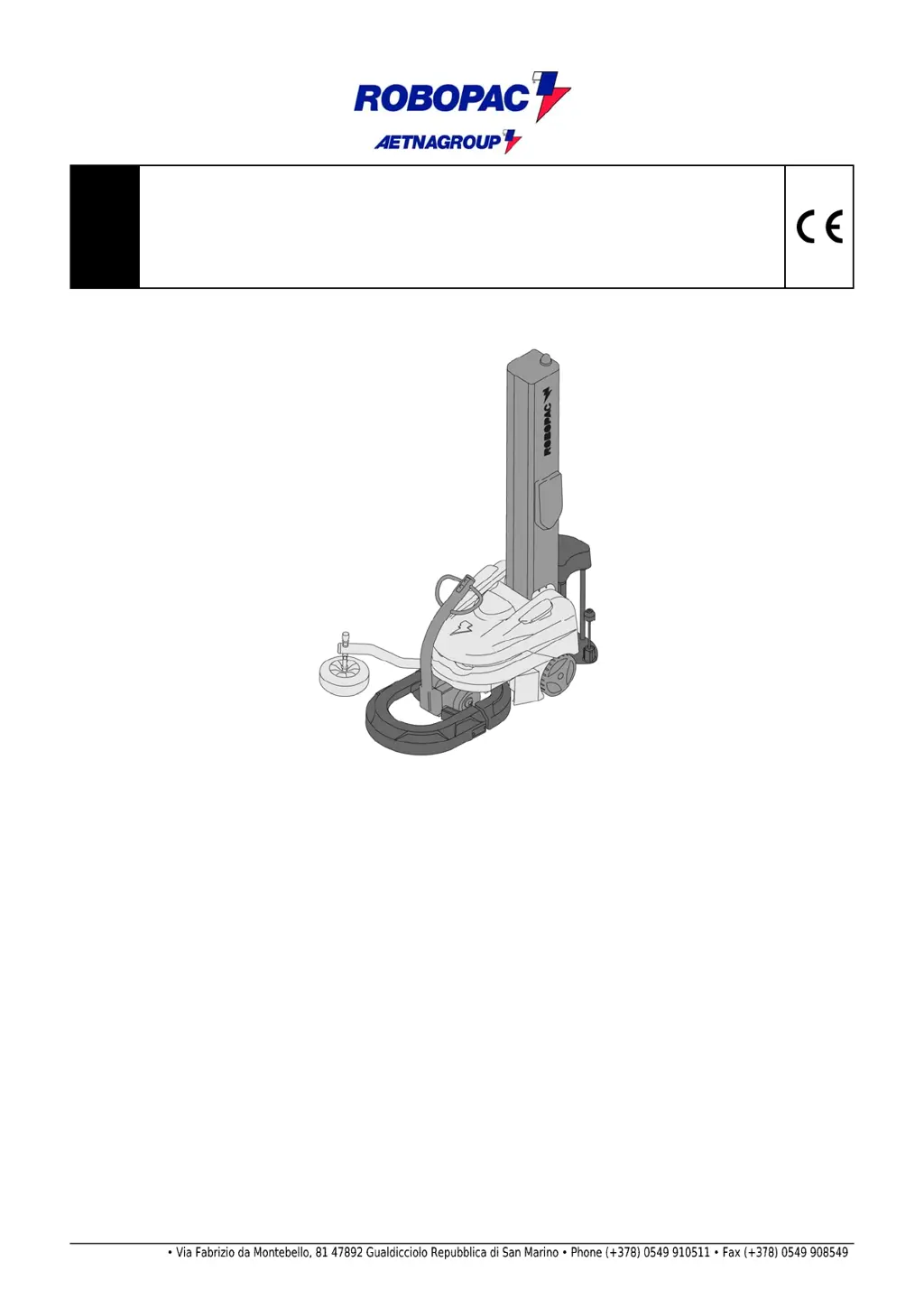
Self propelled wrapping robot
ROBOT S6
Translation of the original instructions
Code:
3709301826.1
Edition: 0117
_
________
_
SERIAL NUMBER __________
_
__________________________________________________________________________________________________________
_
A
TTENTION
Read and understand these instructions before usin
g
the machine.
Keep this handbook for further consultation
ROBOPAC S.p.A.

Table of Contents

Questions and Answers

  • E
    Ethan DiazSep 9, 2025
    What to do if Robopac S6 Stretch Wrapping Systems displays 'E32 - STRETCH DRIVER OVERTEMP' error?
    • L
      lserranoSep 9, 2025
      If your Robopac Stretch Wrapping Systems displays the error 'E32 - STRETCH DRIVER OVERTEMP. - STRETCH DRIVER SHORT CIRCUIT. - STRETCH DRIVER UNDERVOLT. - STRETCH HEAT SINK OVERTEMP. - STRETCH CURRENT LIMIT.', it indicates a failure occurred to the film stretching motor. Check the motor and refer to the wiring diagram.
  • S
    shawnriceAug 23, 2025
    What to do if Robopac S6 displays 'E90 - BATTERY LOW' error?
    • U
      uboydAug 23, 2025
      If the Robopac Stretch Wrapping Systems displays the error 'E90 - BATTERY LOW', it means the battery has run down to the safety level, and the machine will stop. Transport the machine to the nearest charge point using the manual forward/back buttons on the steering arm; see "control description".
  • E
    ejohnsonAug 25, 2025
    What to do if Robopac S6 shows 'E01 - EMERGENCY STOP'?
    • S
      Susan MartinezAug 25, 2025
      If the Robopac Stretch Wrapping Systems displays the error 'E01 - EMERGENCY STOP', it means the emergency pushbutton is in a locked position. To resolve this, reset the button and then press the Reset button.
  • I
    itorresAug 26, 2025
    What to do if Robopac S6 displays 'E02 - BUMPER' error?
    • B
      Brian FergusonAug 27, 2025
      If your Robopac Stretch Wrapping Systems shows an 'E02 - BUMPER' error, it indicates that the bumper hit an obstacle in the working area. Remove the obstacle and then press the “Reset” push-button to clear the error.
  • L
    Laura GonzalezAug 27, 2025
    What to do if Robopac Stretch Wrapping Systems displays 'E60 - ALL. BROKEN FILM'?
    • L
      Lauren PhillipsAug 27, 2025
      If the Robopac Stretch Wrapping Systems displays the error 'E60 - ALL. BROKEN FILM', it means that the film has broken or the reel is empty. To fix it, insert a new film or replace the reel.
  • B
    Bethany MerrittAug 29, 2025
    What to do if Robopac S6 displays 'E81 - H.M.I. COMUNIC. FAULT' error?
    • R
      Robyn HendersonAug 29, 2025
      If your Robopac Stretch Wrapping Systems shows 'E81 - H.M.I. COMUNIC. FAULT', it means that the cable is unplugged or the touch screen is faulty. You should check the operation of the touch screen panel and refer to the relevant electric diagram.
  • K
    Kristine AndersonSep 17, 2025
    What to do if Robopac S6 displays 'E61 - ALL. COUNTER CORNER' error?
    • J
      Jonathan BraySep 18, 2025
      If the Robopac Stretch Wrapping Systems displays the error 'E61 - ALL. COUNTER CORNER', it indicates an inductive sensor malfunction. Check the conditions of the inductive sensor.
  • S
    Sarah ScottSep 18, 2025
    What to do if Robopac Stretch Wrapping Systems displays 'E12 - TIMONE BASSO' error?
    • A
      Adrian HernandezSep 18, 2025
      If your Robopac Stretch Wrapping Systems shows the error 'E12 - TIMONE BASSO', it means the rudder is low. Raise the rudder and check the sensor is working; consult the diagram of the electrical system.
  • C
    Cheryl BeanSep 7, 2025
    What to do if Robopac Stretch Wrapping Systems displays 'E84 - CHECKSUM PARAMETRI CONFIGURAZIONE ERRATO' error?
    • C
      Corey McphersonSep 8, 2025
      If your Robopac Stretch Wrapping Systems displays 'E84 - CHECKSUM PARAMETRI CONFIGURAZIONE ERRATO', it means the machine setup parameter list is corrupted. To restore default setup parameters, insert into the USB port on the back of the HMI the key supplied with the machine and press the button (A)?. You can also set the parameters manually by pressing the button (B).
  • J
    Joshua CombsSep 4, 2025
    What to do if Robopac Stretch Wrapping Systems displays 'E36 - CARR. OVERCURRENT' error?
    • J
      Jason WestSep 4, 2025
      If your Robopac Stretch Wrapping Systems shows 'E36 - CARR. OVERCURRENT', it means the motor has been working heavily for an exceedingly long period. Check the motor operation, ensure the carriage is free to move, and refer to the relevant electric diagram.

Summary

General Information

Modes of Requesting for Assistance

Provides contact info and procedures for support.

Safety Information

General Safety Precautions

Outlines essential safety rules for machine use.

Safety Warnings for Handling and Installation

Covers safe practices for moving and setting up the machine.

Safety Warnings for Use and Operation

Details safe procedures for operating the machine.

Safety Warnings Related to Incorrect Use

Warns against predictable misuse of the machine.

Technical Information

Operating Cycle and Wrapping Modes

Details the machine's operational steps and wrapping types.

Safety Device Descriptions

Explains the function of the machine's safety features.

Description of the Electrical Devices

Details the positioning and function of electrical components.

Information on Adjustments

About the Use

Maintenance Information

Maintenance Instructions

General guidelines for performing maintenance.

Troubleshooting

Alarm Message List and Information

Lists alarms, problems, causes, and remedies.

Spare Parts Replacement Information

Battery Replacement

Step-by-step guide for battery replacement.

Robopac S6 Specifications

General IconGeneral
BrandRobopac
ModelS6
CategoryStretch Wrapping Systems
LanguageEnglish

Related product manuals