ROBOT S6
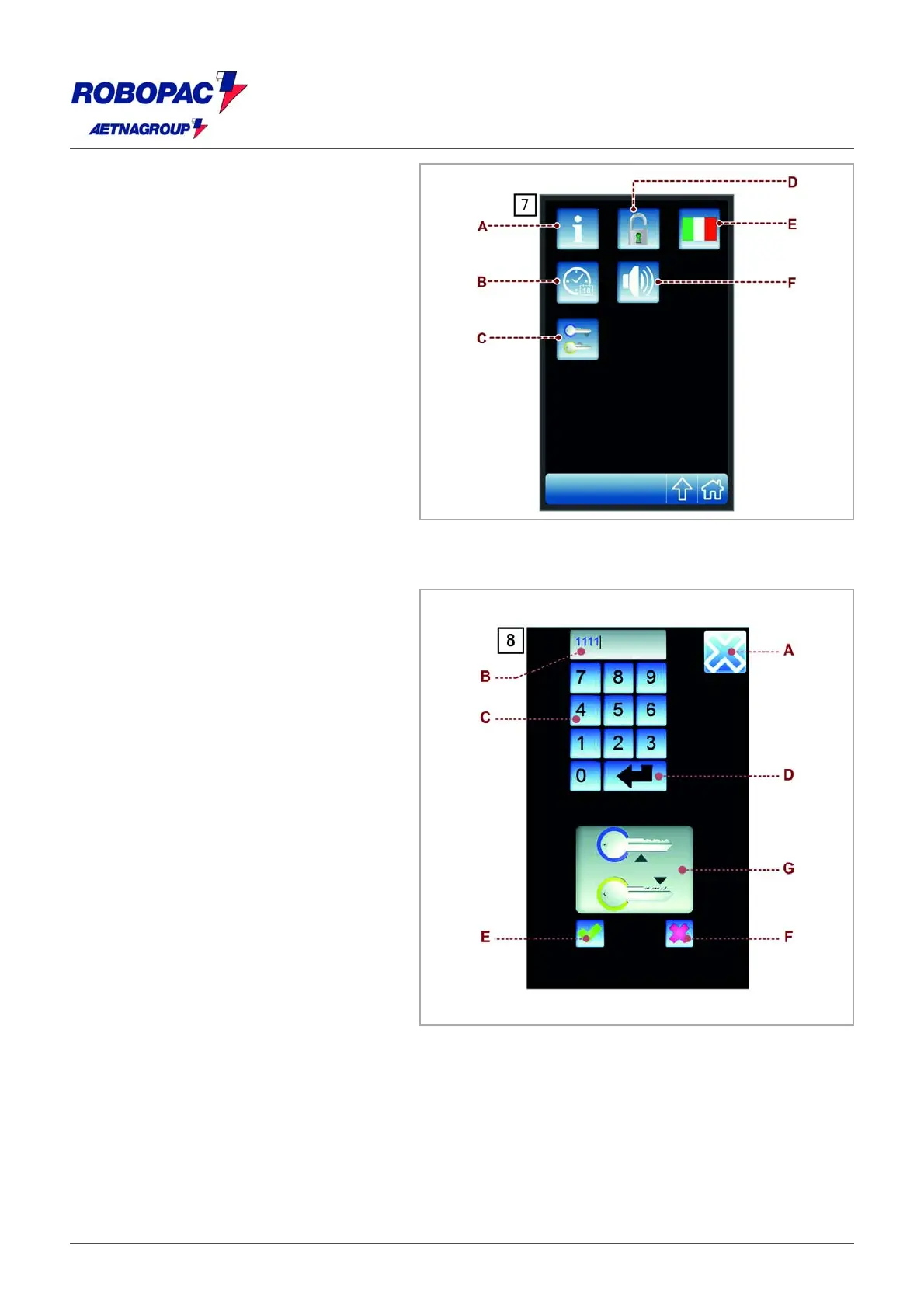
6.10. “H.M.I. SETTINGS”
SCREEN
The screenshot displays the controls to
customize the operating mode of the
user interface".
) Push-button: used to display the
screenshot showing the software version.
B) Button: it shows the "Date/ time setting"
screen.
C) Push-button: used to display the
"password modification" screenshot.
D) Push-button: used to enable and disable
the programming of recipes.
The function is active only if the system
is accessed as "machine
responsible" (see the "password insertion
(user login) screenshot.
E) Button: used to select the display
language.
F) Push-button: used to enable and disable
the acoustic signal of the display.
6.11. "PASSWORD
MODIFICATION"
SCREENSHOT
The screenshot displays the controls to
modify the access password to the
protected functions.
) Push-button: used to display the upper
level screenshot.
B) Area: displays the characters entered.
C) Numeric keypad.
D) Push-button: used to confirm the
characters entered.
The activation of the control is signalled
by the animation on the icon (G).
E) Push-button: used to store the password.
The control is enabled only if the
animation of the icon (G) is active.
F) Push-button: used to reset the values
entered.
The activation of the control deactivates
the animation of the icon (G).
6.12. "PASSWORD INSERTION (USER LOGIN)" SCREENSHOT
This screen displays the controls used to enter the password for the user selected, in order to access
the restricted functions.







 To Next Page