ROBOT S6
4 Coating stretching
5 Coating pre-stretching
6
rolley lifting speed
7
rolley lowering speed
8 Machine forward speed
9 Film height adjuster – creasing device
B) Push-button: used to close the schedule window.
C) Bar: used to increase or decrease (quickly) the value displayed in the area (E).
D) Push-buttons: used to increase or decrease (one unit at a time) the value displayed in the area (E).
E) Area: displays the value of the parameter programmed.
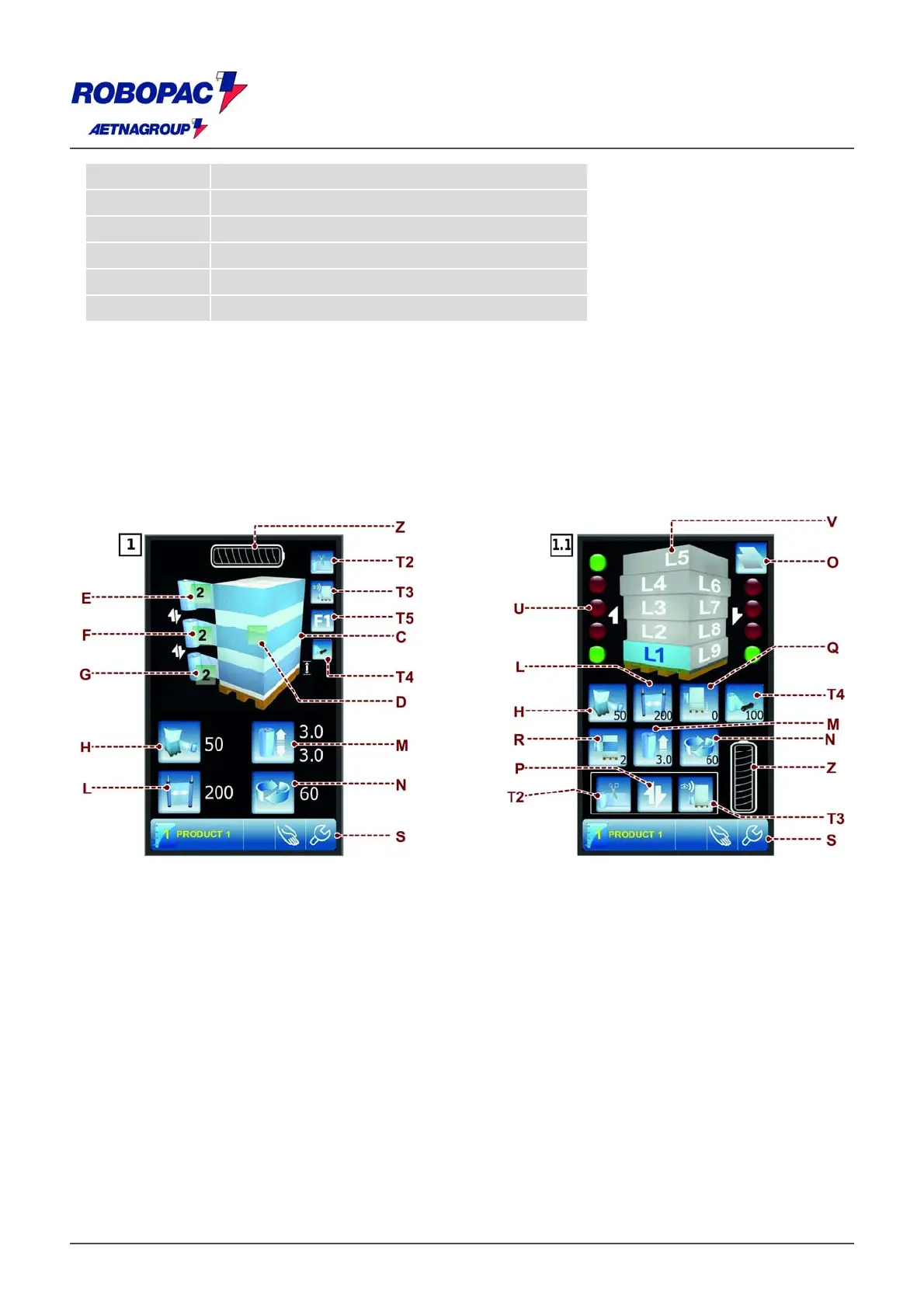
6.4. "HOME" SCREENSHOT
he
a
e dis
la
s the wra
in
arameters currentl
in use and
ives access the other
a
es.
C) Area: displays the preview of the pallet wrapping cycle selected.
D) Push-button: used to display the "Wrapping cycle" screenshot.
E) Push-button: used to program the quantity of wrapping at the upper end of the pallet.
The number displayed indicates the value programmed.
F) Push-button: used to program the quantity of reinforcement wrapping in the middle area of the pallet.
The number displayed indicates the value programmed.
G) Push-button: used to program the quantity of wrapping at the base of the pallet.
The number displayed indicates the value programmed.
H) Push-button: used to program the stretch value of the coating.
The number displayed indicates the value programmed.
L) Push-button: used to program the pre-stretch value of the coating (only for trolleys "PDS" - "PVS").
The number displayed indicates the value programmed.
M) Push-button: used to program the vertical handling speed of the trolley.
The number displayed indicates the value programmed.
N) Push-button: used to program the wrapping speed of the machine.
The number displayed indicates the value programmed.







 To Next Page