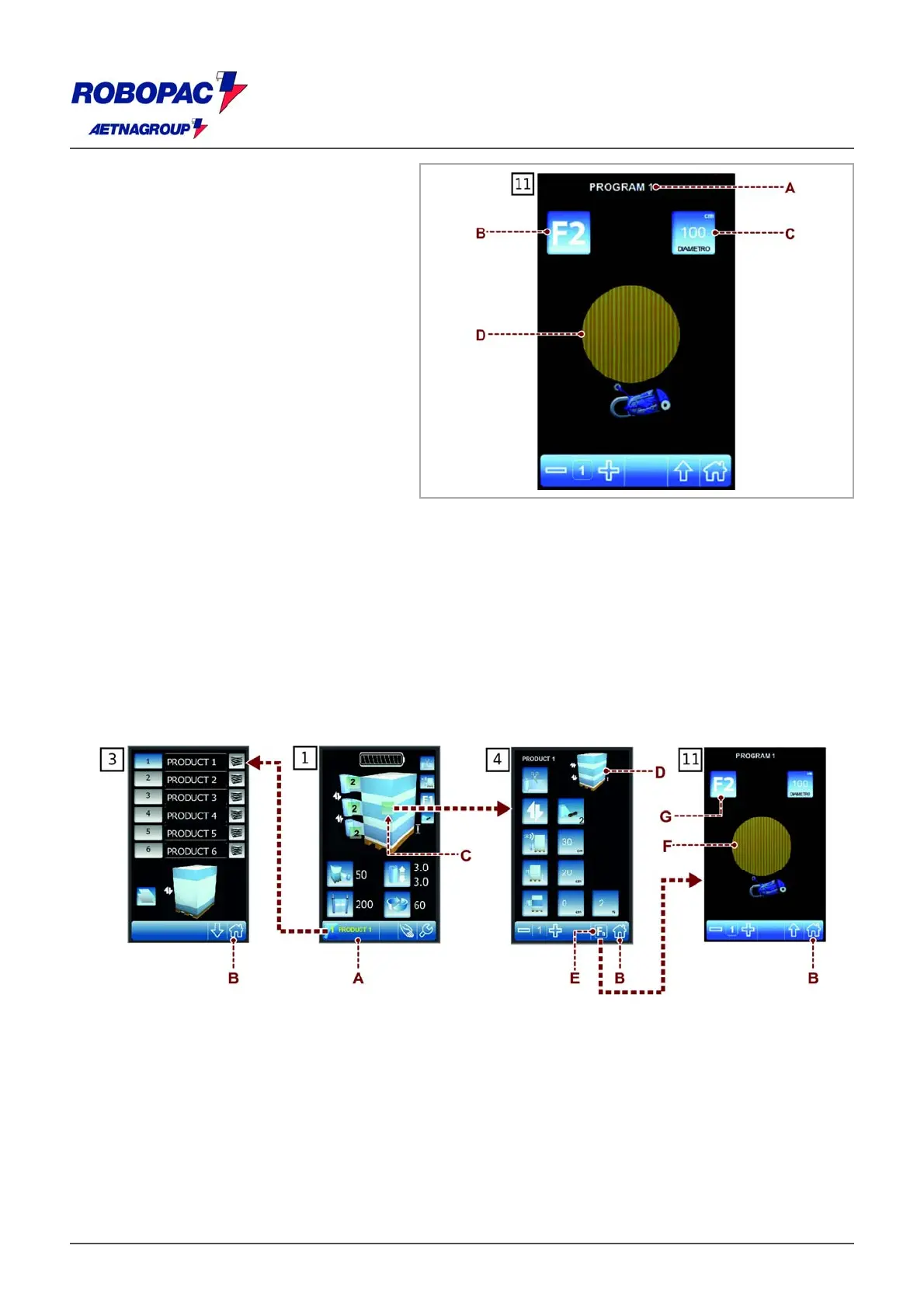
ROBOT S6
) Area: It displays the name of the set of
parameters being programmed.
B) Button: it selects the type of "special
cycle" wrapping.
Press control several times in order to
show the desired function.
‒ Function "F0": it disables the wrapping
with "special cycles".
‒ Function F1: it enables the wrapping of
large products with "special cycles".
‒ Function F2: it enables the wrapping of
cylindrical products with "special cycles".
C) Button: it programmes the wrapping with
"special cycles" according to the function
selected by means of button (B).
The number displayed indicates the
value programmed.
‒ With function F1 selected: the control is
used to programme the step of the
carriage movement at each complete
wrapping cycle.
‒ With function F2 selected: the control is
used to programme the diameter of the
product to be wrapped.
D) Area: displays the preview of the pallet
wrapping cycle selected.
6.15. PROGRAMMING A NEW RECIPE
Proceed as indicated.
1. Display the "Home" 1 screenshot.
2. Press the button (A) to display the "Recipes" screenshot 3.
3. Select the concerned recipe.
4. Program the name of the recipe.
5. Press the button (B) to display the "Home" 1 screenshot.
6. Press the push-button (C) to display the "wrapping cycle" 4 screenshot.
7. Program the parameters of the recipe.
The area (D) displays the preview of the pallet wrapping cycle.
8. Press button (E) to show the wrapping screen with "Special cycles" 11.







 To Next Page