Chapter 6
INFORMATION ON USE
- 34 -
English
C624153200.fmIDM
5-Cut the film.
6-Remove the load and place another one on the table to start a new cycle.
Do not stretch or pre-stretch the film excessively with an excessive number of
wrappings in order not to damage the packs and the products contained.
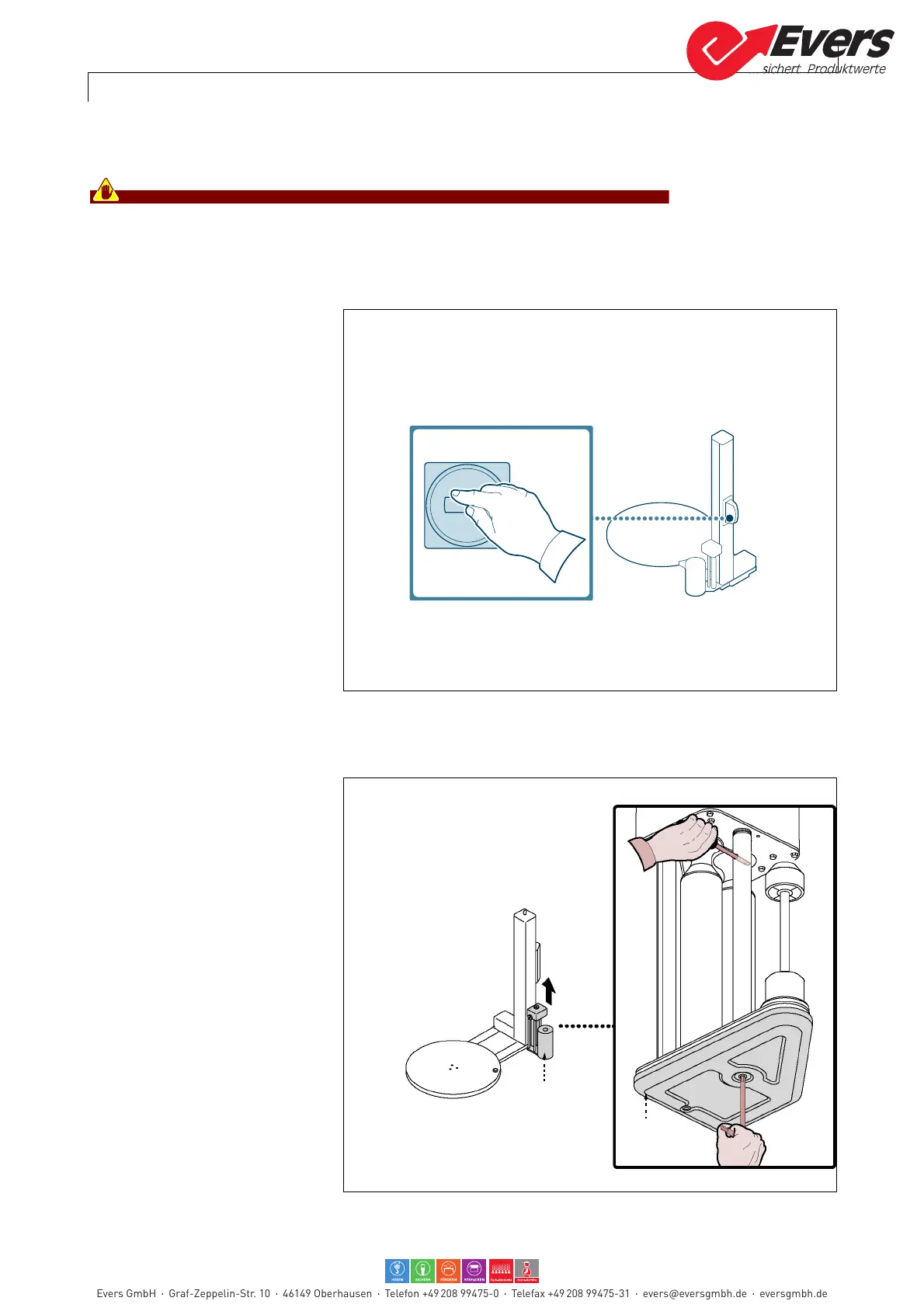
6.7. EMERGENCY STOP AND RESTART
1 -Turn the main switch to 0 (OFF)
in impending risk conditions.
Machine operations stop imme-
diately.
2-After having normalized work
conditions, release the button
to allow operations to restart.
To restart the machine, act as
follows.
3-Press the "Cycle Start" button.
The machine sets itself for the
operating cycle start.
4- Repeat all the automatic cycle
start operations (see "starting
and stopping the cycle").
6.8. CHANGE OF THE FILM PRE-STRETCH VALUE
Only for machines model "Eco-
plat PPS - Ecoplat TP PPS"
For this operation, proceed in the
following way.
1 -Start the machine in "manual"
mode.
2-Activate the controls to lift reel
holding carriage (A) up to the
end of stroke.
3-Stop the machine
4-Deactivate the main electric
switch to put the machine in
safety conditions.
5- Remove the cover guard (B).
Evers GmbH Graf-Zeppelin-Str. 10 46149 Oberhausen Telefon +49 208 99475-0 Telefax +49 208 99475-31 evers@eversgmbh.de eversgmbh.de








 To Next Page