Chapter 6
INFORMATION ON USE
- 33 -
English
C624153200.fmIDM
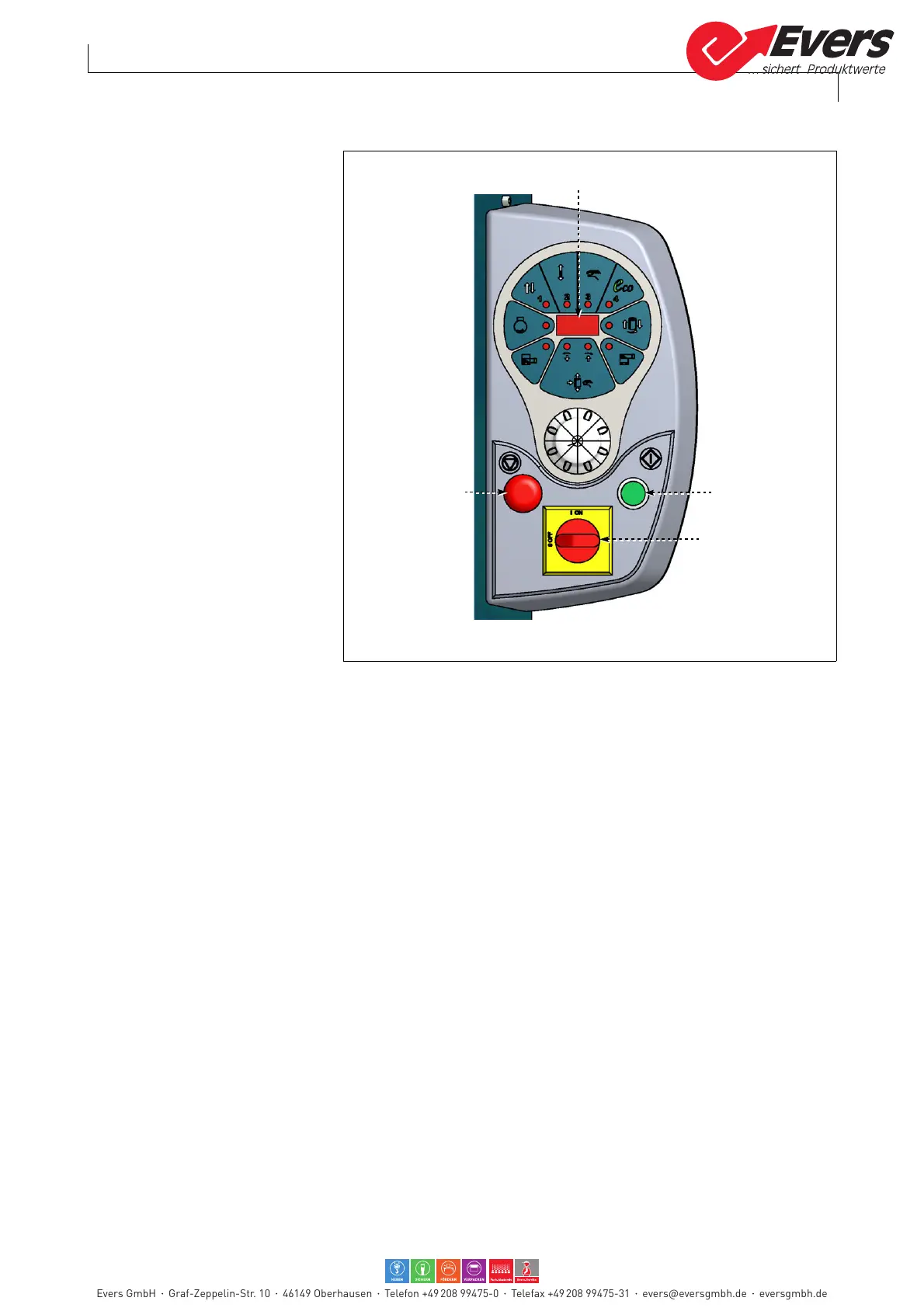
6.5. SWITCHING THE MACHINE ON AND OFF
For this operation, proceed in the
following way.
1 -Turn the main switch (A) to 1
(ON) to power.
LEDs turn on to signal that the
system checks the operation of
the machine and display (E)
shows the installed software
version for a while.
After this operation check-up,
message "rES" appears on the
display.
2- Press the "Cycle Start" button
(B). The machine sets itself for
the operating cycle start.
Identification number of the
programmed wrapping cycle
appears on display (E).
3- Perform the cycle start opera-
tions (see "starting and stop-
ping the cycle").
Turn the main switch (A) to 0
(OFF) to turn the machine off.
6.6. STARTING AND STOPPING THE CYCLE
For this operation, proceed in the following way.
1 -Position the load on the rotating table and remove the loading device.
2- Tie the film end to the pallet.
3- Set the cycle parameters.
4- Press button "Start cycle" (B).
The machine starts the wrapping cycle according to the previously set mode of op-
eration.
–When manual wrapping cycle is set: the rotation of the rotary table starts.
The operator must activate multi-function selector in order to rise and lower the reel
holding unit and to complete wrapping.
When wrapping is complete, when the reel holding carriage is "low" end of stroke po-
sition, the rotary table stops in phase.
Press button "Cycle stop" (C) in order to stop the cycle without bringing the reel hold-
ing carriage to a "low" end of stroke position.
–When automatic wrapping cycle is set: the rotation of the rotary table starts.
The reel holding unit performs the programmed wrapping and, when completed, it
stops automatically with the rotary table positioned in phase.
To pause the cycle, press the "Stop cycle" (C) button; press the "Start cycle" button
(B) to restart.
Evers GmbH Graf-Zeppelin-Str. 10 46149 Oberhausen Telefon +49 208 99475-0 Telefax +49 208 99475-31 evers@eversgmbh.de eversgmbh.de








 To Next Page