Rosemount Model 8732C Integral Mount Magnetic Flowmeter System
3-2
LOI Features
The LOI option contains a two-line, 16-character liquid crystal display
(LCD) that is back-lit and visible from any angle. This display uses
optical switches that reliably detect the touch of a finger on the LOI
glass. Because the switches are completely enclosed, they will not be
affected by the process environment.
A red light emitting diode (LED) on the display illuminates whenever
an optical switch is activated providing positive operator feedback and
guarding against accidental configuration changes. Table 3-1 lists and
details the functions of the LOI keys.
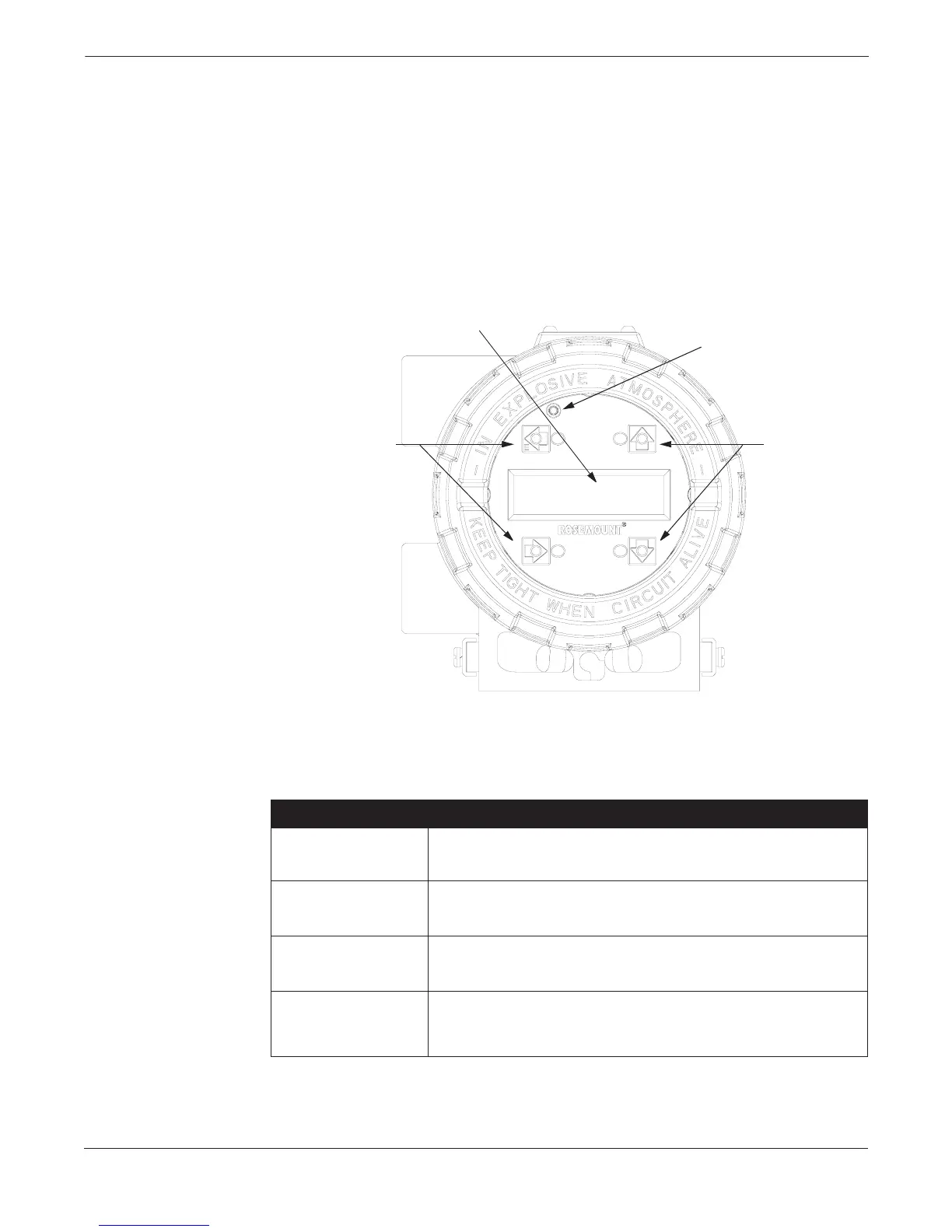
FIGURE 3-1. Model 8732C
Local Operator Interface.
TABLE 3-1. LOI Keys and Functions.
8732-0031A01A
Transmitter
Parameter Keys
Transmitter
Parameter Keys
Key Press Indicator
Liquid Crystal Display
LOI Key Function Performed
Enter. Moves to the previous display field. Starts the totalizing function if it is
stopped, and stops the function if it is running.
Moves the cursor to the next higher field. Changes user-selected variables in a field
to next higher value. Changes parameters on a predefined list.
Moves the cursor to the next lower field. Changes user-selected variables in a field
to next lower value. Changes parameters on a predefined list.
Enters a specific field on the LOI. Moves cursor to next user-selected variable.
Changes parameters on a predefined list. Aborts a chosen operation. Stops the
totalizing display (totalizing function continues to run). Resets the net totalizing
display after the display is stopped.
E ←
↑
↓
→














 To Next Page