Wireless Router RNX-N150RT User Manual
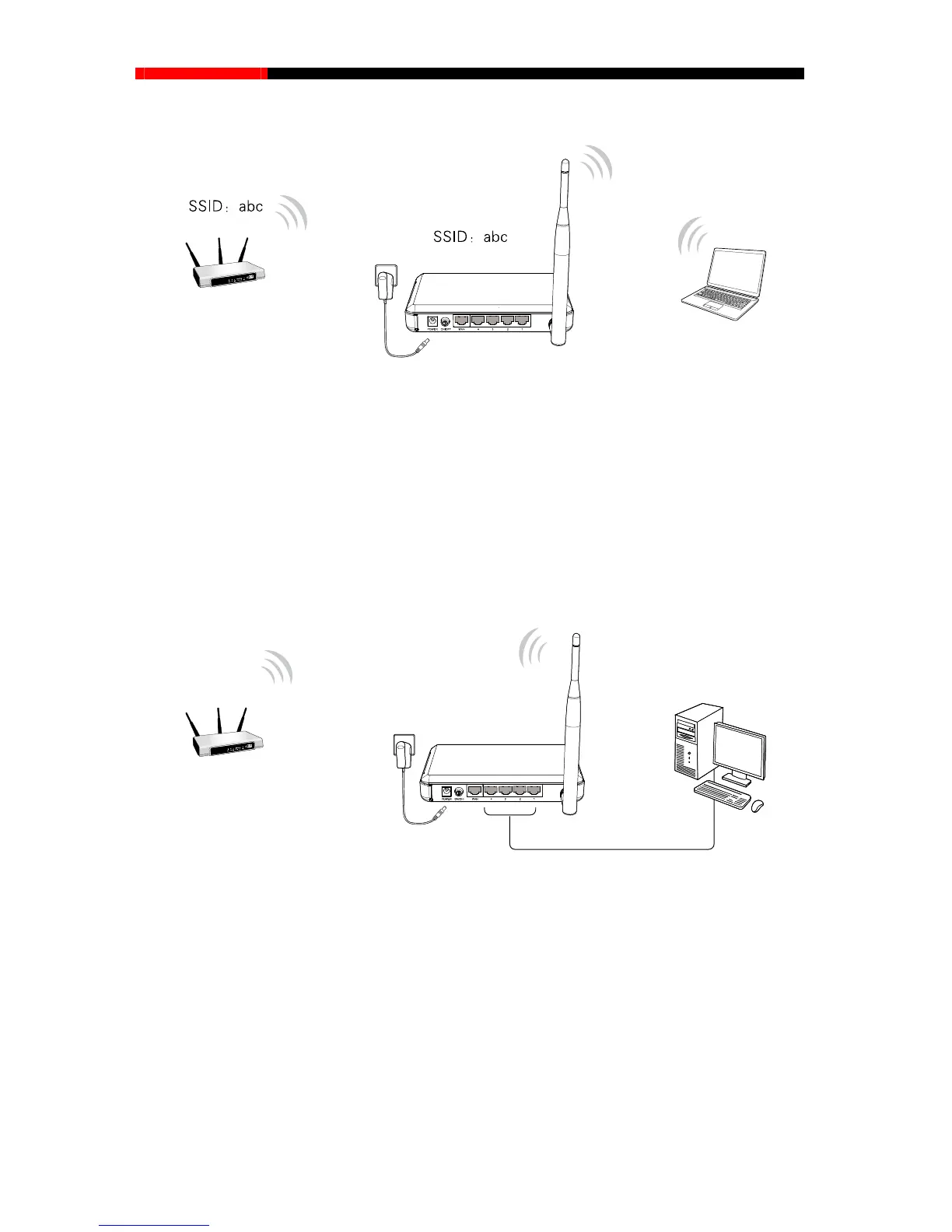
e) Bridge with AP Mode
Figure 2-5 Hardware Installation of the RNX-N150RT in Bridge with AP mode
1. Plug one end of the provided power adapter into the POWER jack of the router, and the other
end to a standard electrical wall socket.
2. Press the ON/OFF button of the router.
Note:
It is recommended that you connect a PC/notebook to the LAN port of the router with an Ethernet
cable, and then login the router from the PC/notebook to set the router in Bridge with AP mode.
f) Client Mode
Figure 2-6 Hardware Installation of the RNX-N150RT in Client mode
1. Connect the PC to the LAN port of RNX-N150RT router with an Ethernet cable.
2. Plug one end of the provided power adapter into the POWER jack of the router, and the other
end to a standard electrical wall socket.
3. Press the ON/OFF button of the router.
- 8 -



 To Next Page