Wireless Router RNX-N150RT User Manual
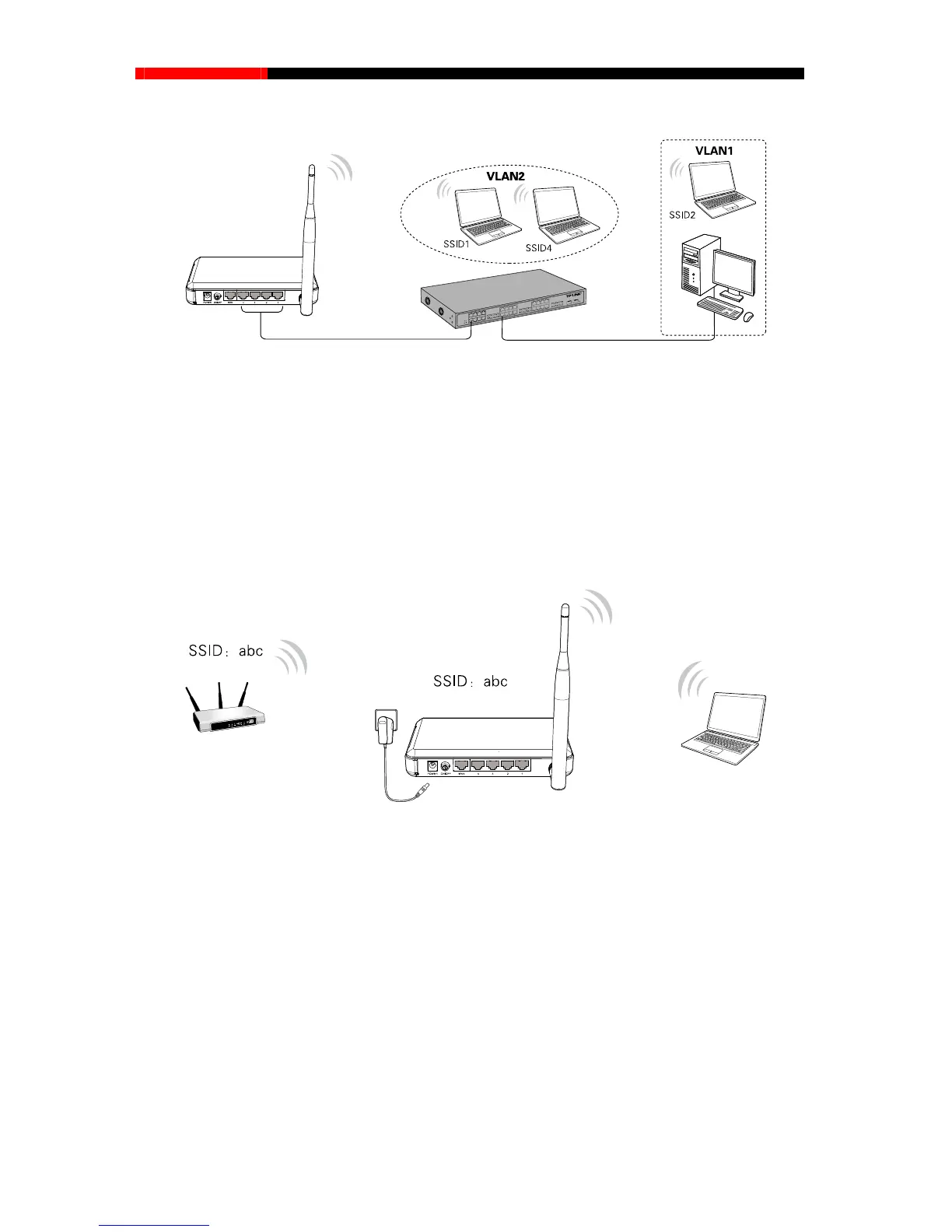
c) Multi-SSID Mode
Figure 2-3 Hardware Installation of the RNX-N150RT in Multi-SSID mode
1. Connect the Switch to the LAN Ports of the router.
2. Connect the PC’s to the LAN ports of the Switch.
3. Plug one end of the provided power adapter into the POWER jack of the router, and the other
end to a standard electrical wall socket.
4. Press the ON/OFF button of the router.
d) Repeater Mode
(Range Extender)
Figure 2-4 Hardware Installation of the RNX-N150RT in Repeater mode
1. Plug one end of the provided power adapter into the POWER jack of the router, and the other
end to a standard electrical wall socket.
2. Press the ON/OFF button of the router.
Note:
It is recommended that you connect a PC/notebook to the LAN port of the router with an Ethernet
cable, and then login the router from the PC/notebook to set the router in Repeater mode.
- 7 -



 To Next Page