Wireless Router RNX-N150RT User Manual
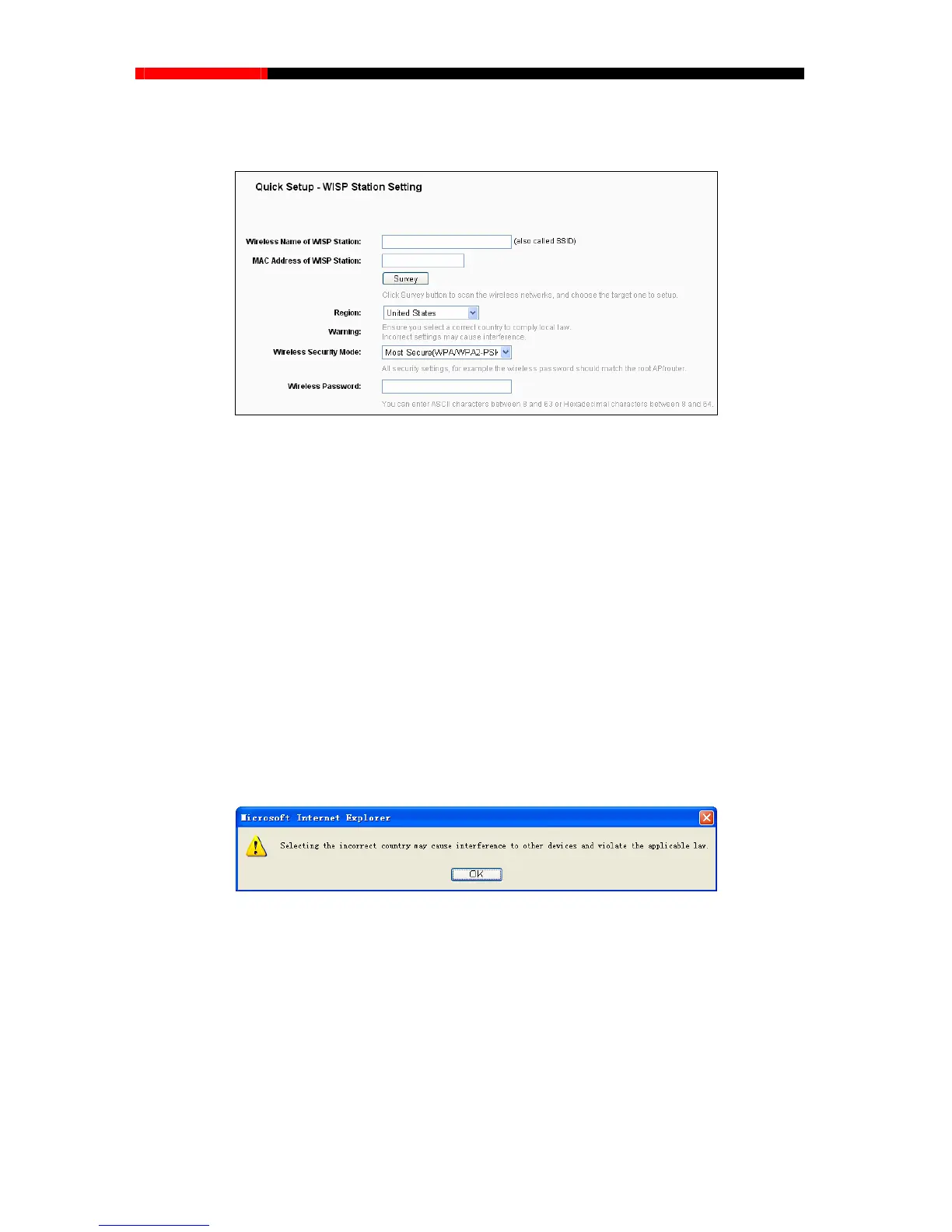
3. After you have completed the above, click Next, the WISP Station Setting page will appear as
below.
Figure 3-10 WISP Station Setting
Wireless Name of WISP Station(SSID)- The SSID of the AP your router is going to
connect to as a client. You can also use the search function to select the SSID to join.
MAC Address of WISP Station(BSSID)- The BSSID of the AP your router is going to
connect to as a client. You can also use the search function to select the BSSID to join.
Survey - Click this button, you can survey the AP which runs in the current channel.
Region - Select your region from the pull-down list. This field specifies the region where
the wireless function of the router can be used. It may be illegal to use the wireless
function of the router in a region other than one of those specified in this field. If your
country or region is not listed, please contact your local government agency for
assistance.
When you select your local region from the pull-down list, click the Save button, then the
Note Dialog appears. Click OK.
Note Dialog
Note:
Limited by local law regulations, version for North America does not have region selection option.
Wireless Security Mode - This option should be chosen according to the AP's security
configuration. It is recommended that the security type is the same as your AP's security type.
Wireless Password - If the AP your router is going to connect needs password, you need to
fill the password in this blank.
- 14 -



 To Next Page