Wireless Router RNX-N150RT User Manual
ISP Specified IP Address - If your ISP does not automatically assign IP addresses to the
router during login, please click “Use IP address specified by ISP” checkbox and enter the
IP address provided by your ISP in dotted-decimal notation.
Detect Online Interval - The router will detect Access Concentrator online at every interval.
The default value is “0”. You can input the value between“0”and “120”. The value “0”means no
detect.
Primary DNS/Secondary DNS - If your ISP does not automatically assign DNS addresses to
the router during login, please click “Use the following DNS servers” checkbox and enter the
IP address in dotted-decimal notation of your ISP’s primary DNS server. If a secondary DNS
server address is available, enter it as well.
Click the Save button to save your settings.
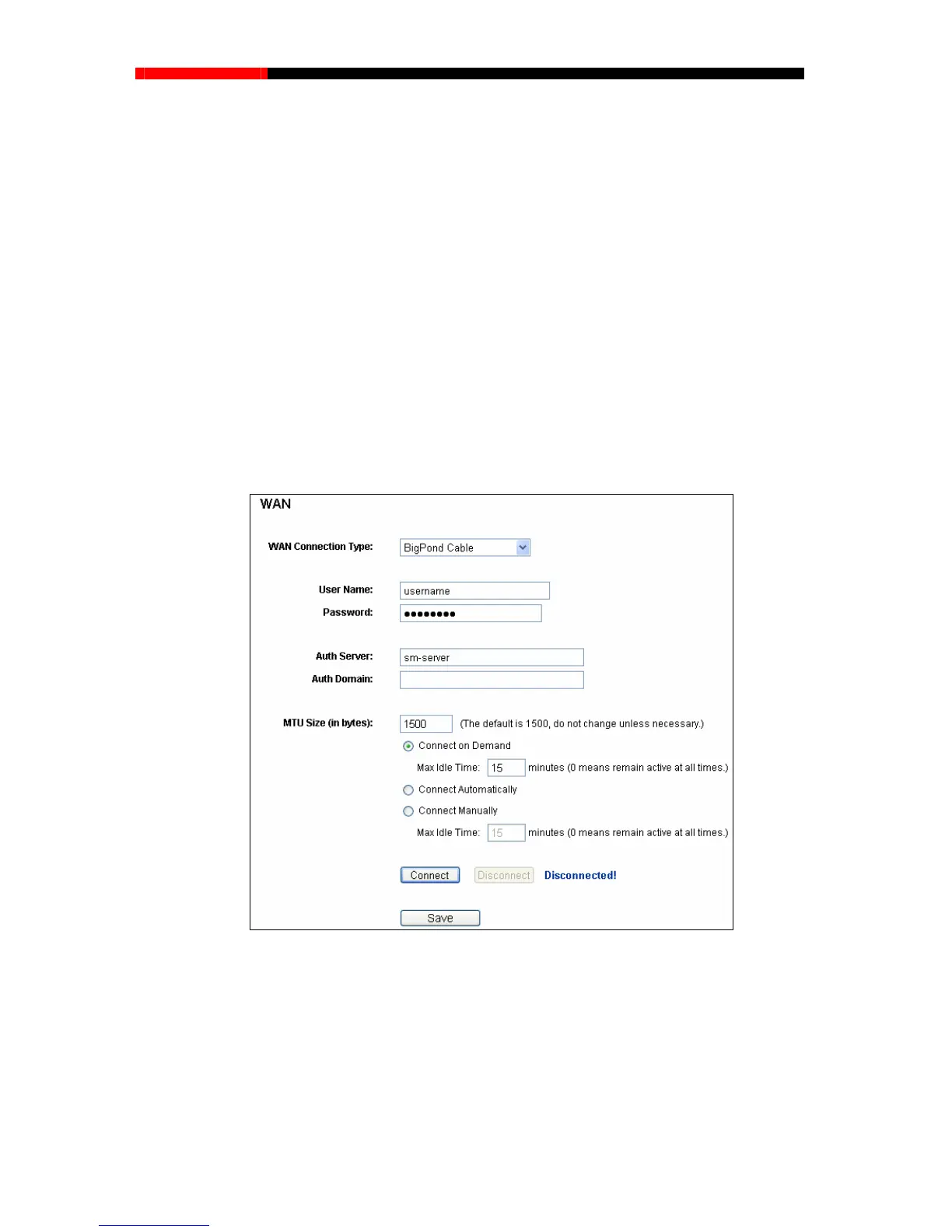
4. If your ISP provides BigPond Cable (or Heart Beat Signal) connection, please select BigPond
Cable. And you should enter the following parameters (Figure 4-13):
Figure 4-13
User Name/Password - Enter the User Name and Password provided by your ISP. These
fields are case-sensitive.
Auth Server - Enter the authenticating server IP address or host name.
Auth Domain - Type in the domain suffix server name based on your location.
- 41 -



 To Next Page