Section 6 Maintenance H85A Manual
www.rottlermfg.com
6-11
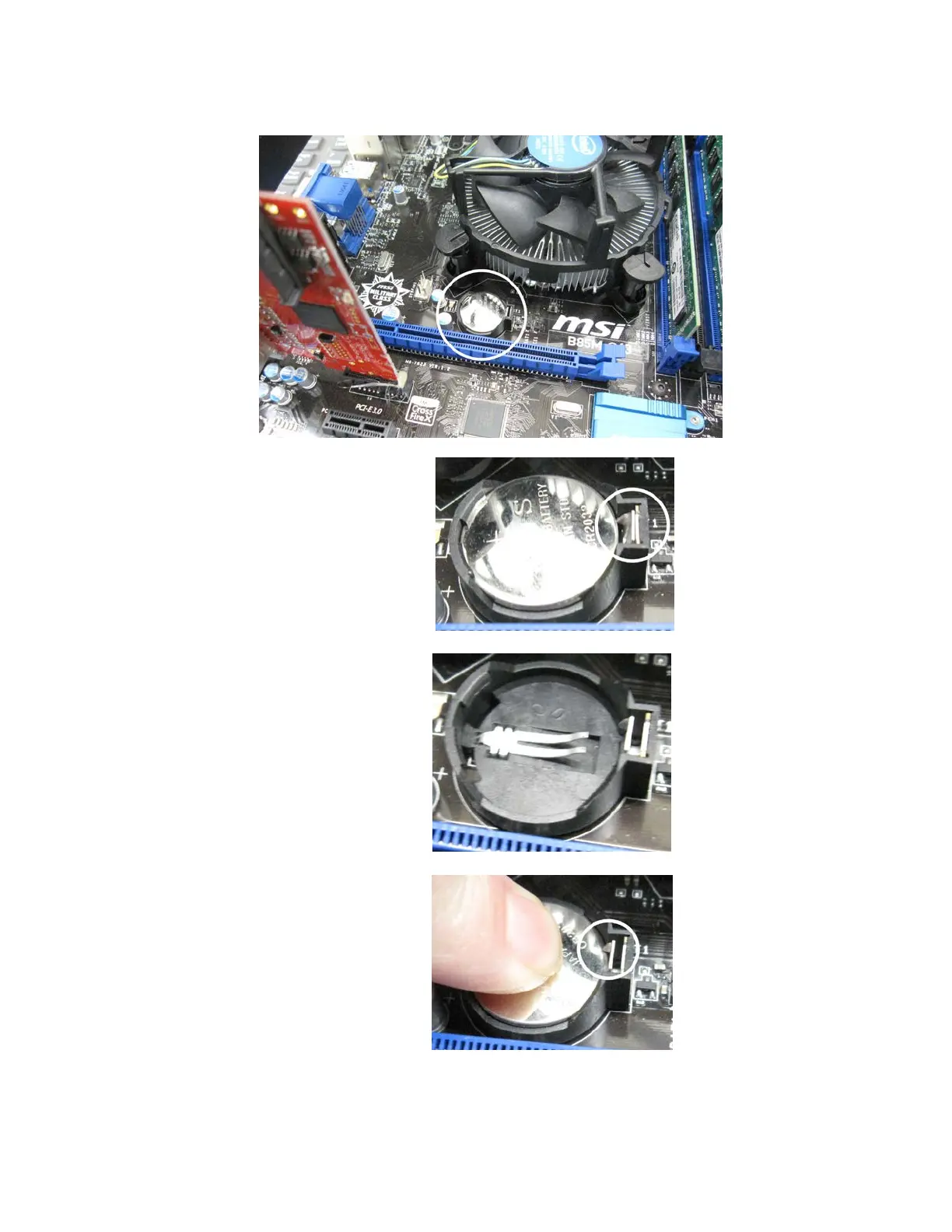
Locate the battery on the motherboard.
Push the battery retention clip away from the
battery. When the clip is released the battery
will pop up.
Remove the battery and place new battery in
the battery holder.
Using your nger tip push down on the
battery until the retention clip is in its lock
position.
Replace computer cover and make sure that power switch on the computer is on.
Replace the enclosure cover and switch power back on.



 To Next Page