5- Information / Configuration
Page 5-78 F@ST 4310 Reference Manual
Sagemcom Broadband SAS document. Reproduction and disclosure prohibited
5.7.11 DSL
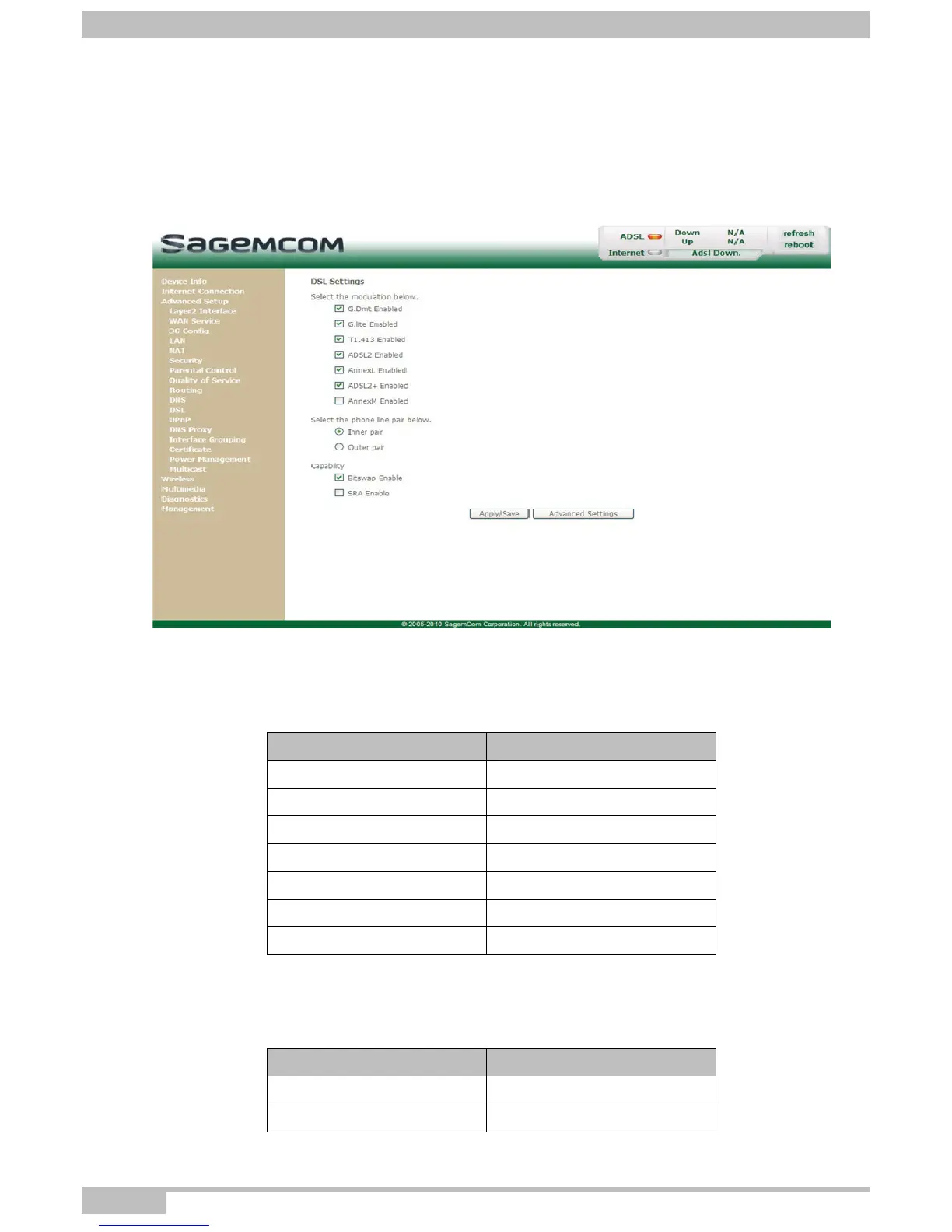
Object: The purpose of this menu is to parameter your ADSL line.
• In the Advanced Setup menu, select DSL.
The following screen opens:
Modulation
• Check the boxes according to the characteristics of your line.
Phone line pair
• Check the boxes according to the characteristics of your line.
Field Default value
G.Dmt Enabled Checked
G.lite Enabled Checked
T1.413 Enabled Checked
ADSL2 Enabled Checked
AnnexL Enabled Checked
ADSL2+ Enabled Checked
AnnexM Enabled Not checked
Field Default value
Inner pair Checked
Outer pair Not checked



 To Next Page