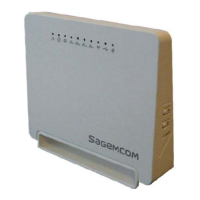
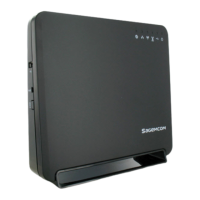
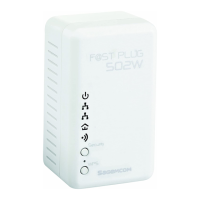
PLC Wireless Router F@st Plug 502W
- 3 -
Firmware Update ....................................................................................................................... 66
Local Upgrade Mode ........................................................................................................................... 66
TFTP Upgrade Mode ........................................................................................................................... 67
FTP Upgrade Mode ............................................................................................................................. 67
HTTP Upgrade Mode ........................................................................................................................... 68
HTTPS Upgrade Mode ........................................................................................................................ 69
Configuration Update ................................................................................................................ 70
Local Upgrade Mode ........................................................................................................................... 70
TFTP Upgrade Mode ........................................................................................................................... 71
FTP Upgrade Mode ............................................................................................................................. 71
HTTP Upgrade Mode ........................................................................................................................... 72
HTTPS Upgrade Mode ........................................................................................................................ 72
Log Settings ............................................................................................................................... 73
Diagnostics ................................................................................................................................ 74
Ping Diagnosis ..................................................................................................................................... 74
Traceroute Diagnosis ................................................................................................................................ 75
Logout ........................................................................................................................................ 76
STATUS ............................................................................................................................ 77
Device Information .................................................................................................................... 77
LAN Client .................................................................................................................................. 78
Routing Table ............................................................................................................................ 78
Logout ........................................................................................................................................ 79
HELP ................................................................................................................................. 80
USING THE SECURITY PUSHBUTTON .......................................................................... 81
Forming a HomePlug AV Logical Network ............................................................................. 81
Joining an AVLN Network ........................................................................................................ 81
Leaving an AVLN Network ........................................................................................................ 82
TROUBLESHOOTING ...................................................................................................... 83
Why all the LED indicators are off? ......................................................................................... 83
Why the Ethernet indicator is off? ........................................................................................... 83
Why you fail to access the Web page? ................................................................................... 83
How to restore factory defaults after carrying out the incorrect configuration? ................ 83
SPECIFICATIONS ............................................................................................................. 84


 To Next Page